
Short answer: Shopify SEO starts with knowing what the platform already does: canonical tags, a sitemap, robots.txt and theme title tags. Your job is the words and the structure: titles, descriptions, handles, alt text and collection copy, plus cleanup when products change. Then watch Search Console and app bloat instead of fighting the fixed URLs.
What Shopify SEO covers, and what the platform already does
Shopify SEO is the work of getting your store's product, collection and content pages found in search. Shopify handles most of the technical plumbing. You handle the words, the structure between pages and the cleanup when products change.
Shopify's own SEO overview lists what's automatic: canonical tags added to pages to keep duplicate content out of search results, a sitemap.xml and robots.txt generated for you, and themes that create title tags including your store name. It also says Shopify handles many technical SEO optimizations automatically, such as generating sitemaps and structured data, and reminds owners that Google doesn't index every page on a site.
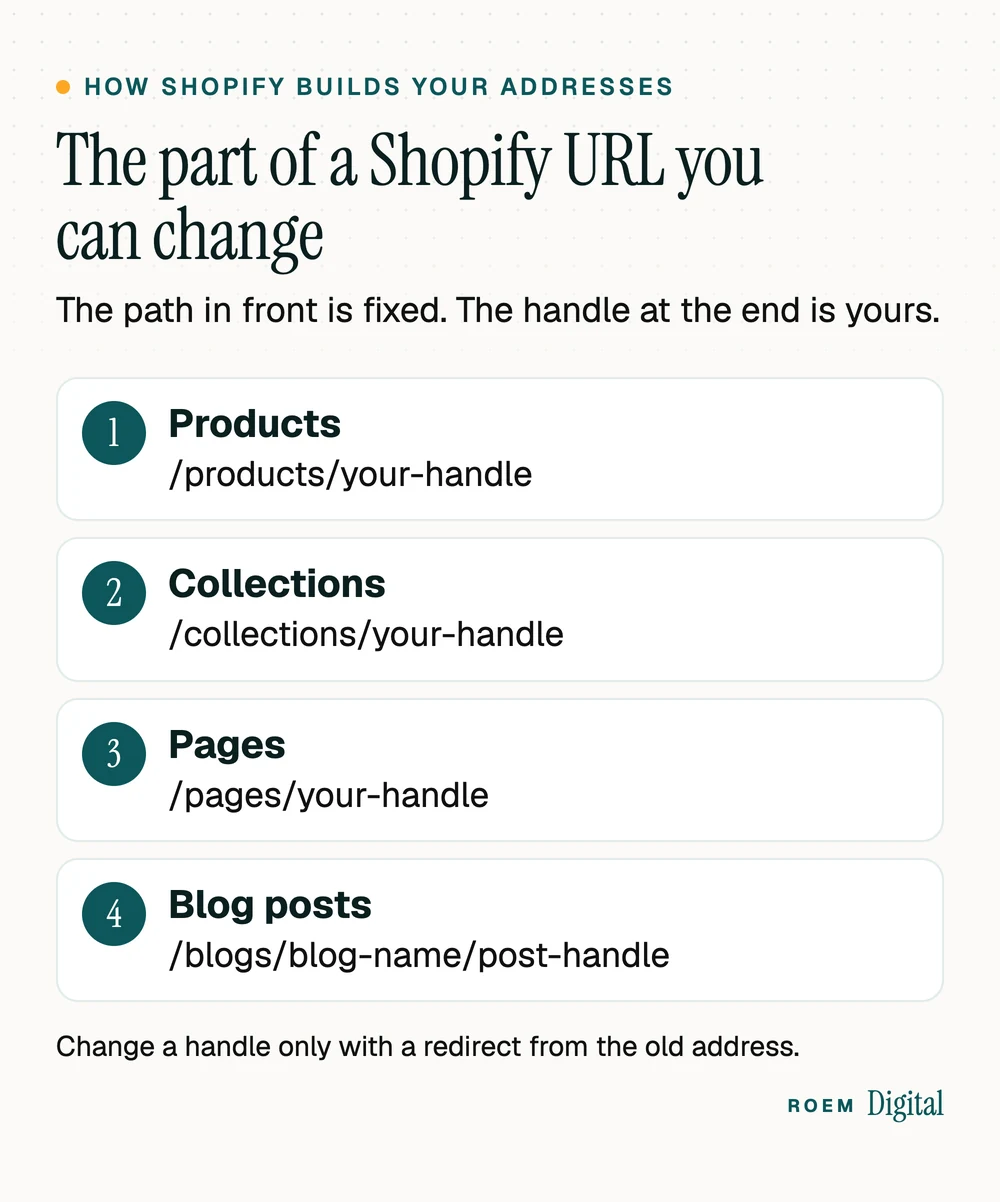
So stop worrying about the part most guides complain about: the fixed /products/ and /collections/ addresses. Google's guide to ecommerce site structure says it generally doesn't look at the structure of URLs to work out the structure of a site. It analyzes the links between pages instead. That's where your effort pays, and it's how we approach the Shopify stores in our brand, web and e-commerce work.
Four kinds of Shopify SEO work, from automatic to ongoing
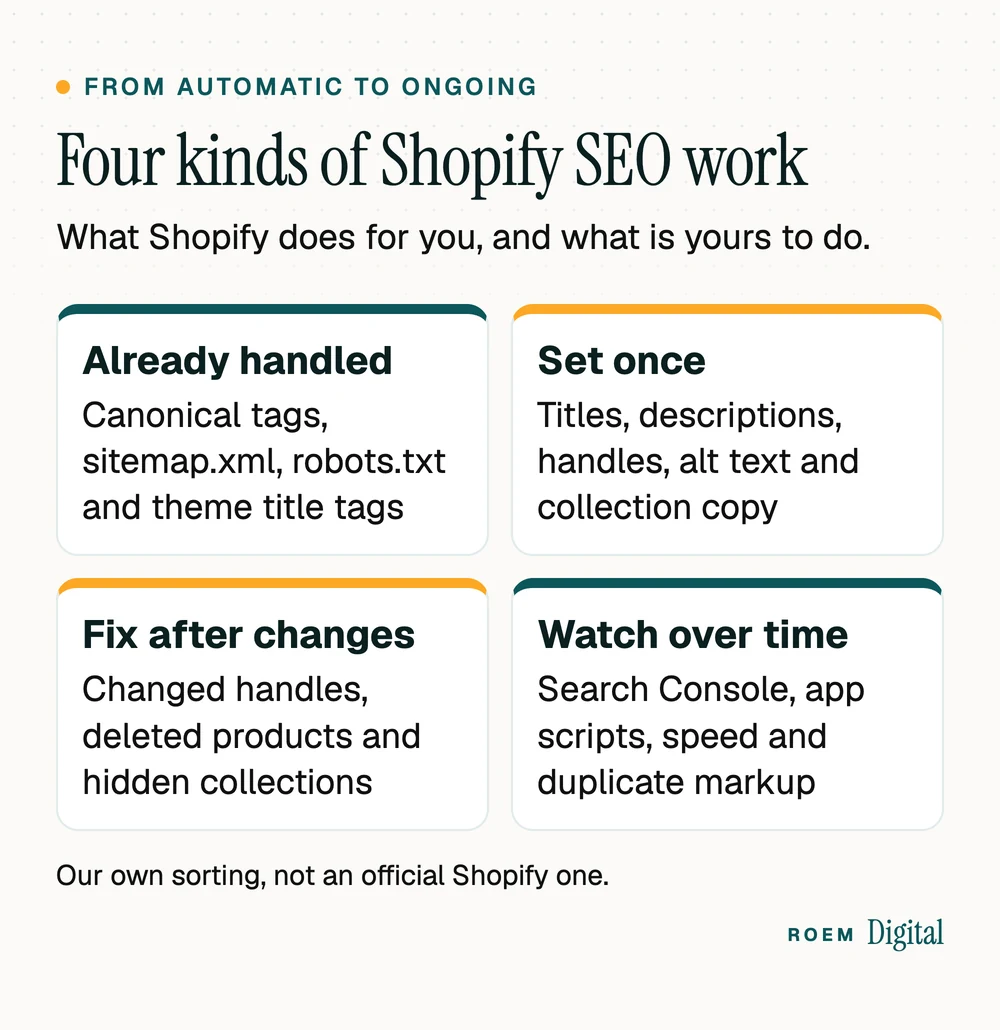
Most Shopify SEO tips lists mix platform settings with one-time chores and ongoing checks, so owners can't tell what's done and what isn't. We sort the work into four buckets. It's our own sorting, not an official Shopify one:
- Already handled by Shopify: canonical tags, the sitemap, robots.txt and theme title tags. Check them once and leave them alone.
- Set once per page: page titles, meta descriptions, URL handles, image alt text and collection copy, revisited when the product changes.
- Fix after changes: the moments that break things: a changed handle, a deleted product, a collection you hide and later bring back.
- Watch over time: Search Console, the scripts apps add, page speed and duplicate structured data from apps and themes. Our SEO audit checklist turns these into a routine.
Shopify product page SEO: titles, descriptions and photos
Shopify's guide to adding keywords to your store recommends a page title of 60 characters or fewer, with your most important keywords near the beginning, and natural, readable phrases rather than lists of keywords. It recommends about 160 characters for the meta description.
The product name itself matters as much as the SEO fields. Use the words shoppers type, not your internal SKU name. If shoppers call the same item by two or three names, the title can carry them all, and the meta description can add who it's for and the size.
- Write your own description. Answer the questions a shopper would ask in a store: what it's made of, how it fits, how to care for it, who it's for.
- Describe every photo. Shopify's guide says to use readable phrases that clearly describe what the image shows, using keywords from the page where they fit. Our guide to writing alt text has examples.
- Give variants one canonical page. Google's guide to ecommerce URL structure asks that each variant be reachable at its own URL, and when variants use a query parameter, that the URL without the parameter be the canonical. On Little Milo's Closet, a Shopify store we built, a variant link ending in ?variant= points its canonical tag at the plain product address, checked on November 25, 2026.
Shopify collection pages are your category pages
Collections usually match broader searches than single products ("dog sweaters" rather than one sweater), so treat them as real pages. Google's ecommerce structure guide says that if category pages don't link directly to all products in a category, Googlebot might not find all of your products by crawling alone, and that it generally doesn't type searches into your search box.
- Write a short intro at the top of each collection in shoppers' words: what's in it, who it's for, what to check before buying.
- Set the collection's page title and meta description. Shopify's collection settings guide warns that titles over 70 characters or descriptions over 320 characters might get cut off in search results.
- Link to your best collections and products from the homepage, menus and blog posts. Google's guide suggests exactly that for a best seller, because more internal links signal more importance.
- Hide empty collections. Google's URL structure guide suggests a noindex tag on a category with no items, or a 404 once the category is removed from your menus and search.
Deciding between a Shopify store and a custom site for a larger catalog is its own question. Our guide to e-commerce web design compares Shopify alone, a custom site and a mix of both.
URL handles, redirects and sold-out products on Shopify
This is the cleanup after changes, and it's where stores lose rankings they already earned. Every product, collection and page has a URL handle, the last part of its address. Change it and the old address stops working unless a redirect catches it.
- Pages: Shopify's pages guide says that if you change a page's web address, a Create a URL redirect option is preselected, so the old address redirects to the new one. Leave it checked.
- Collections: you choose whether to create a redirect from the old URL to the new one, and Shopify advises against editing the handle too often or the collection might not display in search results.
- Deleted or hidden items: Shopify's URL redirect guide explains that you can redirect only from broken URLs. If the old URL still loads a page, the redirect won't work, and if you make a hidden collection visible again, its redirect is deleted automatically.
| Situation | What to do |
|---|---|
| Sold out, coming back | Keep the page live, mark it sold out and say when to check back |
| Replaced by a new version | Unpublish the old one and redirect it to the new product |
| Discontinued, with similar items | Redirect it to the closest product or collection |
| Discontinued, nothing similar | Let it return a 404 rather than redirecting to the homepage |
| Duplicated to make a new product | Rename the copied handle to match the new product before it goes live |
Moving to Shopify from another platform needs a full redirect map before launch. Our post on 301 redirects explains how they work, and our guide to moving off Wix or Squarespace without losing rankings covers the move itself.
Sitemaps, robots.txt and structured data: check, don't tinker
Shopify's sitemap guide says the file lives at yourdomain.com/sitemap.xml, links to separate sitemaps for products, collections, blogs and pages, and updates automatically when you add products, pages, collections, images or blog posts. Submit it once in Search Console. It also notes that Google can't read the sitemap while the store is set to private mode, behind its password page, so open the store before you expect traffic. Our guide to Google Search Console shows where to submit it.
Leave robots.txt alone unless you have a specific reason. Shopify's robots.txt guide says the default file works for most stores, calls editing it an unsupported customization and warns that incorrect use can result in loss of all traffic.
Structured data is where apps cause trouble. Google's introduction to product structured data separates product snippets (pages where people can't buy) from merchant listings (pages where they can), and says providing both structured data and a Merchant Center feed maximizes your eligibility. Your theme usually outputs product markup already, and a review or SEO app may add a second copy. Run a product URL through Google's Rich Results Test after installing any app that touches markup. Our post on local business schema explains how markup works in general.
How to improve SEO on Shopify beyond the product pages
Once the basics are set, the stores that grow in search answer the questions shoppers ask before buying. Little Milo's Closet keeps a size guide page and pages about the fabrics it uses, and its product pages link to the size guide. That's the kind of supporting page that earns links from inside the store and helps shoppers buy with confidence.
- Blog posts that answer buying questions: sizing, care, gift guides and comparisons, each linking to the collection it supports.
- Fewer apps. Every app that adds a script to your storefront can slow it down. Remove the ones you don't use, then recheck your speed. Our website maintenance checklist has a routine for that.
- Reviews on product pages, written by real customers, which answer questions your description doesn't.
- Email that links to collections, so your best customers keep landing on the pages you want to grow. Our guide to email marketing for small business covers the basics.
Speed is worth a monthly look. Google's Core Web Vitals treat a Largest Contentful Paint of 2.5 seconds or less as good, and an overloaded product page is usually the first to slip. If your store sells custom or made-to-order work, our page on marketing for pet apparel brands shows how this fits a niche store.
When Shopify SEO needs outside help
Most of the per-page settings are work an owner can do in the Shopify admin. Get help when the fixes pile up: a platform move, a catalog cleanup with hundreds of retired products, a theme change, or rankings that dropped after one of those.
We're a small senior team based in Davenport, Florida, working with stores across Central Florida and nationwide. Our brand, web and e-commerce service covers Shopify, Amazon and Etsy storefronts, and you own the store, the domain and every account. See the Little Milo's Closet case study for a Shopify store we've worked with over the long term.
Frequently asked questions
Is Shopify good for SEO?
Yes, for most small stores. Shopify generates canonical tags, a sitemap, robots.txt and theme title tags automatically, so the technical basics are covered. What it can't do is write your titles, descriptions and collection copy, or clean up after you change handles and delete products. That part is on you.
How do I improve SEO on my Shopify store?
Start with page titles and meta descriptions on your top products and collections, written in the words shoppers search. Add real descriptions and alt text, write a short intro for each collection, link your best sellers from the homepage, and make sure every changed or deleted URL redirects to the closest match.
Can I change the URL structure on Shopify?
You can change the handle, the last part of each address, but not the /products/ and /collections/ paths. That's rarely a problem: Google says it generally reads a site's structure from the links between pages, not the URL pattern. Spend the effort on internal links and on redirects whenever a handle changes.
Does Shopify create redirects automatically when I change a URL?
For pages, Shopify preselects a Create a URL redirect option when you change the web address. For collections, you choose whether to create one. Either way, check the box. Redirects only work from broken URLs, so a redirect won't fire while a live page still loads at the old address.
Do I need an SEO app for Shopify?
Not to start. Titles, meta descriptions, handles, alt text and redirects are all built into the Shopify admin. Apps can help with large catalogs, but each one can add scripts or duplicate structured data. Install one only for a specific job, then check your speed and run a product page through Google's Rich Results Test.
Should I delete sold-out products on Shopify?
Not if they're coming back. Keep the page live and mark it sold out. If a product is gone for good, redirect its URL to the closest product or collection. If nothing similar exists, let it return a 404 rather than sending shoppers to the homepage, which only confuses them.