
Short answer: Email marketing for small business works best as a few useful emails tied to each customer's last job: a thank-you, a check-in and a reminder before the next service is due. Every marketing email needs your postal address and a working opt-out under CAN-SPAM, and Gmail and Yahoo require authentication and low spam complaints.
Email marketing for small business starts with the customers you have
Email marketing means sending messages to people who gave you their address, to bring them back, keep them informed or invite the next step. For a local business, the most valuable list is the one you already have: customers who paid you, liked the work and would book again if you reminded them at the right moment.
That's a different job from a monthly newsletter to strangers. A painter, a groomer, a spa or a tutoring center doesn't need clever content every few weeks. It needs a handful of timely, useful emails to people who already know it. Email is also one of the few channels you own outright, which is why our guide to lead generation for small businesses puts owned channels first.
That's the version of email marketing for small business worth starting with. This guide covers what to send, how to build the list honestly, the CAN-SPAM rules every commercial email must follow, and the Gmail and Yahoo sender requirements that decide whether your email reaches the inbox at all.
Emails timed to each customer's last visit
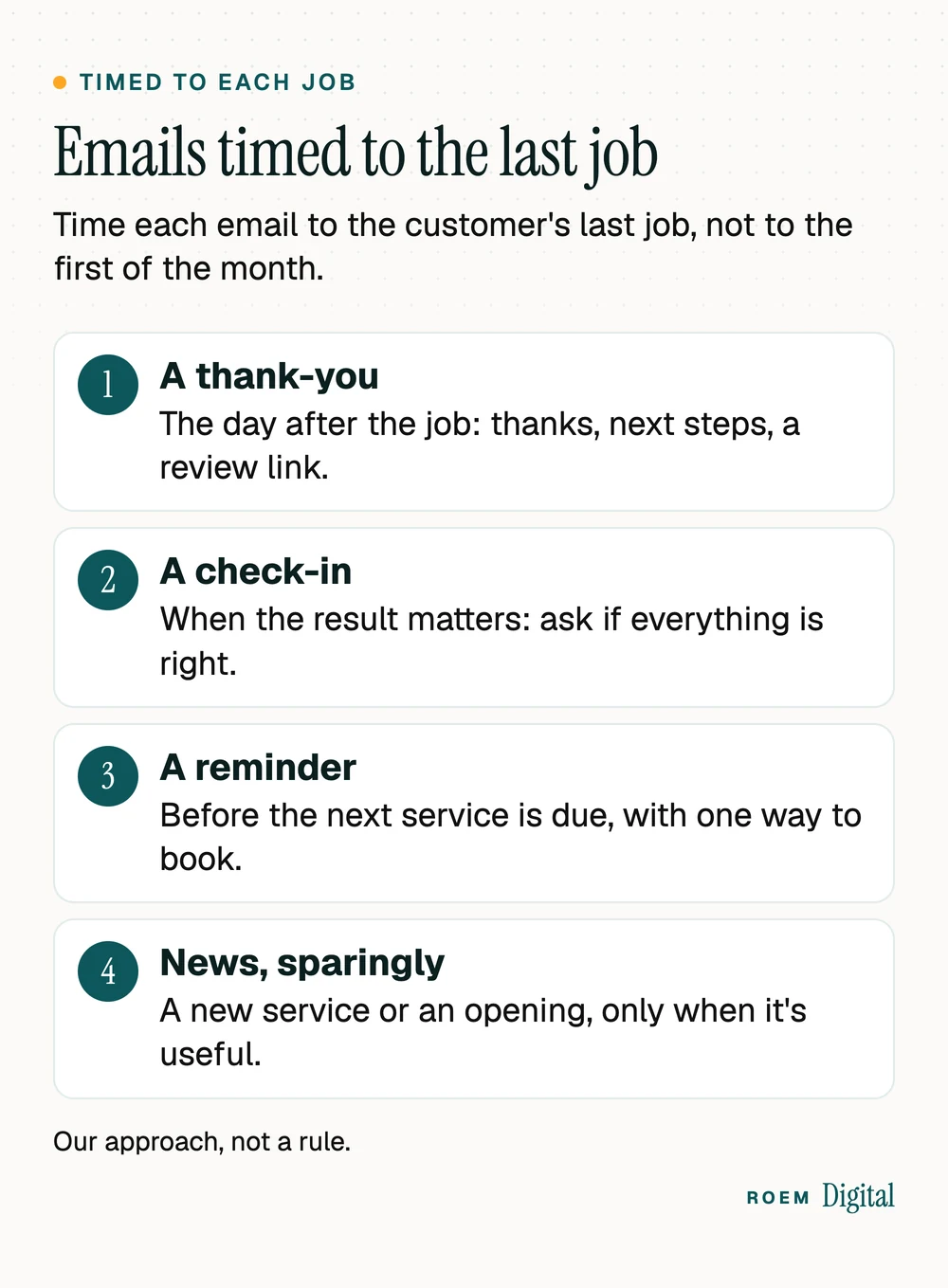
Here's our take: skip the calendar newsletter at first. Instead of emailing everyone on the first of the month, send each customer a short sequence timed to the day you last worked for them. It's our approach, not a rule, but it matches how service customers actually come back.
- A thank-you. The day after the job: thanks, what to expect next, how to reach you, and a link to leave a Google review, sent to every customer the same way.
- A check-in. When the result matters: a week after a paint job, a few days after a treatment, the first cold night after a heating repair. Ask if everything is right. This email earns the referral.
- A reminder. Before the next service is due, based on how often your customers really rebook. Give one clear way to book.
- News, sparingly. A new service, a schedule opening or a seasonal offer, sent only when it's genuinely useful to that group.
If your email platform can send automatically from a date on each customer's record, the plan runs without anyone remembering to send it. That date has to live somewhere reliable, and our guide to choosing a CRM for a small business covers where to keep it. The thank-you email is also the natural place for a review request, and our guide to getting more Google reviews covers how to word that ask.
What a thank-you email can look like
Short, plain and from a real person beats a designed template. Swap the words in braces for your own details:
- Subject: Thanks from {Business}, and how to reach us
- Body: Hi {Name}, thanks for choosing us for {service} on {date}. If anything isn't right over the next few weeks, reply to this email or call {phone} and we'll come back. If you have a minute, a short Google review of how it went helps your neighbors find us: {review link}. {Your first name}
- Footer: {Business}, {postal address}. You're receiving this because you booked with us. Unsubscribe.
How to build an email list without buying one
Ask at the moments people already give you their details, and say plainly what they'll get:
- At booking. A checkbox on the booking or estimate form: "Email me reminders and occasional news. Unsubscribe anytime."
- On the invoice or receipt. A line offering service reminders, with a link to sign up.
- At the counter. A short sign-up on a tablet or a QR code to a one-field form.
- On the website. One form with one promise, such as seasonal reminders or first notice of openings.
Never buy or borrow a list. Google's email sender guidelines say that if you manage mailing lists, you should send email only to people who want to get messages from you, make sure recipients opt in, and confirm each recipient's address before subscribing them. Strangers who never asked are the people most likely to report you as spam, and those reports hurt delivery for everyone on your list.

If you serve customers in English and Spanish, ask which language they'd like at sign-up and keep two lists. Our guide to building a bilingual website covers the rest of a two-language setup.
CAN-SPAM rules every small business email has to follow
This is general marketing information, not legal advice. The FTC's CAN-SPAM Act compliance guide for business says the law covers all commercial messages, meaning email whose primary purpose is advertising or promoting a commercial product or service. It also says the law makes no exception for business-to-business email. The main requirements, in plain terms:
| Requirement | What it means for you |
|---|---|
| Honest header and subject | The From name and address identify your business, and the subject line matches what's inside. |
| Say it's an ad | A promotional email has to disclose clearly that it's an advertisement. |
| Postal address | A valid physical postal address: your street address, a registered USPS post office box, or a registered private mailbox. |
| A clear way to opt out | Tell people how to stop marketing email from you, in a way that's easy to spot and use. |
| Honor opt-outs fast | Within 10 business days, with no fee and no information requested beyond the email address. You also can't sell or transfer the addresses of people who opted out. |
| Keep the opt-out working | Your opt-out method must process requests for at least 30 days after you send. |
| You're responsible for vendors | Hiring a platform or agency to send doesn't transfer your legal responsibility. |
A pure receipt or appointment confirmation is a transactional message, which the FTC says is largely exempt, though it still can't carry false or misleading routing information. Mixed emails are judged by their primary purpose: the full law applies if a recipient reading the subject line would likely conclude the email is commercial, or if the transactional part doesn't appear mainly at the beginning. So the reminder and news emails in the plan above should meet every rule in the table, and the thank-you email should too once it includes an offer. If you also text customers, our guide to SMS marketing for small businesses covers the stricter consent rules for texts.
Gmail and Yahoo sender rules that decide whether you reach the inbox
CAN-SPAM is the legal floor. The inbox providers set their own bar, and missing it means your email lands in spam or doesn't arrive. Google's sender guidelines say that, starting February 1, 2024, every sender to Gmail accounts must:
- Set up SPF or DKIM email authentication for the sending domain.
- Have valid forward and reverse DNS records for sending domains or IPs.
- Use a TLS connection to transmit email.
- Keep spam rates reported in Google's Postmaster Tools below 0.3%.
- Format messages to the internet message standard, RFC 5322.
Senders of more than 5,000 messages a day to Gmail accounts must also set up both SPF and DKIM plus DMARC, align the From domain with one of them, and support one-click unsubscribe with a clearly visible unsubscribe link in marketing messages. Yahoo's sender best practices set similar rules, and for bulk senders Yahoo asks you to honor unsubscribes within 2 days, much faster than the 10 business days CAN-SPAM allows.
Most of this is handled by a reputable email platform, with one exception: the SPF, DKIM and DMARC records live in your domain's DNS, so someone has to add them where your domain is managed. Make sure your business controls that account. Our guide to who owns your website and marketing accounts shows how to check. And don't send marketing email from your everyday inbox: Yahoo advises sending bulk and marketing email from different IPs or DKIM domains than the ones you use for everyday, transactional and alert mail, which a proper email platform sets up for you.
Email marketing tips for measuring what each email brings in
Judge email by what it brings back, not by how many people it reaches. For each email in the plan, track:
- Bookings and calls that came from the email, using tagged links. Our guide to UTM parameters shows how to tag email links so GA4 credits them correctly.
- Replies. A check-in email that gets replies is working, even if few people click anything.
- Reviews left after the thank-you email.
- Unsubscribes and spam complaints. A jump after one email means the content or timing missed. Gmail senders can watch spam rates in Postmaster Tools.
Keep the list clean, too. Google's sender guidelines suggest periodically confirming that recipients want to stay subscribed and considering unsubscribing people who don't open or read your messages. A smaller list of people who want your email delivers better than a big one full of people who forgot they signed up.
Email does most of its work in the came-back stage of your marketing funnel, so roll those numbers into the same monthly view as your other channels. Our guide to the five numbers every marketing report should show explains how to report leads and revenue by source, so email sits beside ads and search on equal terms.
When to talk to an attorney about your email program
This post is general marketing information, not legal advice. Talk to an attorney who handles advertising and privacy law before you:
- Email any list you didn't collect yourself, including a list from a partner or a business you bought.
- Send for affiliates, or let another business mail your customers under your name.
- Email patients if you're a health practice covered by HIPAA, beyond basic appointment logistics.
- Mail recipients outside the United States, where different laws apply.
- Receive a complaint or demand letter about an email you sent.
For health practices, our med spa industry page explains how we approach marketing in a regulated field.
Where email fits in your marketing plan, and how we help
Email works best as one piece of a plan, not a project on its own. Our consulting work helps owners decide which channels deserve their time, set the numbers to track and review them monthly. We're a small senior team based in Davenport, Florida, working with businesses across Central Florida and nationwide. Read more about our consulting and strategy service, or start with the free AI Marketing Playbook if you'd like to read before you talk to anyone.
Frequently asked questions
Is email marketing worth it for a small business?
For most local businesses, yes, when it's aimed at existing customers. A short thank-you, a check-in and a reminder before the next service is due cost little to send and bring back people who already trust you. A newsletter to strangers is slower and harder to make pay.
How often should a small business send marketing emails?
Send when you have a reason tied to the customer, not on a fixed schedule. Time thank-you, check-in and reminder emails to each customer's last job, and send news only when it's useful. If unsubscribes or spam complaints jump after an email, send less often or change what you send.
What are the CAN-SPAM rules for small business email?
Under the FTC's guide, commercial email needs honest header and subject lines, a clear disclosure that it's an ad, a valid physical postal address and an easy opt-out. Opt-outs must be honored within 10 business days, and the law makes no exception for business-to-business email.
Do I need permission to email my customers?
CAN-SPAM focuses on what each commercial email must include and how fast you honor opt-outs. Gmail's sender guidelines go further and say recipients should opt in, with each address confirmed. Asking at booking or checkout keeps you on the right side of both and keeps spam complaints low.
What are SPF, DKIM and DMARC?
They're records in your domain's DNS that prove your email really comes from you. Google requires every sender to Gmail to use SPF or DKIM, and senders of more than 5,000 messages a day to use both plus DMARC. Your email platform supplies the values, and you add them where your domain is managed.
Should a small business send a newsletter?
Only after the basics work. Start with emails tied to each customer's job date, because they're timely and easy to measure. Once those run on their own, a newsletter can share seasonal tips or news, as long as each issue gives readers a reason to open it and a way to unsubscribe.