
Short answer: A bilingual website gives each language its own URLs, a visible language switch on every page and hreflang tags that connect the versions. Google detects a page's language from its visible content, so keep one language per page. Then make sure forms, confirmations and replies stay in the customer's language too.
What a bilingual website is, and who it's for
A bilingual website offers the same pages in two languages, each at its own address, with a visible way to switch between them. Done well, a customer can find you, read, decide and contact you entirely in the language they prefer.
It's not only for people who can't read English. In the Census Bureau's 2018 to 2022 American Community Survey release, 78.3% of people age 5 and older spoke only English at home. Among those who spoke another language, Spanish was the most common at 61.1%, and 61.0% of Spanish speakers also spoke English very well. Many of your Spanish-speaking customers can read your English site. A Spanish version lets them decide in the language they use at home.
This guide is technical on purpose: how to structure an English and Spanish website so Google and customers both get it right, what hreflang does and doesn't do, and the step most bilingual sites miss. For the marketing plan around it, see our bilingual marketing service.
How to make a bilingual website: give each language its own URLs
Structure comes first, because it decides whether Google can find both versions. Google's guide to managing multilingual sites recommends different URLs for each language version rather than cookies or browser settings that swap the language on one address. It also warns against automatically redirecting people based on the language you think they speak, and suggests linking to the other language versions so visitors can choose.
| Setup | Example | When it fits a small business |
|---|---|---|
| Subfolder | example.com/es/servicios | Usually the simplest: one site, one domain, one place to manage. |
| Subdomain | es.example.com | When the Spanish side runs on a different system or team. |
| Separate domain | example-spanish-domain.com | Rarely worth it for one local business: two sites to grow instead of one. |
Google's same guide says it uses the visible content of a page to determine its language, and that you can help by using a single language for content and navigation on each page and by avoiding side-by-side translations. So no half-English, half-Spanish pages: give each version its own complete page. Our own Spanish page for Orlando businesses has its own address, connected to our English Orlando page with hreflang tags.
Keep the two versions parallel
Pair every English page with its Spanish twin, and make the language switch on each page lead to that twin, not to the other language's homepage. A visitor reading about one service in English who taps Español should land on the same service in Spanish. Keep a simple page map of every English URL and its Spanish match, and update it whenever you add a page. Google's guide notes that localized words in a URL are fine, so /es/servicios can sit opposite /services, as long as the URLs use UTF-8 encoding.
Hreflang for small business: what it does and doesn't do
Hreflang is a tag that tells Google which pages are language versions of each other, so a Spanish search can show your Spanish page and an English search your English one. It doesn't decide what language a page is in. Google's page on telling Google about localized versions says it plainly: "Google doesn't use hreflang or the HTML lang attribute to detect the language of a page; instead, we use algorithms to determine the language."
The same page sets the rules that trip people up:
- Each language version must list itself as well as every other version.
- Alternate URLs must be fully qualified, including https, not a relative path.
- An x-default entry can name the fallback page for visitors whose language doesn't match any version.
You can add hreflang in three places: link tags in each page's head, HTTP headers (useful for PDFs) or your XML sitemap. Google's page notes there's no benefit in Search to using more than one method, and that managing several is harder, so pick the one your platform handles cleanly and stick with it.
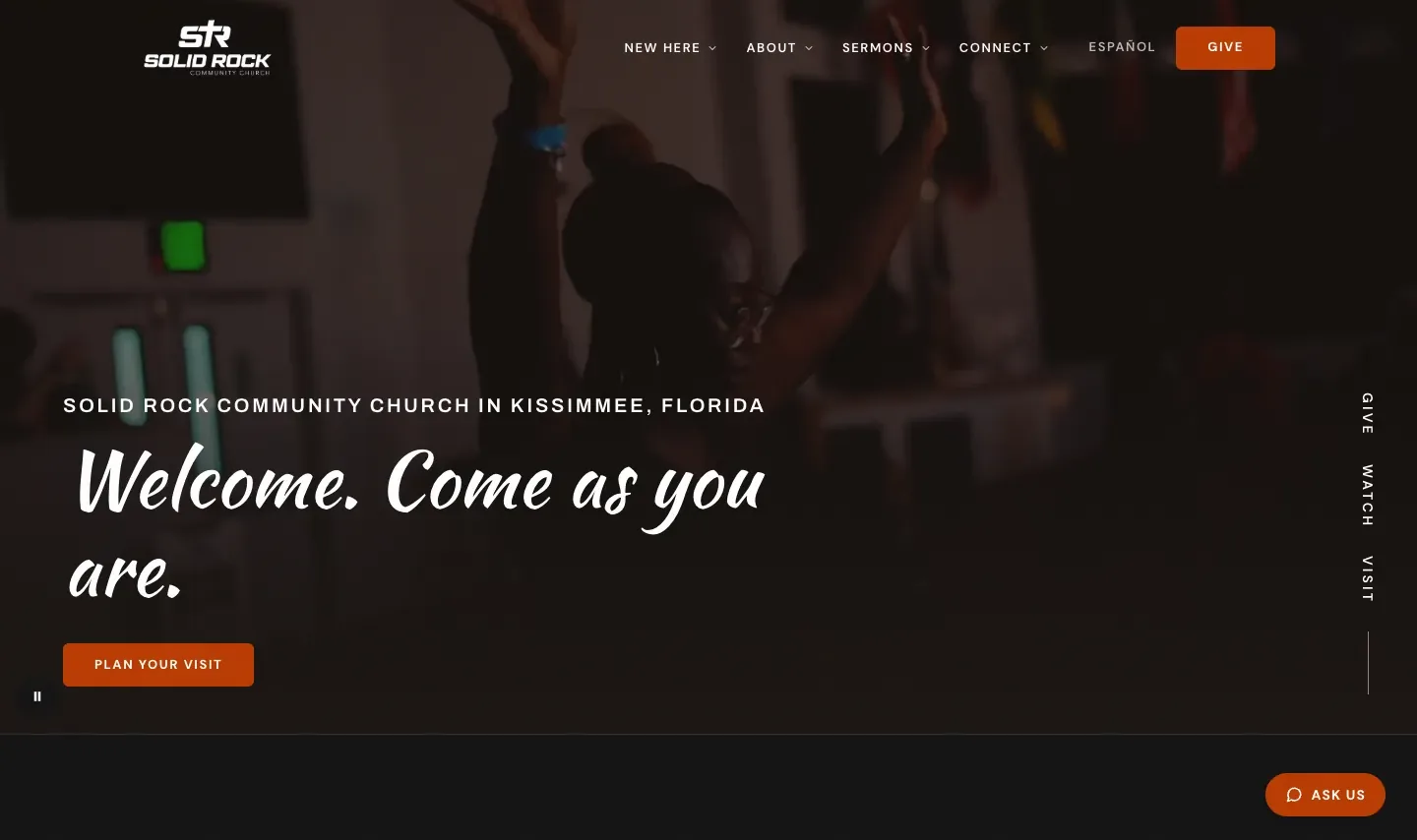
On the English and Spanish sites we built for Solid Rock Community Church and worship artist Elizabet Maria, each page lists its English and Spanish versions this way, plus an x-default. You can see the work behind both in our portfolio.
Set the HTML lang attribute anyway. Google may not read it for language detection, but screen readers rely on it to pronounce your words correctly, and WebAIM's accessibility checklist lists identifying a page's language with the lang attribute as a basic requirement. On a Spanish page, that means lang="es". This is general information, not legal advice.
The whole-path test: a bilingual website is only as bilingual as its weakest step
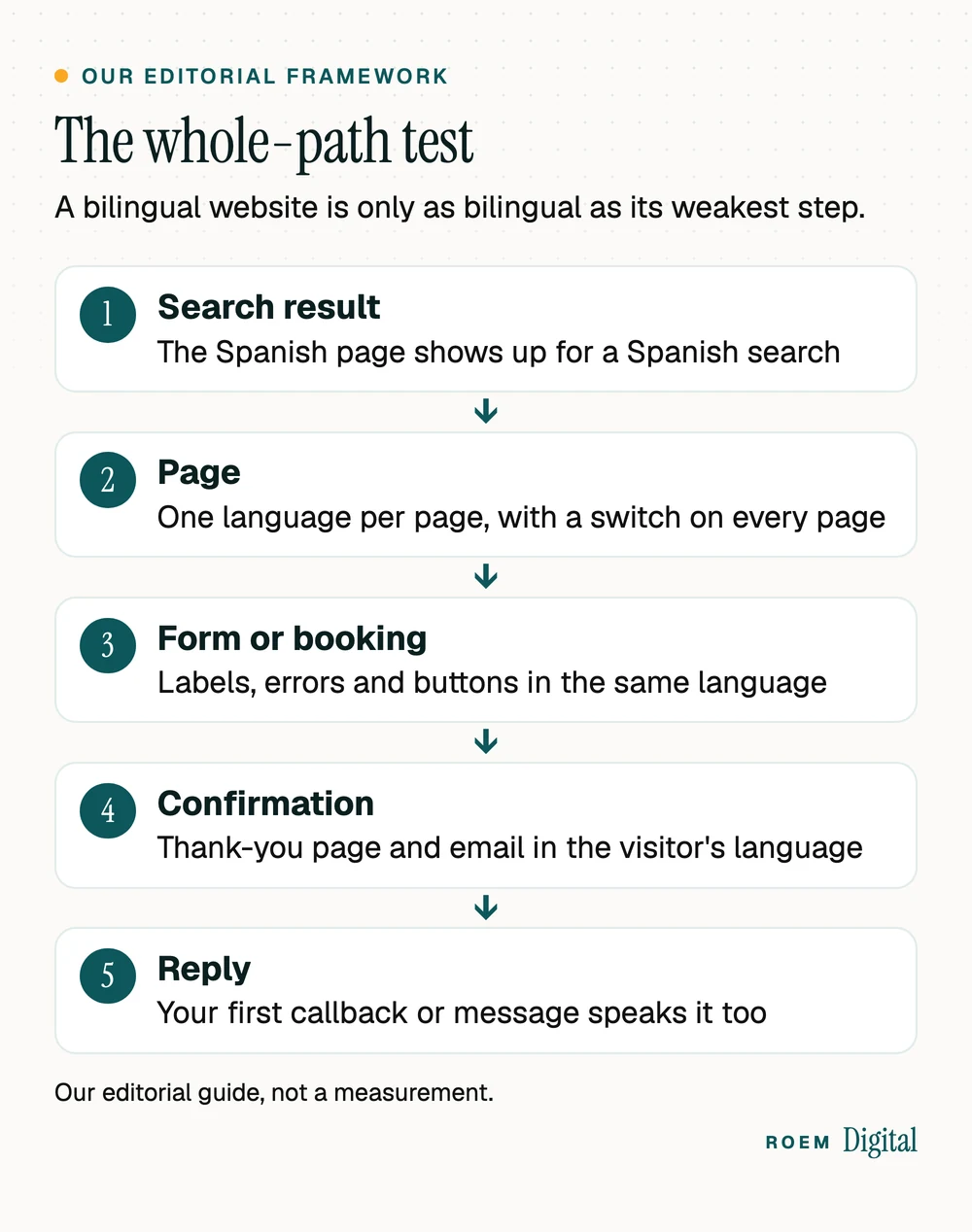
Here's the step most bilingual sites miss. Owners translate the pages and stop. Then a Spanish-speaking customer reads a Spanish service page, taps the button, and lands on an English form, an English error message or an English confirmation email. We call our check for this the whole-path test, and it's editorial judgment, not a published standard: follow one customer from the search result to your first reply, and every step should be in their language.
| Step | What usually breaks | The fix |
|---|---|---|
| Search result | Only the English page shows up | Separate Spanish URLs with hreflang, and Spanish titles and descriptions |
| Page | Menus, footer or buttons stay in English | Translate the whole template, not just the body text |
| Form or booking | Field labels and error messages in English | Spanish labels, instructions and errors on the Spanish form |
| Confirmation | English thank-you page and email | A Spanish thank-you page and email for Spanish forms |
| Reply | The callback or text comes in English | Route Spanish leads to someone who can answer in Spanish |
Booking tools count too: if customers book online, check that the booking page speaks both languages. Our guide to choosing an online booking system lists that among the questions to ask.
What to translate first on an English and Spanish website
You rarely need every page in both languages on day one. Start where customers decide:
- Your top service pages and the homepage, the pages that already bring in most of your calls and forms.
- Contact and booking: forms, labels, error messages, thank-you pages and confirmation emails.
- Prices, hours, service areas and policies, the details people check right before they reach out.
- Your FAQs, written for the questions Spanish-speaking customers actually ask, not a word-for-word copy of the English list.
- Your Google Business Profile, the place many customers see before your website. Our Google Business Profile checklist covers each field.
Translate for searches, not just sentences. Spanish-speaking customers may describe a service with different words than a literal translation of your English page title, and some switch languages mid-search. Look at the words your customers use on the phone and in messages, and at the Spanish queries Search Console shows once your pages are live, then write titles and headings around those.
Machine translation and AI tools can produce a fast first draft. Treat that draft the way we suggest treating any AI copy in our guide to AI for small business marketing: have someone fluent check service names, prices, dates and anything that sounds like a promise before it goes live. A wrong word on a Spanish page costs the same trust as one on an English page.

Track leads by language, or you'll never know it worked
A bilingual website is an investment, so measure each side. Two simple habits cover most of it:
- Tag every form and call by the language of the page it came from. Our walkthrough on tracking calls and form fills in GA4 shows the setup. Count finished leads, not visits.
- Filter Search Console by your Spanish folder to see which Spanish searches find you and which pages they land on. Those queries tell you what to translate next.
Calls need the same care. If your Spanish pages show a separate tracking number, you can count Spanish calls on their own and route them to whoever answers in Spanish. Our guide to call tracking for small businesses explains how tracking numbers work without hurting your Google listing.
Before launch, run the usual checks on both languages: every form, every phone link, every redirect. Our website launch checklist covers the full list.
How we build English and Spanish websites
We're a small senior team based in Davenport, Florida, working with businesses across Central Florida and nationwide. Our bilingual marketing service covers Spanish-language websites and pages, Spanish landing pages and forms, and lead tracking by language, under one plan with the English side. We've built English and Spanish sites for Solid Rock Community Church in Kissimmee and for worship artist Elizabet Maria, each with its own Spanish URLs, a visible language switch and hreflang tags.
We start by learning how your customers actually search: which services they look up in Spanish, which in English, and where each search lands today. Then the Spanish pages get built alongside the English ones, with every call and form tagged by language so you can see what each side brings in.
Our websites are hand-built, not templated, and you own the domain, the site and every account. Every plan starts with the free audit, and the quote comes after.
Frequently asked questions
What is a bilingual website?
A bilingual website offers the same content in two languages, such as English and Spanish, with each version at its own web address and a visible switch between them. A good one keeps the whole customer path in one language, from the search result through the form, the confirmation and your reply.
How do I make my website bilingual?
Give each language its own URLs, usually a subfolder like /es/, and keep one language per page. Add a language switch to every page, connect the versions with hreflang tags, set the lang attribute, and translate the forms, error messages and confirmation emails, not just the main pages.
Does Google use hreflang to detect a page's language?
No. Google says it doesn't use hreflang or the HTML lang attribute to detect a page's language, and uses algorithms instead, based on the visible content. Hreflang tells Google which pages are language versions of each other, so it can show the right version in search results.
Should I automatically redirect Spanish speakers to my Spanish pages?
Google advises against redirecting people based on the language you think they speak, because it can stop users and search engines from seeing all your versions. Instead, put a clear language switch on every page and let each visitor choose. Remember the choice if your site supports it.
Is it okay to use machine translation for my Spanish pages?
It's fine as a first draft. Before anything goes live, have someone fluent check service names, prices, dates, policies and anything that reads like a promise. Customers notice awkward or wrong wording quickly, and a mistake on a Spanish page costs the same trust as one on an English page.
Do I need every page in both languages?
Usually not at first. Start with your top service pages, the homepage, contact and booking, prices and hours, and your FAQs. Then let Search Console show you which Spanish searches find you, and translate the pages those searches are looking for next.