
Short answer: UTM parameters are tags added to the end of a link, such as utm_source, utm_medium and utm_campaign, that tell Google Analytics where a visit came from. Tag only links GA4 can't identify on its own, name them from one lowercase list, and leave Google Ads auto-tagging and links between your own pages alone.
What UTM parameters are and what each one does
UTM parameters are short tags you add to the end of a link to tell Google Analytics where a visit came from. When someone clicks a tagged link, GA4 records the source, medium and campaign you wrote into it, instead of guessing from the referrer.
A tagged link looks like this: example.com/?utm_source=newsletter&utm_medium=email&utm_campaign=fall-tune-up. Google's help page on URL builders and campaign data says "you should always use utm_source, utm_medium, and utm_campaign" and lists the optional ones:
| Parameter | What it records | Example value |
|---|---|---|
| utm_source | Where the click came from: the site, newsletter or printed piece | newsletter, facebook, google |
| utm_medium | The type of channel | email, social, organic, sms |
| utm_campaign | The promotion or effort | fall-tune-up |
| utm_content | Which link or creative, when one message has several | header-button, footer-link |
| utm_term | The paid keyword, mostly for ads tagged by hand | water-heater-repair |
| utm_id | A campaign ID, if you track IDs elsewhere | fall2026 |
Google's page also lists utm_source_platform, plus two parameters (utm_creative_format and utm_marketing_tactic) that it says aren't currently reported in GA4. You'll find the results in GA4 under Acquisition, then Traffic acquisition, broken out by session source, medium and campaign. If tagging links for ads and email isn't how you want to spend your week, our paid media and lead generation service sets up tracking before any ad spend starts.
Which links to tag with UTM codes, and which to leave alone
Most guides tell you to tag everything. A small business does better tagging less, but tagging it right. Tag the links GA4 can't identify on its own, the ones where the click arrives with no useful referrer or a misleading one:
- Email newsletters and automated emails. A click from an email app often carries no referrer, and Google processes a session with no referral information as direct traffic.
- Your Google Business Profile website link, plus any appointment link (more on this below).
- Buttons in Google Business Profile posts, which our guide to Google Business Profile posts covers.
- Social profile links and posts, so you can tell your Instagram bio from a Facebook post.
- QR codes on flyers, signs and vehicle wraps, which have no referrer at all.
- Text messages and links you place on partner or directory sites.
- Links in your email signature and in documents you send, such as quotes and invoices.
Many email and social scheduling tools can add UTM tags for you. If yours does, use that setting or tag by hand, not both, so one link doesn't carry two different sets of values.
Leave two kinds of links untagged. Google Ads with auto-tagging on: Google's page on traffic-source dimensions explains that when manual and auto-tagging are used together, GA4 takes the auto-tagged values for source, medium and other classification dimensions. Links between your own pages: Google's campaigns and traffic sources page says GA4 doesn't start a new session when it meets a new campaign mid-visit, but it attaches the new values to the events where it collected them and uses them for event-based attribution. In key event reports, a lead can end up credited to your own homepage banner instead of the ad that brought the visitor.
Tag, name, log, check: a UTM routine you can keep
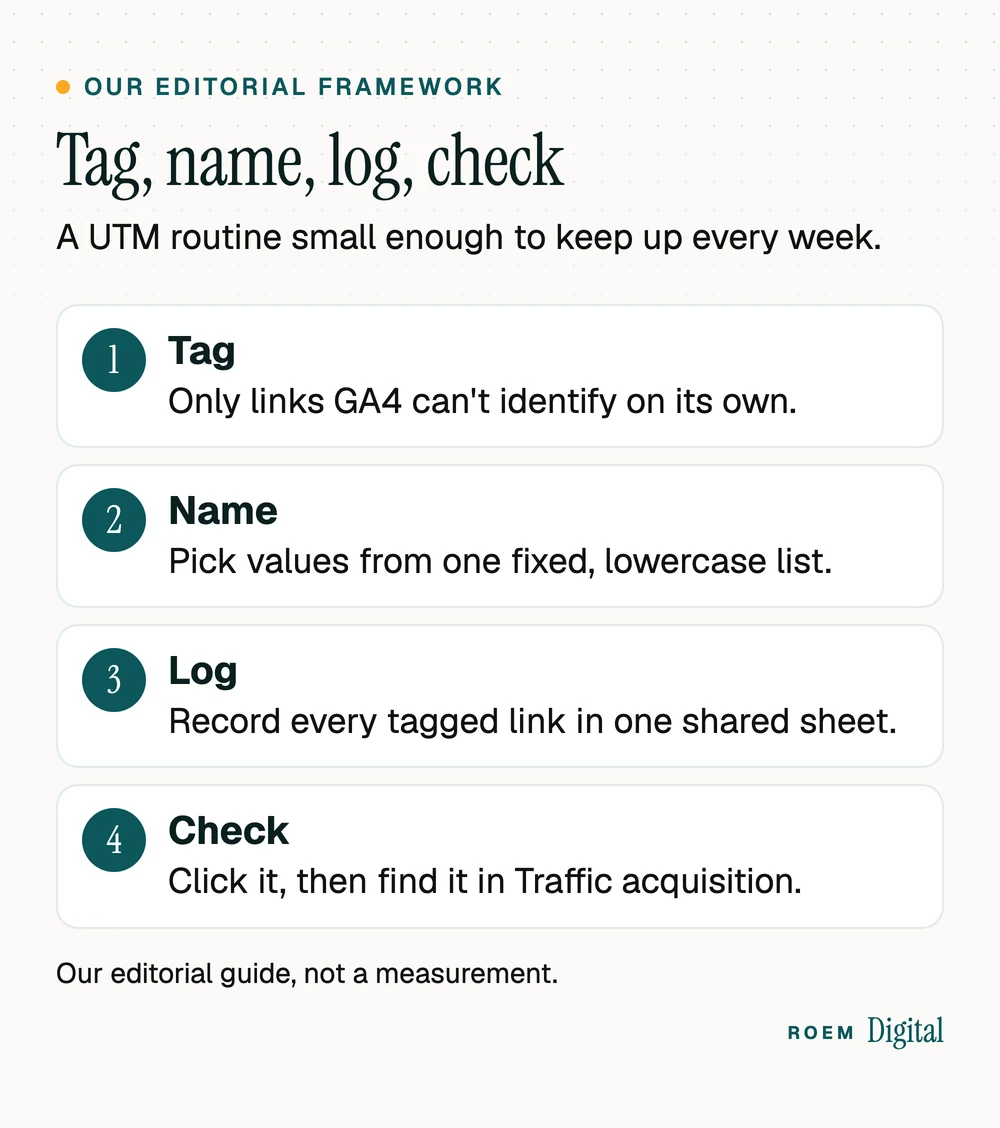
UTM tracking breaks down slowly: one person writes Facebook, another writes fb, a third forgets the campaign. We call the fix tag, name, log, check (our editorial framework). It takes a few minutes per link and keeps your reports readable a year from now.
- Tag only the links on the list above.
- Name them from one fixed list of lowercase values, kept in a shared document.
- Log every tagged link in a sheet: date, where it lives, the full URL and who made it.
- Check each link by clicking it yourself on your phone's mobile data, then finding the visit in GA4's realtime view or Traffic acquisition report.
The payoff is a report you can act on. Our guide to the five numbers every marketing report should show starts with leads by source, and clean UTM data is what makes that first number honest.
A UTM naming sheet that lands in the right GA4 channel
GA4 sorts every visit into a default channel, such as Organic Search, Email or Paid Social, using rules based on source and medium. Google's default channel group page lists them. Organic Search, for example, includes visits whose source is on Google's list of search sites or whose medium exactly matches organic, and Referral includes mediums of referral, app or link. Pick values that fit those rules and your tagged visits land where you expect:
| Where the link lives | utm_source / utm_medium | GA4 default channel |
|---|---|---|
| Google Business Profile website link | google / organic | Organic Search |
| Email newsletter | newsletter / email | |
| Unpaid Facebook or Instagram post or bio | facebook or instagram / social | Organic Social |
| Facebook or Instagram ad tagged by hand | facebook or instagram / paid_social | Paid Social |
| Text message | sms / sms | SMS |
| Link on a partner or directory site | the site's name / referral | Referral, or Organic Social if GA4 lists the site as social, as it does Yelp and Houzz |
| QR code on a flyer or sign | flyer or sign / print | Unassigned, so name the campaign clearly |
Two rules make or break the sheet. Case matters: Google's URL builder help notes that parameter values are case sensitive, so google and Google become two rows in your reports. And the campaign name should say what and when, such as small-business-saturday-2026 for a campaign from our Small Business Saturday ideas, so next year's numbers don't merge with this year's. Google's help also suggests setting every relevant parameter once you set one, because missing values show up as (not set).

Local example: add UTM parameters to your Google Business Profile
For a local service business, the Business Profile is often the busiest link to your site. Without a tag, those visits arrive with whatever label the referrer gives them, which rarely says Business Profile. Tagging it takes five steps:
- Build the link in Google's Campaign URL Builder, which Google's help names as the builder for links to websites. For example: example.com/?utm_source=google&utm_medium=organic&utm_campaign=gbp-listing.
- Open your profile's website field and paste the full URL. Google's Business Profile editing help asks for the full URL, including https.
- Tag the appointment link too, with a different utm_content value, if your category lets you add one.
- Click the link from your live profile and confirm the visit appears in GA4 under the gbp-listing campaign.
- Log it in your sheet, so nobody strips the tag during a redesign.
Then read two numbers side by side. Google's Business Profile performance help defines website clicks as the number of times people clicked the website link on your profile. GA4 shows what those visitors did after the click. If the profile shows clicks but GA4 shows few gbp-listing sessions, check that the tag survived and that the page loads quickly on a phone.
Why google and organic rather than something like gbp? Google's default channel group rules put a visit in Organic Search when its source is on Google's list of search sites or its medium exactly matches organic, so your profile visits are counted with the rest of your search traffic. A made-up medium such as gbp would still land in Organic Search while the source is google, because GA4 lists google as a search site, but it adds a second medium to your reports for no gain. Keep organic, and let gbp-listing in the campaign do the separating.
Calls are the gap. A tap on the profile's call button never reaches your website, so the tag can't see it. Our guide to call tracking for small businesses shows where a tracking number can go on your profile without hurting local rankings.
UTM tracking mistakes that quietly break your reports
| Mistake | What happens | Fix |
|---|---|---|
| Facebook in one link, facebook in another | GA4 reports them as two different sources | Lowercase everything, from one list |
| Only utm_source set | Medium and campaign show as (not set) | Always set source, medium and campaign |
| UTMs on links between your own pages | Leads get credited to your own site | Use GA4 events for on-site clicks instead |
| Hand tags on Google Ads with auto-tagging on | GA4 uses the auto-tagged values, unless the click ID fails and your tags take over | Leave auto-tagging on and skip the hand tags |
| A name, email or phone number in a tag | Breaks Google's rule against sending personal information | Keep tags to campaign words only |
| A made-up medium like flyer-promo | The visit falls into Unassigned | Use a medium from your naming sheet |
| A campaign named shop-small | GA4's shopping rules match campaign names containing shop, so it can land in a Shopping channel | Keep shop and shopping out of campaign names for email, social and print links |
The personal information rule is strict. Google's page on avoiding personally identifiable information says that both the URL path and its parameters must be free of PII, such as email addresses. Never paste a customer's email into a tag to see who clicked. If you're planning a busy promotion, set up and test the tags a week ahead, then judge the results by leads, which our guide to website conversion rate explains.
UTMs track the visit. Calls and forms need their own tracking
A UTM tells you who arrived. It doesn't tell you who called. Someone who calls the number on a flyer or taps a call button never sends a tagged visit, so no UTM can see that call. Counting those takes call tracking, set up so each source shows its own number. Form fills and booking requests need key events in GA4, covered in our guide to tracking calls and form fills in GA4.
We're a small senior team based in Davenport, Florida, working with businesses across Central Florida and nationwide. On paid campaigns, we track calls, forms and bookings before any ad spend starts, and you own your ad accounts and your analytics. Read more about our paid media and lead generation service.
Frequently asked questions
What are UTM parameters?
UTM parameters are tags added to the end of a URL, such as utm_source, utm_medium and utm_campaign, that tell Google Analytics where a visit came from. When someone clicks a tagged link, GA4 records those values, so you can see which email, post, flyer or listing sent the visitor and what they did next.
Are UTM codes and UTM parameters the same thing?
Yes. UTM codes, UTM tags and UTM parameters all mean the same small labels added after a question mark at the end of a link. Google's own help talks about utm parameters and custom campaign URLs. Whatever you call them, the three that matter most are source, medium and campaign.
Should I add UTM parameters to my Google Ads?
Usually not. If auto-tagging is on, Google Analytics uses the auto-tagged values for source, medium and campaign. If the click ID can't be used, any UTM on the link takes over completely, so a half-filled tag can garble the report. Keep auto-tagging on, link Google Ads and GA4, and tag by hand only on platforms that don't tag for you.
How do I add UTM parameters to my Google Business Profile?
Build a tagged version of your website address, for example with utm_source=google, utm_medium=organic and utm_campaign=gbp-listing, using Google's Campaign URL Builder. Paste the full URL, including https, into your profile's website field. Click it from the live profile and confirm the visit shows up in GA4.
Where do I see UTM data in Google Analytics 4?
Open Reports, then Acquisition, then Traffic acquisition. Change the table's primary dimension to session source and medium, or to session campaign, to see your tagged links. For a quick test of a brand-new link, click it yourself and look for the visit in the realtime report a minute or two later.
Are UTM parameters case sensitive?
Yes. Google says parameter values are case sensitive, so utm_source=google and utm_source=Google show up as two separate sources in your reports. Pick one lowercase list of values for source, medium and campaign, share it with everyone who makes links, and check new links against it before they go out.
Why does my UTM traffic show as Unassigned in GA4?
GA4 puts a visit in Unassigned when its source and medium don't match any default channel rule. A made-up medium like flyer-promo matches nothing, so the visit lands there. Use mediums GA4 recognizes, such as email, social, organic, sms or referral. Print has no default channel, so use one value like print and put the detail in the campaign name.