
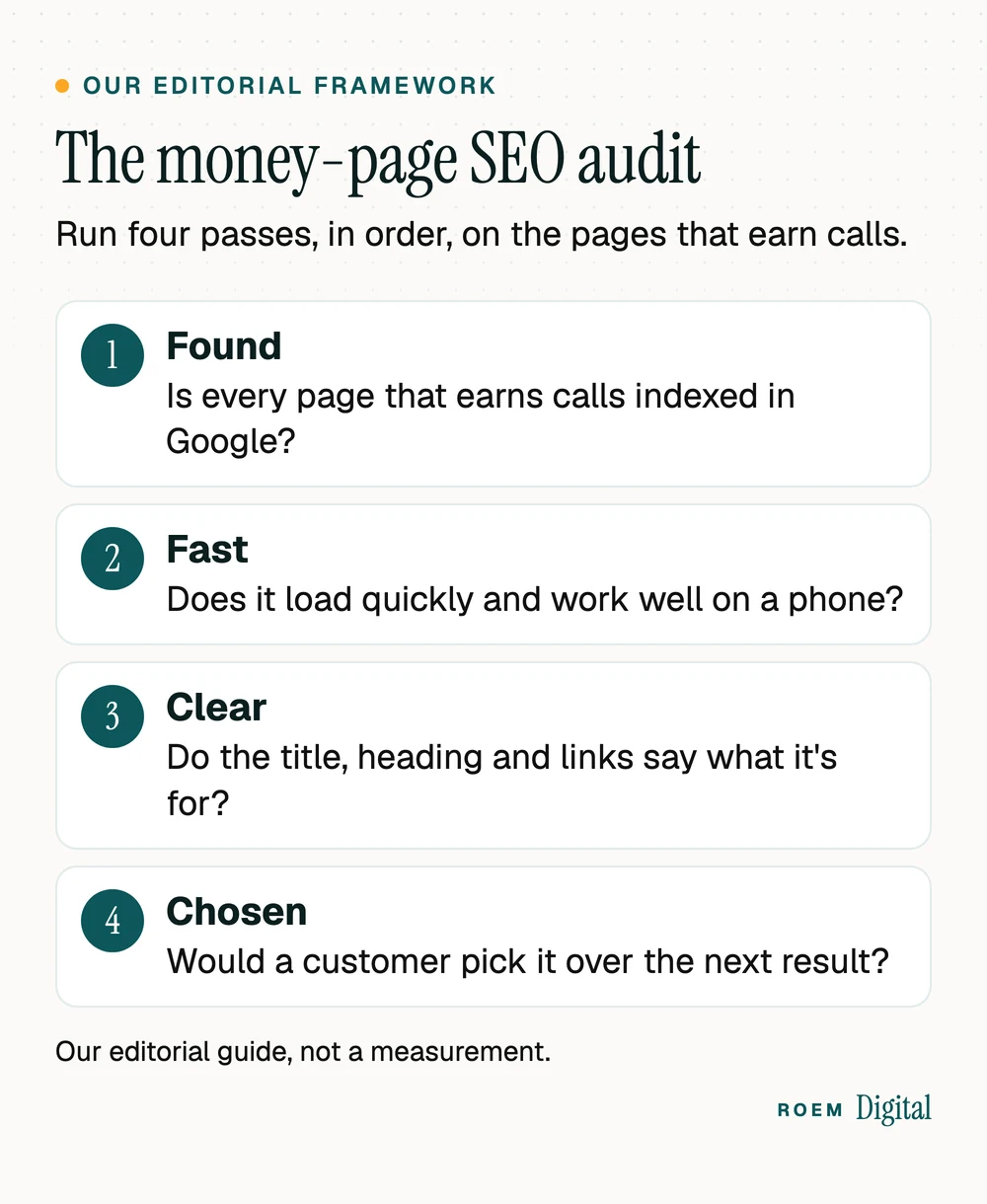
Short answer: An SEO audit checklist for a small business site has four passes: confirm Google indexes the pages that earn calls, check speed and phone use, make each page's title, heading and links clear, and judge whether the content beats the next result. Run it on your money pages first, and fix blockers before polish.
The SEO audit checklist at a glance
An SEO audit is a structured check of whether Google can find, read and trust your website, and whether each important page deserves to rank for what customers search. For a small business, it comes down to four passes: found, fast, clear and chosen.
This SEO audit checklist is search only. It doesn't grade your ads, social media or email. For a site with a few dozen pages, you can run most of it with free tools: Google Search Console, PageSpeed Insights and your own phone. If you'd rather hand it off, our SEO and content service covers technical SEO, on-page work and plain monthly reporting.
| Pass | What to check | Free tool |
|---|---|---|
| 1. Found | Your key pages are indexed, and nothing blocks them by mistake: a noindex tag, a robots.txt rule or a login. | Search Console: the Page indexing report and URL Inspection |
| 2. Fast | Core Web Vitals on mobile, readable text and tappable buttons on a phone, https on every page, no broken links. | PageSpeed Insights and your own phone |
| 3. Clear | One page per service, a unique title and meta description, one main heading, descriptive internal links and alt text. | A site: search and your browser's page source |
| 4. Chosen | The page answers the search better than the result above it, with real details, photos and proof. | The Search Console Performance report and a search on your phone |
Start with your money pages, not a crawler's error count
Paid audit tools crawl every URL and can hand back hundreds of warnings. Their priority labels are generic: the tool doesn't know which page brings in your calls, so a missing alt text on a 2019 blog post can sit in the same list as a noindex tag on your main service page. We call the alternative the money-page audit (our editorial framework, not a Google term): list the pages that bring in calls, forms and bookings, and run all four passes on those first.
Google's own documentation supports the narrower focus. Its Page indexing report help says you "should not expect all URLs on your site to be indexed, only the canonical pages," and describes a page Google crawled but didn't index as a common status that doesn't necessarily need your attention. Chasing every warning wastes the time your key pages need.
- Open the Performance report in Search Console, switch to the Pages tab and sort by clicks. The default view covers the last three months.
- Add every page a customer uses to reach you: the homepage, each service page, city or service-area pages, and the booking and contact pages.
- Add the pages where leads start, if you track form submissions and calls as key events in GA4. These pages set your website conversion rate, so they deserve the first look.
- Stop at 10 to 20 pages for a typical local service site. Everything else waits for a second round.
Pass 1: Is Google indexing the pages that pay?
Start with the quick check from Google's SEO Starter Guide: search Google for site: followed by your domain. In Google's words, "If you see results pointing to your site, you're in the index." Then take each money page to the URL Inspection tool in Search Console, which shows whether that URL is indexed and which version Google treats as the main, or canonical, one.
| What Search Console says | What it usually means | Your move |
|---|---|---|
| URL marked noindex | A tag on the page told Google not to index it. It's often left over from the build. | On a money page, remove the tag, then use Request Indexing in URL Inspection. |
| Blocked by robots.txt | A rule in your robots.txt file stops Google from crawling the page. | Remove the rule if it's a mistake. To keep a page out of results, Google recommends noindex rather than robots.txt. |
| Not found (404) | The page no longer exists. | Fine if you removed it on purpose. If it had traffic or links, redirect it to its closest replacement. |
| Duplicate without user-selected canonical | Google chose another URL as the main version of the same content. | Usually working as intended. Confirm in URL Inspection that Google picked the right page. |
| Crawled, currently not indexed | Google read the page and left it out of the index for now. | Common, per Google. If it's a money page, strengthen it in Pass 4 before asking again. |
Two more checks finish this pass. First, make sure your site answers at one address: type your domain with and without www, and with http. Every version should land on the same https page. Google's starter guide suggests keeping each piece of content reachable through one URL and redirecting the others to it. Second, a new site launch is a common source of a stray noindex tag, which is why removing it belongs on any website launch checklist.
Pass 2: The technical SEO audit for speed and phones
Google publishes its own bar for page experience. According to web.dev's Core Web Vitals guide, Largest Contentful Paint should occur within 2.5 seconds, Interaction to Next Paint should be 200 milliseconds or less, and Cumulative Layout Shift should be 0.1 or less, measured at the 75th percentile of page loads. Our guide to whether a slow website is costing you calls shows how to test this in PageSpeed Insights, so we won't repeat it here.
- Use the page on your own phone. Read it without zooming, tap the call button with a thumb and close any pop-up. Google's starter guide warns against interstitial pages that make a site hard to use.
- Check https on every money page. Each one should load securely with no browser warning.
- Click through your menu and footer. Fix links that break, and point links that hop through two redirects straight at the final page.
- Let Google load what visitors load. The starter guide says Google "needs to be able to access the same resources as the user's browser," so your CSS and JavaScript files shouldn't be blocked.

As you go, sort findings into two piles: template fixes, where one change repairs every page built on that layout, and one-off fixes on a single page. Template fixes usually pay off first.
Pass 3: Does each page say clearly what it's for?
Many small business sites lose ground here, and it's usually the cheapest pass to fix. Google's guidance on title links asks for a title on every page, written descriptively and concisely, and warns against repeated or boilerplate title text. Check each money page for:
- One page per service. When repair and replacement share a page, neither search gets a page that fully answers it.
- A unique title that names the service and, where it's true, the area. "Water Heater Repair in Kissimmee" tells Google and searchers more than "Services."
- A meta description written for that page. The starter guide calls a good one "short, unique to one particular page," covering its most relevant points.
- One main heading that keeps the title's promise, with subheadings that follow the questions customers ask.
- Descriptive internal links from the homepage and related pages. Google says link text "tells users and Google something about the page you're linking to."
- Alt text that describes what's actually in each photo.
- Structured data that matches the page. Our guide to local business schema covers the markup a local business should add, and what Google won't show.

Two things you can cross off the list. Google's starter guide says Google Search doesn't use the keywords meta tag, so filling it in does nothing. And repeating a phrase over and over isn't clarity: the same guide says keyword stuffing is against Google's spam policies.
Pass 4: Would a customer choose this page over the next result?
This is the part of any SEO audit checklist that no tool can run for you. Search your main service on your phone, read the top three results, then read your page as if you'd never seen it. Google's guide to creating helpful, reliable, people-first content offers self-assessment questions. Three matter most for a service page:
- "Does the content provide original information, reporting, research, or analysis?" For a local business, that means your own job photos, your process, the areas you serve and the details only you know.
- "Does the content provide substantial value when compared to other pages in search results?" If the result above yours answers the question and yours doesn't, that's the fix.
- "Does your content clearly demonstrate first-hand expertise and a depth of knowledge?" Names, licenses, real reviews and real work answer it.
Length isn't the goal. The starter guide states that "the length of the content alone doesn't matter for ranking purposes." Local signals belong in this pass too: your Google Business Profile, your reviews and your city pages. If you serve customers at their location, our guide to local SEO for service-area businesses covers city pages that help rather than hurt. The same clear, specific writing also decides whether AI answers quote you, which our guide to showing up in AI search explains.
After the SEO audit: fix in this order, then wait
The next problem is a long list of findings and no obvious place to start. Work through them in this order:
- Blockers on money pages: noindex tags, robots.txt rules, broken redirects and pages that fail on a phone. Nothing else matters until these are fixed.
- Template fixes: a title pattern, an image setup or a menu link that repeats on every page. One fix pays many times.
- Money-page clarity: titles, descriptions, headings and internal links on your key pages.
- Content upgrades: rewrite the pages that failed Pass 4, starting with the one already closest to the first page of results.
- Everything else: the long tail of warnings on old posts, in batches, once the first four are done.
Then give Google time. The starter guide says some changes show up quickly while others can take several months, and suggests waiting a few weeks before judging whether a change helped. Note the date of each fix so you can compare clicks and impressions before and after. If traffic drops across the whole site around the same dates as a Google ranking update, that's a different problem, covered in our guide to what to do after a Google core update.
When to hand the SEO audit to someone else
Working through this SEO audit checklist yourself works well when the site is small and you have owner access to Search Console. Bring in help when a platform move is coming, when traffic has fallen and you can't see why, or when nobody on your team can say who controls the domain and the Google accounts. Even Google's starter guide suggests you might consider hiring a professional if you're short on time.
We're a small senior team based in Davenport, Florida, working with businesses across Central Florida and nationwide. Our SEO and content service covers keyword research, technical SEO, on-page and content work, Google Business Profile optimization and reporting that shows what moved. You own your domain, your website and your analytics accounts.
Frequently asked questions
How do I do an SEO audit myself?
List the 10 to 20 pages that bring in calls and bookings. Check each one in Search Console's URL Inspection tool, test it on your phone and in PageSpeed Insights, review its title, heading and internal links, then compare it with the top results for its main search. Fix blockers first and wait a few weeks to judge results.
What should an SEO audit checklist include?
Four areas: indexing (are your important pages in Google and nothing blocks them), speed and mobile use (Core Web Vitals, https, broken links), on-page clarity (one page per service, unique titles, headings, internal links, alt text) and content quality (does each page answer the search better than competing results, with real detail and proof).
How often should a small business run an SEO audit?
Run a light check in Search Console every month, looking for new indexing problems and sudden drops on key pages. Run the full four-pass audit at least once a year, and again after any redesign, platform move or change of domain, because those are the moments pages most often get blocked or lost.
Do I need paid tools to do a website audit?
Not for a small site. Google Search Console, PageSpeed Insights, a site: search and your own phone cover indexing, speed, titles and content for a few dozen pages. Paid crawlers help on large sites, but their warning counts aren't priorities. Start with the pages that earn calls and judge each finding by what it costs you.
What is the difference between a technical SEO audit and a full SEO audit?
A technical SEO audit checks whether search engines can crawl, index and load your pages: robots.txt, noindex tags, redirects, https, speed and mobile layout. A full SEO audit adds on-page clarity and content quality, asking whether each page clearly says what it's for and deserves to rank above the competing results.
Why does Search Console show pages that are not indexed?
Google doesn't index every URL, and its help pages say you shouldn't expect it to. Duplicates, redirected addresses and pages you removed are supposed to stay out. Worry only when a page you want found is excluded, such as a service page marked noindex or blocked by robots.txt, and fix that first.
How long after an SEO audit will I see results?
Google says some changes show quickly and others can take several months, and suggests waiting a few weeks before judging a change. Fixing a blocker such as a stray noindex tag can show sooner than a content rewrite. Record the date of every fix so you can compare Search Console data before and after.