
Short answer: Google Search Console is Google's free tool that shows which searches put your website in front of people, which pages get clicked, and whether Google can index your pages. Verify a Domain property you own, then check four things monthly: impressions, clicks, page indexing and any security or manual action warnings.
What Google Search Console is, and whether a small business needs it
Google Search Console is a free Google tool that reports how your website performs in Google Search: the searches you appeared for, the clicks you earned, and the pages Google could or couldn't index. Analytics tells you what visitors did on your site. Search Console tells you what happened before they arrived.
Here's the surprise: Google's own getting started page says a small business on a platform like Wix or Squarespace, without much time for its website, might not need Search Console at all. We'd still set it up. It's free, it emails you when Google finds a problem, and it's where Google reports the actual searches that showed your pages. Google's developer guide adds that you don't need to sign in every day, and suggests checking around once a month or when you change the site.
There's a local bonus too. Google's Business Profile help says a profile can verify instantly when you've already verified your website in Search Console, as our Google Business Profile verification guide explains.
Set up Search Console so you, not your web designer, own it
Search Console offers two kinds of website property. Choose deliberately:
| What to compare | Domain property | URL-prefix property |
|---|---|---|
| Covers | Every subdomain and both http and https | Only addresses that start with the exact prefix you enter |
| Verified by | A DNS record at your domain provider, the only method for this type | Several methods, such as an HTML file, an HTML tag or Google Analytics |
| Best for | Most small businesses, because nothing gets left out | Tracking one section, such as a Spanish folder, on its own |
Set up a Domain property in five steps
- Sign in to Search Console with a Google Account the business controls.
- Add a property, choose Domain, and type your domain without https or www.
- Copy the TXT record Search Console gives you, or pick your domain provider from its list if it appears there.
- Add the record in your domain provider's DNS settings, then return and select Verify.
- Add your web designer or agency as a user, so they can work in the property without owning it.
Google's property setup page says adding a property doesn't change how your site appears in Google Search, and that an unfinished setup won't hurt your website, so there's no risk in starting today.
Google's page on verifying site ownership adds the details that matter for ownership. Verification lasts only as long as Search Console can still find your verification token, so a redesign or DNS change that deletes it can end your verified ownership until you verify again. Several people can verify the same property. And when you take over a site, you can remove a previous owner by removing their token.
So make sure you're a verified owner, with the DNS record at a domain account you control. You should own your domain, website and analytics outright, as our guide to who owns your marketing accounts explains.
How to use Google Search Console: four questions to answer each month
Search Console has dozens of reports, and new owners open all of them once and never come back. We boil the monthly check down to four questions, each answered by one of the reports Google's developer guide points owners to:
- Are your pages showing up for the right searches? Impressions in the Performance report.
- When they show, do people click? Clicks and click-through rate by query and by page.
- Can Google keep the pages that matter in its index? The Page indexing report, plus URL Inspection for one page.
- Is anything stopping Google from showing the site? The Security issues and Manual actions reports, which should both be empty.
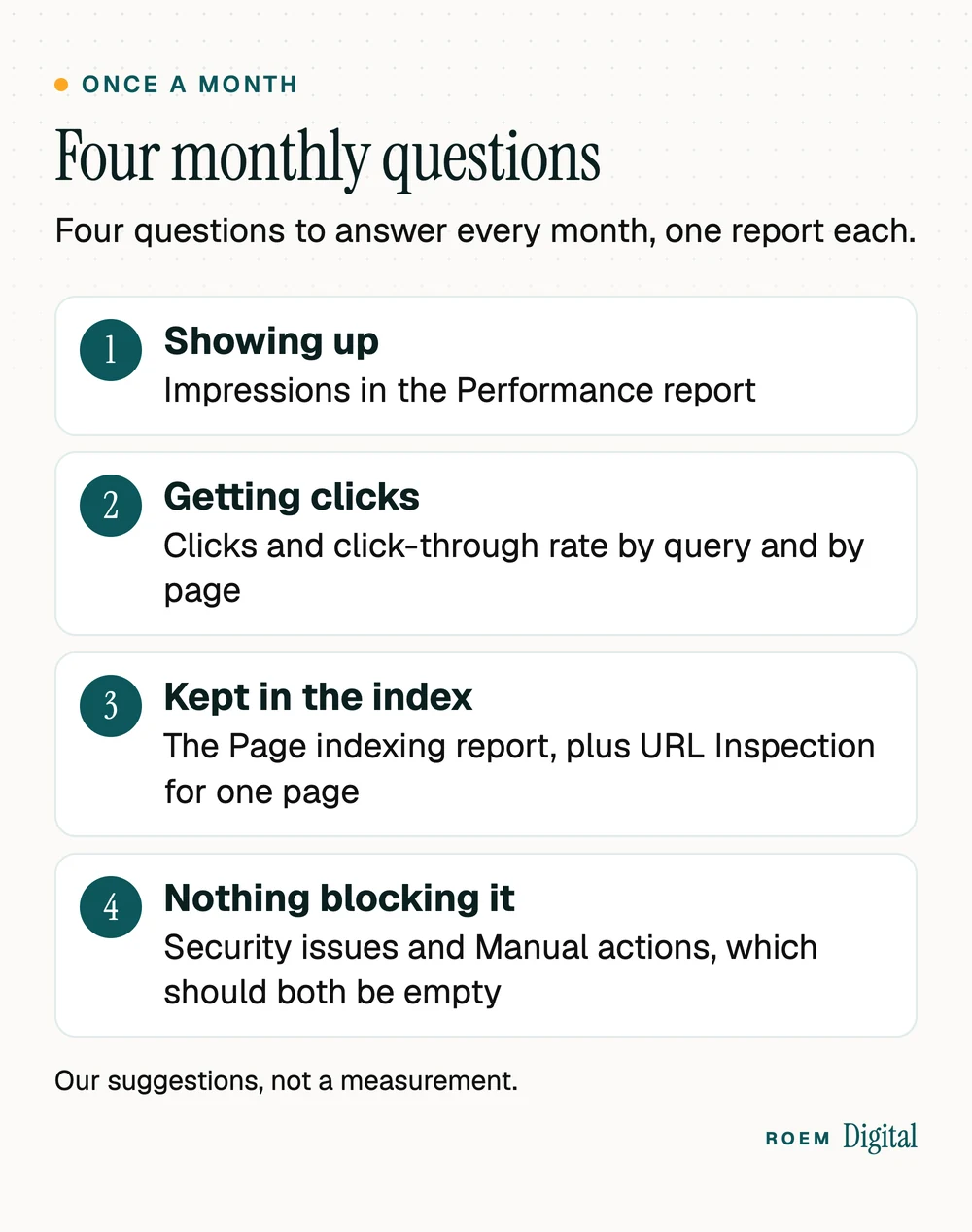
Google's developer guide says a manual action can keep some or all of a site out of search results, and that the Security issues report warns when a site may have been hacked. Both are rare, which is exactly why they're easy to miss. If the Performance numbers are what you report to your team, our guide to the numbers every marketing report should show shows where they fit.
Reading the Search Console performance report: impressions versus clicks
Google's Performance report guide defines the four numbers. Clicks count clicks from Google Search to your site. Impressions count how often your site appeared in results. CTR is clicks divided by impressions. Average position is the average position of your topmost result. The default view covers the past three months, and you can switch between queries, pages, countries, devices, search appearance and dates.
| What you see | What it usually means | Check next |
|---|---|---|
| Impressions up, clicks flat | You're showing more, but low on the page or with a weak snippet | Position and the page title for those queries |
| Impressions down across the site | Lost rankings, an indexing problem, or a seasonal dip | Page indexing first, then the same months last year |
| High impressions, near-zero clicks on one query | You rank for something you don't sell, or appear too low to be seen | Whether that query is worth a page at all |
| Clicks steady, leads down | The website stopped converting, not the search | Forms, call buttons and tracking |

Treat average position with care. Google's page on how the data is calculated says your position in a specific search can differ from the average because of search history, location and other variables. For local businesses that matters, because results change by neighborhood, as our local SEO audit explains.
Three newer tools help with that reading. Since December 10, 2025, a weekly and monthly view smooths out day-of-week swings. Custom annotations, added in November 2025, let you mark the date of a redesign or a new service page right on the chart. And the branded queries filter separates searches for your business name from everything else, though Google says it's only available for top-level properties with enough query volume, so a small site may not see it yet.
Sitemaps and URL Inspection: when you need them
Most small businesses don't need to fuss over sitemaps. Google's Sitemaps report page says that if a host such as Squarespace or Wix manages your sitemap, you don't need to make one or use the report. It also says a site of about 500 pages or fewer, where every page can be reached by links from the homepage, probably doesn't need one either. If you do submit one, you need owner permission on the property.
URL Inspection is the tool you'll reach for most between monthly checks. Paste in one address to see whether that page is indexed, run a live test after a fix, or request indexing for a new or updated page. Google's page on the URL Inspection tool adds a caution: "URL is on Google" means the page is eligible to appear, not that it's guaranteed to. After a launch or redesign, our website launch checklist covers what to inspect first.
The page indexing report: not indexed isn't always a problem
The Page indexing report alarms more owners than any other, because it shows a gray bar of pages that aren't indexed. Google's page indexing guide is calm about it. It says your goal is to get the canonical version of every important page indexed, that you shouldn't expect every URL on your site to be indexed, and that not indexed is not necessarily bad. Duplicates, redirects and pages you've deliberately blocked are supposed to stay out.
- Fine to leave: redirected addresses, alternate pages with a proper canonical tag, and old pages you removed on purpose.
- Worth a look: Crawled, currently not indexed. Google calls it common and says it doesn't necessarily mean an issue, but check it if the page is one you sell from.
- Fix now: a service page, location page or your homepage blocked by a noindex tag or robots.txt rule you didn't mean to add.
If an important page stays out, the cause is usually on the page or in the site's setup, and our SEO audit checklist walks through the technical checks in order.
New in 2026: AI, image and social data in Search Console
Two 2026 additions answer questions owners have been asking. On June 3, 2026, Google introduced Search Generative AI performance reports, and a note on that post says they reached all websites worldwide as of August 31, 2026. They show how often your pages appeared in generative AI features such as AI Overviews and AI Mode, with breakdowns by page, country, device and date. Google's post describes impressions, so treat the report as visibility, not traffic.
On September 24, 2026, Google added web multimodal reporting: searches made with images, including Lens, Circle to Search on Android, image uploads and Chrome's Search this image. It appears as a search type filter in the Performance report. For a business with photogenic products or work, it shows whether people find you by pointing a camera.
A third change reaches beyond your website. On July 29, 2026, Google said platform properties were available to everyone, so you can track how your Instagram, TikTok, X and YouTube posts perform on Google Search, Discover and Google News. If your social posts bring in customers, add those profiles as properties too.
None of these reports needs special files on your site. Google says it ignores files like llms.txt for Search, which our llms.txt guide covers, and our AI search optimization guide explains what does earn a place in AI answers.
A monthly Search Console routine for small business, and where ROEM fits
- Open the Performance report, set the view to monthly, and compare the last 3 months with the same months last year.
- Sort queries by impressions and note any search you appear for but rarely win.
- Check the Page indexing report for any important page that dropped out.
- Glance at Security issues and Manual actions.
- Add an annotation for anything you changed on the site that month.
- Match the clicks against leads in Google Analytics, using our guide to tracking calls and forms in GA4.
Monitoring and plain monthly reporting, Search Console included, are part of our SEO and content service. We're a small senior team based in Davenport, Florida, working with businesses across Central Florida and nationwide. You own the property and every account, and we explain what the numbers mean in plain English.
Frequently asked questions
Is Google Search Console free?
Yes. Search Console is a free Google tool for anyone with a website. You need a Google Account and proof that you own the site, usually a DNS record for a Domain property or an HTML file or tag for a URL-prefix property. Once verified, Google emails you when it finds new issues on the site.
What is the difference between Google Search Console and Google Analytics?
Search Console reports what happens in Google Search before someone reaches your site: the queries you showed for, impressions, clicks and indexing problems. Google Analytics reports what visitors do once they arrive, from any source, including calls, form fills and bookings you set up as key events. Most businesses need both, linked to the same website.
How often should a small business check Search Console?
About once a month, and after any change to the website. Google's own guide says there's no need to sign in every day, because Search Console emails you when it finds new issues. A monthly look at performance, page indexing and the security and manual action reports is enough for most small sites.
Why is my average position in Search Console different from what I see on Google?
Average position blends every search where your site appeared. Google says your position in any single search can differ because of search history, location and other variables. Local businesses notice this most, since results change by neighborhood. Treat the average as a trend line, not a promise of where you'll appear.
Do I need to submit a sitemap to Google Search Console?
Often not. Google says that if your host, such as Wix or Squarespace, manages your sitemap, you don't need to submit one. A site of about 500 pages or fewer, with every page linked from the homepage, probably doesn't need one. Submitting one may help Google discover pages faster on bigger sites.
Does Search Console show traffic from AI Overviews?
It shows visibility. Google's Generative AI performance reports, available to all websites since August 31, 2026, show how often your pages appeared in AI features such as AI Overviews and AI Mode, broken down by page, country, device and date. That data is also included in the overall Performance report.