
Short answer: To write a meta description, summarize one page in a sentence or two: what it offers, one specific reason to choose you, and the next step. Google sets no length limit but cuts snippets to fit the screen, so put the essentials first, and expect Google to use page text when that matches a search better.
How to write a meta description in five steps
A meta description is a short summary of one page, stored in the page's HTML, that Google may show as the snippet under your title in search results. It doesn't change what the page says. It's your pitch for the click.
Google's guide to controlling your snippets describes a good meta description as a short, relevant summary of what a particular page is about, "like a pitch" that tells the searcher this is the page they want. Here's how to write a meta description that does that:
- Pick one page and one job. A service page, a city page and a blog post answer different searches, so each gets its own description.
- Say what the page offers in the plain words a customer would use, early in the sentence.
- Add one specific reason to choose you: the area you serve, a real detail about the work, or proof you can point to.
- End with the next step: call, book, get a free estimate or read the guide.
- Check it against the page. Google sometimes uses your description when it judges that it describes the page better than text taken from the page, so it has to be true to what's there.
Where you type it depends on your platform. Google notes that if you use a CMS such as Wix or WordPress, you might not edit the HTML directly, and your CMS might offer a search engine settings page instead. Look for an SEO or search panel in each page's settings. If you're also rewriting the page itself, our guide to website copywriting covers the words on the page, and our list of what every service business website needs covers the rest.
Meta description length: Google sets no limit, so write for the cut
Most advice online names a character count. Google's documentation doesn't. Its snippet guide says, "There's no limit on how long a meta description can be, but the snippet is truncated in Google Search results as needed, typically to fit the device width." The number you've read elsewhere is a rule of thumb about where the cut tends to land, not a Google rule.
So write for the cut, not the count:
- Front-load the essentials. The service and the place belong in the first half, where a narrow phone screen still shows them.
- Make the first sentence stand alone. If the second one gets cut, the first should still make sense.
- Don't pad to hit a number. A complete short description beats a long one that trails off.
- Don't go bare either. Google's own examples mark a two-word description as too short and prefer one with specific details.

Our own blog posts aim for about 140 to 155 characters. That's a house habit for consistency, not something Google asks for. Our SEO audit checklist puts a page-specific description on the list for every page that brings in calls, which matters more than the exact count.
Three questions to check any meta description
A simple way to check any description is to ask three questions. They line up with what Google's guide asks for: a description that summarizes the specific page and includes relevant information about it.
- What does this page offer? The service, product or answer this one page covers, in the customer's words.
- Why choose you? One specific, true detail. Google's own improved example for a sewing shop adds its opening hours and its neighborhood.
- What's the next step? The action that fits the searcher's stage. A service page asks for the call, a how-to post promises the steps.
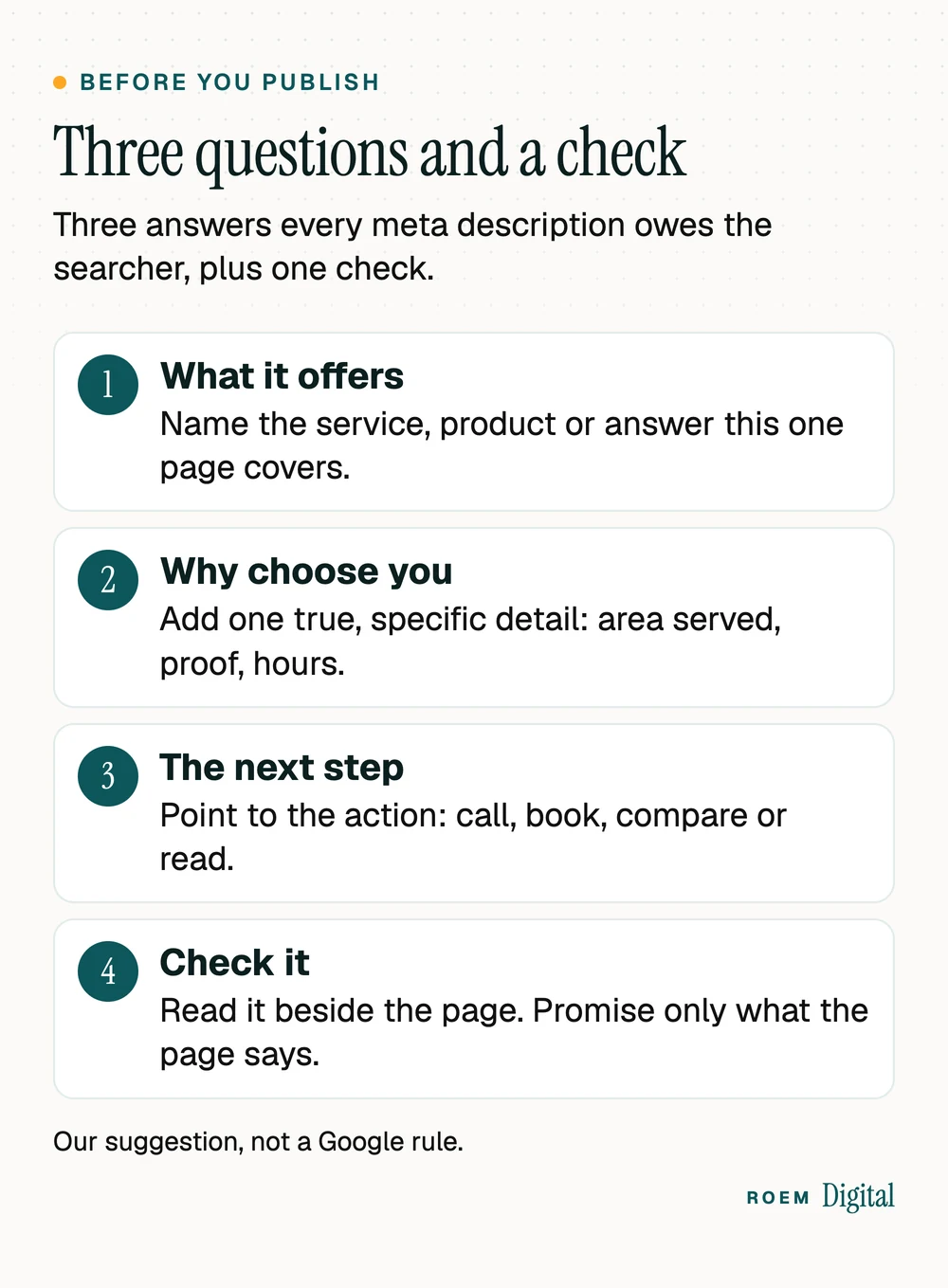
The fourth card is the one people skip: read the description next to the page. Every promise in the snippet should be visible on the page without hunting. Describe what the page offers in the words people actually search, which our keyword research guide for small business shows how to find.
Meta description examples for service business pages
The examples below are written for illustration, for businesses that don't exist. Each better version names the page's job, gives one reason to choose the business and ends with a next step.
| Page | Weak | Better |
|---|---|---|
| Service page | Water heaters, plumbing, repairs, drains, best plumber, affordable plumber. | Water heater repair in Kissimmee and St. Cloud: tank and tankless units, upfront quotes before any work starts. Call or book a visit online. |
| Homepage | Welcome to our website. We are a family business that cares about you. | Family-run pressure washing in Davenport and Haines City: driveways, roofs and pool decks. Licensed and insured. Request a free quote. |
| City page | The homepage description, copied onto every city page. | Lawn care in Clermont: weekly mowing, edging and seasonal cleanups for Lake County homes. See our service days and book online. |
| Blog post | Read our latest blog post about roofs. | How to tell storm damage from normal wear on a shingle roof: five signs to check from the ground, and when to call a roofer. |
Here's a real one. GK Painting is a painting company in Madison, Wisconsin, and the homepage we built for it opens its description with "Family-owned painters in Madison and Dane County, WI: cabinets, interiors and decks." It then lists its proof (owner-operated, fully insured, its review rating) and ends on the next step: "Free estimates." That's the offer, a reason to choose them and the next step in 155 characters. You can see more of the sites we've built in our portfolio.
City pages deserve the same care as the copy on them. If you serve several towns without a storefront, our guide to local SEO for service-area businesses explains how those pages earn their place.
Why Google rewrites meta descriptions, and when that's fine
Google writes most snippets itself. Its documentation says snippets are "primarily created from the page content itself," and that Google uses the meta description when it might give users a more accurate description than the page text. Snippets are also matched to each search, so one page can show different snippets for different searches.
A rewrite isn't always a problem. If someone searches a specific question and Google shows the paragraph on your page that answers it, the page is doing its job. Take a closer look when:
- Your description is a keyword list. Google says descriptions made of long strings of keywords are less likely to be displayed as a snippet.
- Every page shares one description. Google asks for a description unique to each page, starting with your homepage and most popular pages if you can't do them all.
- It describes something you no longer offer: an old promotion, a retired service or last season's hours.
- The page itself is thin, so neither the description nor the page text gives a searcher much to go on.
Google also documents ways to limit snippets, such as the nosnippet and max-snippet rules. For a business that wants the click, hiding the snippet rarely helps. Structured data is a separate tool: our guide to local business schema covers what that markup does and doesn't change in results.
Check your meta descriptions against real searches in Search Console
Knowing how to write a meta description is half the job. The other half is checking whether the right people click. Search Console's Performance report shows the queries each page appeared for, with impressions, clicks and click-through rate. Google's help page on the report's dimensions suggests using the query view to find queries with high impressions and low CTR, as opportunities to improve your page title and description.
- Open the Performance report, filter to one page and switch to the Queries tab.
- Read the top queries. If people search for prices or opening hours and your description mentions neither, rewrite it to answer what they actually searched, as long as the page answers it too.
- Note the date, then wait. Google has to recrawl the page first, and its guide to requesting a recrawl says crawling can take anywhere from a few days to a few weeks.
- Compare like with like: the same page's clicks and CTR for the weeks after the change against the weeks before it.
New to the report? Our Search Console guide walks through it, and our post on how long SEO takes explains what to watch while you wait. If you'd rather hand the whole job off, our SEO and content service covers keyword research, on-page optimization, technical SEO, and monitoring and reporting.
Frequently asked questions
What is a meta description?
A meta description is a short summary of a single web page, written in the page's HTML. Google may show it as the snippet under your title in search results when it describes the page better than the page's own text. It doesn't change the page. Its job is to earn the click from the right searcher.
How long should a meta description be?
Google sets no length limit. Its documentation says snippets are cut as needed to fit the device width. Put the service, the place and the main reason to choose you first, so the important part survives on a phone. Our own blog posts aim for about 140 to 155 characters, as a habit rather than a rule.
Why is Google not showing my meta description?
Google builds snippets mainly from page content and picks the text that best matches each search. It uses your description when it describes the page more accurately. Keyword lists, duplicated descriptions and descriptions that don't match the page are common reasons it gets skipped. Sometimes the page text simply answers that search better.
Does every page need its own meta description?
Ideally, yes. Google recommends a unique description for each page, because identical or similar descriptions aren't helpful when individual pages appear in search results. If you can't write them all, Google suggests starting with critical pages like your homepage and most popular pages. For a service business, do every service and city page next.
How do I add a meta description in WordPress or Wix?
Most platforms give each page a search or SEO settings panel with a description field, so you never touch the HTML. In WordPress that field usually comes from an SEO plugin. Google's own guide suggests searching your platform's help for adding meta tags, for example wix add meta tags, if you can't find it.
How long until Google shows my new meta description?
Google has to recrawl the page first. Its documentation says crawling can take anywhere from a few days to a few weeks, and asking again won't make it faster. Note the date you made the change, then compare that page's clicks and click-through rate over the following weeks against the weeks before.