
Short answer: Keyword research for small business means finding the words customers type into Google when they need you, then giving each group of searches the page that answers it. Start with your customers' own words and the queries Search Console already shows, use free tools to expand, and don't discard a search just because a tool shows low volume.
How to do keyword research for a small business
Keyword research is finding the words customers type into Google when they need what you sell, then deciding which page on your site should answer each one. The second half matters as much as the first.
Most guides to keyword research for small business start with a tool and chase the biggest numbers. We'd start with your customers. For a local service business, the searches that book jobs are often too small for keyword tools to show at all, and the phrases that matter most are already in your inbox and your call notes. Here's the order we'd work in:
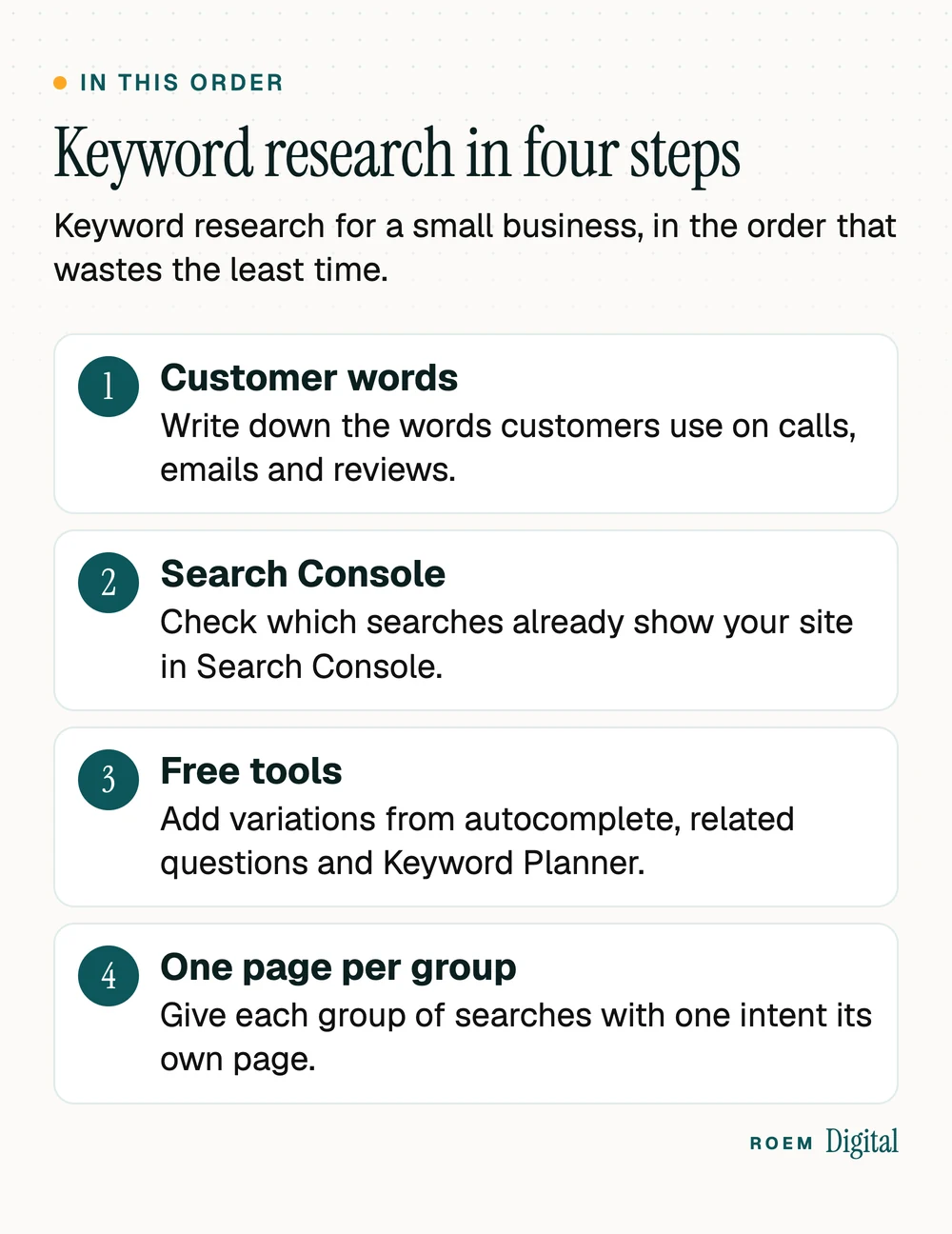
- Collect the words customers use on calls, in emails and in reviews.
- See which searches already show your site in Google Search Console.
- Add variations and questions from Google's autocomplete, related questions and Keyword Planner.
- Group searches that share one intent and give each group one page, so your pages don't compete.
Google's own page on whether you need an SEO says that if you run a small local business, you can probably do much of the work yourself. If you'd rather not, keyword research is where the work in our SEO and content service begins, right after the free audit.
Your customers' words beat any keyword tool
Google's SEO Starter Guide makes the point with food: people who know a topic well might search for "charcuterie," while others search for "cheese board." Your customers do the same thing with your services. A homeowner rarely types the trade term printed on your invoice.
Spend a week writing down the exact words people use. Good places to look:
- Calls and voicemails: the way a caller describes the job in the first sentence is a good first guess at the words they'd type into Google.
- Contact forms and emails: the subject lines and the problem they describe.
- Reviews, yours and your competitors': the words customers use to describe the result.
- Questions at the front desk or on site: price, timing, what's included, whether you serve their area.
- Spanish-speaking customers, who may search for the same service in different words. Our bilingual marketing service covers that side.

Keep it in a simple spreadsheet with three columns: the exact phrase, where you heard it, and the service it belongs to. After a few weeks the same phrases repeat, and those repeats are your starting list. If you track your calls, you can also see which ads and pages made the phone ring. Our guide to call tracking for small businesses explains how.
The searches you already show up for in Search Console
Google already tells you which searches show your site. Search Console's Performance report lists the queries that showed your site, with clicks, impressions, click-through rate and average position, and its default view covers the past three months. It's free, and unlike a keyword tool's estimates, it reports your own results in Google. Open it and look for:
- Queries with impressions but few clicks. You're being shown, but you're not winning the click. Better titles and descriptions help, and our guide to writing a meta description shows how.
- Queries landing on the wrong page, such as a service search landing on a blog post. That's a mapping problem, covered below.
- Queries you didn't expect. A service you mention once in passing may be getting searches worth a page of its own.
Know the limits. Google says some queries are left out of the report to protect user privacy, and that it stores and shows only the most important data rows, so the list is a sample, not a census. Our Search Console guide walks through the report step by step.
Free keyword research tools and what their numbers hide
Once you have your customers' words and your Search Console list, tools help you find the variations and questions you missed. Free keyword research is possible, as long as you know what each source can't tell you.
| Source | Good for | Watch out for |
|---|---|---|
| Google's autocomplete and related searches | The phrases real people type, as they type them. | No volumes. Use it for phrasing, not for size. |
| People also ask boxes | The questions behind a search, ready for an FAQ or a guide. | Answers come from other sites, so write your own. |
| Google Keyword Planner | Related ideas, rough monthly volumes and what advertisers have paid per click. | You need a Google Ads account with billing information entered, and very small searches don't appear. |
| Paid third-party tools | Competitor research and larger keyword lists. | Google says these tools don't have access to its internal ranking data. |
When you use Keyword Planner, describe your service the way customers think of it. Google's best practices for finding new keywords suggest starting with a plain category, like hiking boots, rather than an adjective like best, and adding a website to get more relevant ideas.
Read Keyword Planner's numbers carefully. Google's Keyword Planner help says keywords with very low search volumes, or keywords considered sensitive, aren't discoverable or forecastable, and that health and finance searches often return no results at all. Its forecasts help adds that search volumes are rounded and averaged over a 12-month period by default.
That's the trap for a local business. A search for one service in one town may be too small to show, yet it can be the search that books your best job. Don't discard a phrase customers actually use because a tool shows zero. The tool's bid ranges are useful in a different way: they show what advertisers have historically paid for a click. In our judgment, a search advertisers keep paying for is usually one that leads to sales. Our comparison of Google Ads and SEO explains when buying those clicks makes more sense than ranking for them.
Keyword mapping: one keyword group per page, so your pages don't compete
This is where keyword research for small business turns into a website. Group your list by intent: searches that want the same thing go together, and each group gets one page. When two pages chase the same group, neither gives Google a clear best answer, and you split your chances between them.
| Search group | What the searcher wants | The page that answers it |
|---|---|---|
| cabinet painting, kitchen cabinet painters near me | To hire someone | The cabinet painting service page |
| cost to paint kitchen cabinets, cabinet painting price | A price range before calling | A cost section on the service page, or its own cost guide |
| cabinet painting vs replacing cabinets | To choose between two options | A comparison blog post linking to the service page |
| how to paint cabinets yourself | To do it alone | Usually none: it rarely leads to a job |
Separate services need separate pages. Haven Noire, a boutique spa brand in the Kissimmee area whose website we built, gives relaxing facials, corrective facials, chemical peels, dermaplaning and waxing their own pages, each linked from one services menu. See the Haven Noire case study for the rest of that project.

Signs two of your pages are competing
- Two pages show up for the same query. In Search Console's Performance report, filter to one query and open the Pages tab. More than one page listed for a core service search is a warning sign.
- Near-identical titles, such as two pages both called some version of the same service and town.
- A blog post outranking the service page for a search that's clearly about hiring you.
The fix is usually to merge. Keep the stronger page, fold the useful content from the weaker one into it, and send the old address to it with a 301 redirect. If both pages deserve to exist, change one so it answers a different need, and link the two to each other.
Keyword research for local business: towns, service areas and the map
Local searches add a place, said or unsaid. In Keyword Planner, set the location to the area you serve rather than typing town names into every keyword. That advice is for the ad tool: Google suggests adding a location to the keywords themselves only when your customers aren't in the same place as your service, and not at all when you plan to use location targeting for ads. On your website, you also don't need every variation of a phrase, because Google's language matching connects related wording. Three habits keep local SEO simple:
- Build town pages only where you really work, each with its own details, photos and answers, not the same text with the name swapped.
- Match your Google Business Profile to your keyword list in its categories, services and description, never in the business name. Google's local ranking help says relevance is how well a Business Profile matches what someone is searching for, and asks for complete, detailed business info. Keywords added to the name break Google's guidelines, and our post on a suspended Google Business Profile shows where that leads.
- Use the town names customers use, including neighborhoods and nearby cities they'd recognize.
Our guide to local SEO for service-area businesses covers businesses with no storefront, and our Google Business Profile checklist covers the profile itself.
Turn your keyword list into a plan you can finish
The point of keyword research for small business is a short list you can act on. A list of 200 keywords is a to-do list nobody finishes. Sort yours into three piles and work them in this order:
- Pages you have that underperform. Queries where you already get impressions are the fastest wins: improve the title, the description and the content of the page that should rank.
- Pages you're missing. Search groups that lead to hiring you, with no page that answers them.
- Questions worth a guide. Searches people make before they're ready to hire, answered in a post that links to the service page.
Then give it time. New and changed pages take a while to show up and settle, and our post on how long SEO takes explains what to measure while you wait. If a page moves to a new address along the way, set up a 301 redirect so it keeps what it has earned.
Frequently asked questions
How do I do keyword research for free?
Start with words customers use on calls, emails and reviews. Then open the Performance report in Google Search Console to see the queries that already show your site. Expand with Google's autocomplete and related questions, and use Google Keyword Planner for rough volumes once your Google Ads account has billing information entered.
Do I need a paid keyword research tool for a small business?
Not to start. Search Console shows your real queries for free, and Keyword Planner adds volume estimates. Paid tools help with competitor research and bigger lists, but Google says third-party tools don't have access to its internal ranking data, so treat their difficulty scores and estimates as guides, not facts.
What does it mean when a keyword tool shows zero searches?
Often that the search is too small for the tool to report, not that nobody makes it. Google says keywords with very low search volumes aren't discoverable in Keyword Planner. For a local business, a small search for one service in one town can still be worth a page if customers use those words.
How many keywords should one page target?
One group of searches that share a single intent. A service page can rank for many variations of hiring that service, because Google's language matching connects related phrases. Problems start when one page tries to answer different needs, such as hiring, pricing and doing it yourself, or when two pages chase the same group.
Should I put my city name in my keywords?
Use it where customers would. For research in Keyword Planner, set the tool's location to your service area, since Google suggests adding a location to keywords only when customers aren't where your service is. On your site, name the towns you really serve on the pages about them, with details specific to each, rather than repeating a city name everywhere.
How often should a small business redo keyword research?
Revisit your Search Console queries every month or two, because new searches show up there first. Do a fuller review when you add a service, enter a new area or rebuild your website. The customer-words list never really ends: keep adding the phrases you hear on calls.