
Short answer: A good contact us page offers only the ways you really answer, asks only what you need to reply, stops spam bots without puzzles for real people, tells visitors what happens next, and sends every message to a watched inbox you can track. Most pages that get spam or no leads are missing one of those five jobs.
What a contact us page has to do
A contact us page turns a visitor's question into a conversation. It lists the ways to reach you, asks only what you need to reply, and tells people what happens after they hit send.
Owners usually come to this page with one of two complaints: the form fills up with spam, or it hardly ever produces a real lead. Both are usually page problems, not traffic problems, and both are fixable without a redesign. A contact page should show:
- Your business name, written the same way as on your Google listing.
- The ways you actually answer: a tap-to-call number, text if you reply to texts, a short form and online booking if you have it.
- When you reply, in plain words: same day, next business day, within two business days.
- Where you work: an address and map if customers visit you, or your service area if you go to them.
- Hours, and what happens to a message that arrives after them.
If you run a service-area business from home, show your service area, not your home address. Our guide to local SEO for service-area businesses explains how to handle it on Google too. Contact pages are part of every site in our website and branding work, and the rest of this guide covers how to get each piece right.
The five jobs every contact page has to do
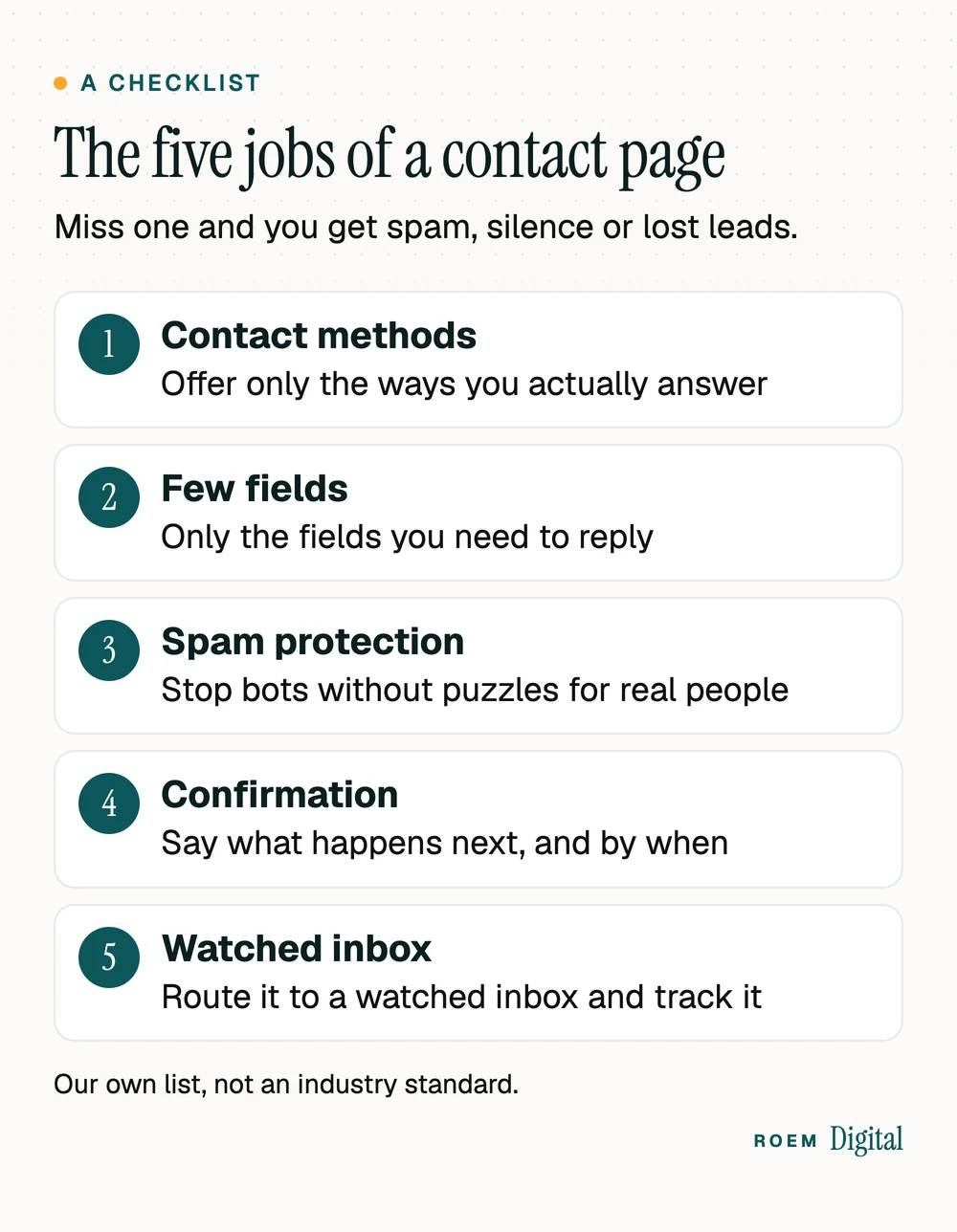
When a contact page fails, one of five jobs is usually missing. The list is our own, not an industry standard, and it doubles as a checklist:
- Offer only the contact methods someone actually answers. A chat button nobody watches is worse than none.
- Collect only what you need to reply. Everything else can wait for the first conversation.
- Stop spam bots with checks that real visitors never see.
- Tell people their message arrived, and when to expect an answer.
- Send every message to an inbox a person reads daily, and count it as a lead.
Run the list against your own page. If your complaint is spam, start with job three. If it's silence, check jobs two and five first: a long form scares people off, and a form that emails a forgotten address looks like silence from your side. Our post on speed to lead covers what to do once the messages start arriving.
Contact form best practices: fewer fields, real labels
The Nielsen Norman Group's web form usability recommendations start with "keep it short": remove any field you can get another way, collect later or skip. NN/g applied that to one of its own forms and cut it from 6 fields to 2. The same article cites a 2014 study in which forms that followed basic usability guidelines were submitted without errors on the first try 78% of the time, against 42% for forms that broke them.
| Field | Keep it? | Why |
|---|---|---|
| Name | Yes | You need something to call them. |
| Phone or email | Require one, let them choose | Some people never answer unknown numbers. Others never check email. |
| What do you need help with? | Yes, as an open box | Their own words tell you more than a dropdown, and help you reply faster. |
| Service dropdown | Only if it changes who answers | Otherwise it's a question you can ask on the call. |
| Street address | Usually later | Ask once you know the job is a fit, unless you need it to quote. |
| How did you hear about us? | Optional, or skip | Track sources with analytics instead of asking every customer. |
Then build what's left so everyone can use it. NN/g recommends a single column, labels placed close to their fields (above them on phones), no placeholder text standing in for labels, no more than one or two optional fields, clearly marked, and no reset or clear button. Error messages should be specific and signaled with more than color alone. A shorter form is also one of the first fixes to test in our guide to website conversion rate.
WebAIM's guide to creating accessible forms adds the parts people using screen readers and keyboards depend on: every field needs a real label tied to it in the code, the form has to work with the keyboard alone, and instructions belong at the start of the form or attached to their field. WebAIM's page on accessible form controls also explains that the autocomplete attribute tells browsers what each field is for, such as name or address, so they can fill it in, and notes that screen readers may not announce an asterisk, so mark required fields in words.
How to stop contact form spam without blocking real customers
Puzzles are the first fix people reach for, and the one that costs real customers most. WebAIM's article on spam-free accessible forms puts it bluntly: "CAPTCHA is a classic case where the user and accessibility is directly impacted." The article dates from 2007, but its quieter techniques still form the first line of defense:
- A hidden honeypot field. People never see it, but bots tend to fill in every field, so a filled-in honeypot flags the message as spam.
- Content checks that flag messages stuffed with links.
- Server-side validation, so a bot can't skip the checks that run in the browser.
- A timing check: stamp the time when the form loads, and flag any submission that arrives without a valid stamp from your own page.
If spam still gets through, add an invisible score-based check before a visible puzzle. Google's reCAPTCHA v3 documentation says it "returns a score for each request without user friction," from 1.0 (very likely a good interaction) to 0.0 (very likely a bot), and your site decides what to do with low scores. Hold suspicious messages for review rather than deleting them, so a real customer with an odd message isn't lost.
Two more rules keep spam and risk down. If you show an email address, make it a business role address such as info@ or hello@ that runs through a spam filter, never a personal inbox, and keep the form as the main way in. And never publish anyone's personal cell number or personal email: use a business line, or a call tracking number that forwards to your phone and also tells you which ad or page the call came from.
What a visitor should see after hitting send
The moment after someone submits a form decides whether they wait for you or contact the next business. Cover three things:
- A thank-you page with its own address, saying the message arrived and when you'll reply. A separate page is also the simplest thing to count in analytics.
- An automatic email or text that repeats the reply time and gives one way to reach you sooner if it's urgent.
- A reply in the time you promised. On our own contact page, we promise a reply within two business days.

If you'll follow up by text, make sure the form says so, and if you plan to send marketing texts later, get permission the right way first. Our guide to SMS marketing for small business covers that. The auto-reply should also sound like you: our post on brand voice helps with that one short message.
Track every contact form lead before you judge the page
You can't tell whether a contact page works if you can't count what it produces. Set it up once:
- Count form submissions as key events in Google Analytics 4, ideally from the thank-you page loading rather than a button click. Our guide to tracking calls and form fills in GA4 walks through the options.
- Count phone taps separately, and remember a tap is a click, not a completed call.
- Tag the links in your emails and posts so you can see which ones bring people to the contact page. Our guide to UTM parameters shows how.
- If you run Google Ads, import the same form event as a conversion. Our post on Google Ads conversion tracking explains the setup.
Then test the whole path once a month: submit the form from a phone, confirm the thank-you page loads, the auto-reply arrives, the message lands in the right inbox and the key event shows up in GA4. A form that quietly broke months ago looks exactly like a page that "doesn't get leads."
Contact page examples: what to lead with for your kind of business
The right contact page depends on how customers buy from you. Use the row closest to your business as a starting layout:
| Type of business | Lead with | Watch out for |
|---|---|---|
| Home service (painter, plumber, cleaner) | Call or text button, a short estimate form and your service area | Publishing a home address or a personal cell number |
| Spa, salon or studio | Online booking, then address, hours, parking and a map | A form for things the booking tool already handles |
| Private school | Tour or info request form, office phone and office hours | Asking for every child's details before the first conversation |
| Church | A plan-your-visit form, service times and directions | Mixing prayer requests and general questions in one inbox |
| Online store | Order help, returns and an FAQ above the form | Making shoppers fill out a form for answers the FAQ already has |
For the bigger picture of what a service website needs around this page, see our 12 must-haves for a service business website. If your homepage sends too few people here in the first place, our guide to homepage design is the next read.
When your contact page needs more than a tune-up
Most of this you can fix yourself on most platforms: trim fields, add a reply time, add a honeypot if your form tool offers one, and test the path. Bring in help when the form tool can't do those things, when leads arrive in three different places, or when nobody can say how many leads the site produced last month.
We're a small senior team based in Davenport, Florida, working with clients across Central Florida and nationwide. Our sites are hand-built, not templated, and calls, forms and bookings are tracked before any ad spend starts. You own the domain, the site and the accounts. Read more about our brand and web service, or see the Haven Noire case study for a site we built with online booking.
“ROEM Digital Company listens, cares about your vision, and makes communication easy. They deliver beautiful, professional results and are a pleasure to work with. Highly recommend!”
Frequently asked questions
What should be on a contact us page?
Your business name, the contact methods you actually answer (phone, text, a short form, online booking), when you reply, your hours, and either your address and map or your service area. Keep the form to a few fields and tell people what happens after they send it. Skip anything you don't respond to.
How many fields should a contact form have?
As few as you need to reply, usually three or four: name, phone or email, and an open box for what they need. Nielsen Norman Group recommends removing any field you can get another way, collect later or skip, and limiting optional fields to one or two, clearly marked.
How do I stop spam on my contact form without a CAPTCHA?
Start with checks people never see: a hidden honeypot field bots fill in, filters for messages stuffed with links, server-side validation and a timing check. If spam still gets through, add an invisible score-based check such as reCAPTCHA v3. Use visible puzzles last, because they make the form harder for real customers.
Should I put my email address on my contact page?
You can, as long as it's a business address. Use a role address such as info@ or hello@ with a spam filter, and keep the form as the main path so messages land in one tracked place. Never publish anyone's personal email or cell number. Use a business line or a call tracking number.
Why is my contact form not getting any leads?
Check the plumbing before the design. Submit a test from a phone and confirm the message reaches an inbox someone reads. Then look at the form: too many fields, no reply time, or a buried link to the page can all cut submissions. Finally, confirm you're counting form submissions in analytics at all.
Do I need a separate thank-you page after the contact form?
It helps. A thank-you page with its own address can confirm the message arrived, repeat when you'll reply and offer a faster option if it's urgent. It's also the simplest event to count as a lead in Google Analytics and to import as a conversion in Google Ads.