
Short answer: Google Ads conversion tracking records the actions you choose, such as calls, form fills and bookings, after someone interacts with your ad. Track calls with Google forwarding numbers or a CRM import, track forms with the Google tag or GA4 key events, and count each real lead once, as a primary conversion.
What conversion tracking does, and why you see clicks but no calls
Google Ads conversion tracking tells Google which ad clicks turned into something you value, like a call, a form or a booking. Google describes it on its conversion tracking page as a free tool in Google Ads. Without it, your reports stop at the click.
That's why so many accounts show plenty of clicks and no calls. Nothing told Google a call happened. The phone rang, someone booked a job, and the ad account never heard about it. Google's conversion measurement overview lists what tracking makes possible: seeing which keywords, ads and campaigns drive valuable actions, understanding your return on investment, and using Smart Bidding strategies such as Maximize conversions and target CPA. Every one of those depends on the conversions being right.
For a service business, the fix has three parts: track calls, track forms and bookings, and decide which of them Google should bid for. We set all three up before ad spend starts on the paid media campaigns we run, and the rest of this guide shows how.
Track calls in Google Ads: the four methods Google offers
Google's page on phone call conversion tracking lists four ways to track calls. They count different things, and many service businesses need more than one.
| Method | What it counts | What it needs |
|---|---|---|
| Calls from ads | Calls made straight from a call ad or a call or location asset | Call reporting turned on, which uses Google forwarding numbers, and a minimum call length |
| Calls to a number on your website | Calls to a forwarding number your site shows to people who clicked an ad | The Google tag plus a website call snippet on the pages that show your number |
| Clicks on a number on your mobile site | Taps on a phone link after an ad click | A Google tag event on the phone link. Google says it can track only the click, not the call |
| Imported call conversions | Calls you mark as leads or sales in another system, such as a CRM | Call details tracked in that system and uploaded to Google Ads |
Google's page on tracking calls from ads says a call can count as a conversion in two ways: Google's AI reviews call recordings to find high-quality leads, or the call simply has to last longer than a minimum you set. Call recording is limited to calls where both people are in the U.S. or Canada, and if a call can't be recorded, the minimum duration applies. Recording calls also brings consent rules that vary by state. Florida's interception statute, section 934.03, makes it lawful to intercept a call when all parties have given prior consent, and our call tracking guide covers the consent questions call recordings raise. Check with an attorney before you turn recording on. This is general marketing information, not legal advice.

The third method is the one that fools people. A tap on a phone link is a click, not a call. Someone can tap, hang up before it rings, or call a different number later. Our guide to call tracking for small businesses covers tracking numbers on your site and Google listing without hurting local rankings.
Forms and bookings: the Google tag or a GA4 import
Form fills and online bookings are website conversions. Google gives you two data sources for them, and you can use both, as long as only one of them counts each lead as a primary conversion.
- Google Analytics 4: reuse the key events you already track. Google says only events marked as key events can be imported, you need Admin access in Google Ads and Edit access in the linked GA4 property, and import options can take 24 to 48 hours to appear after linking.
- The Google tag: a dedicated Google Ads tag. Google recommends it if you don't use Google Analytics, or if you need Ads-specific features like enhanced conversions.
Google's web conversion setup guide also warns about plugins on website builders: make sure you're not double-tagging the site, which can cause duplicate conversion reporting. If your forms aren't tracked in GA4 yet, our plain-English guide to tracking calls and form fills in GA4 explains the three ways to track a form, from least to most reliable.
Three questions to ask of every Google Ads conversion
Many setup guides end when the tag fires. That's where the expensive mistakes start, because Smart Bidding chases whatever you tell it is a conversion. Put every conversion action through three questions. They're our suggestion, built on Google's own guidance about primary actions, counting options and duplicate tags.
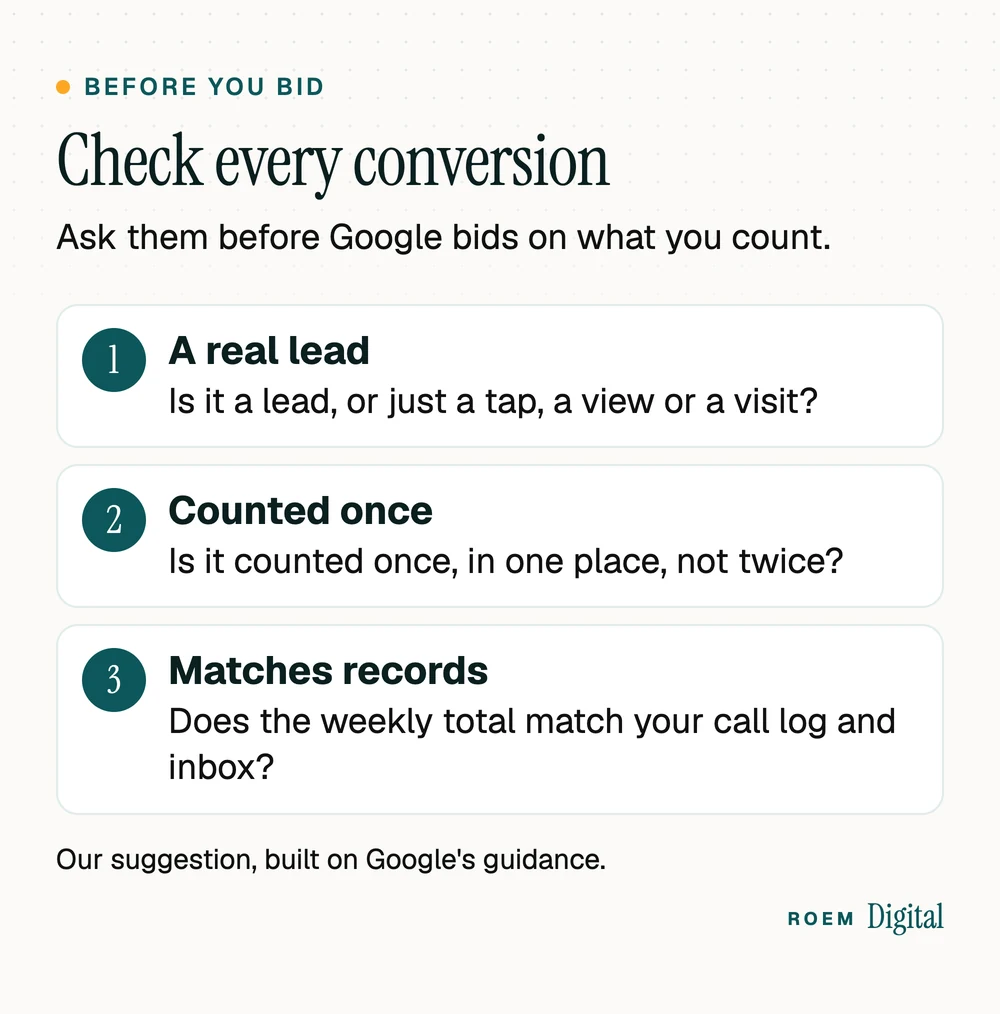
- Is it a real lead, or just a tap, a page view or a visit? A thank-you page view after a completed form is real. A visit to the contact page isn't. The landing page your ad points to should end in one clear action you can count, and spam form fills need filtering too, which our guide to click fraud and fake leads covers.
- Is each lead counted once, in one place? Google's counting options page suggests counting one conversion per ad click for leads and every conversion for sales. And a form tracked by both the Google tag and a GA4 import, with both set as primary, counts twice.
- Does it match your records? A week of Google Ads conversions should roughly match your call log, your inbox and your booking calendar. If Google reports far more leads than your phone and inbox saw, something is inflating the count.
Primary or secondary: choose which Google Ads conversions steer bidding
Every conversion action is either primary or secondary. Google's page on primary and secondary actions explains the difference: primary actions appear in the Conversions column and are used for bidding, while secondary actions are for observation only and appear in All conversions. Google also notes that conversions created from Google Analytics events start as secondary and can be switched to primary only in Google Ads.
| Action | Primary or secondary | Why |
|---|---|---|
| Calls from ads above your minimum length | Primary | A real conversation with a likely customer |
| Completed form or quote request | Primary | A real lead with contact details |
| Completed online booking | Primary | Often the most valuable lead you get |
| Taps on a phone link | Secondary | Useful to watch, but a tap isn't a call |
| Contact page views, scrolls, time on site | Secondary or not tracked | Signals of interest, not leads |
Changes here move your bidding. Google says a new campaign or bid strategy can show a Learning status for up to seven days, and that after a significant change in the conversions Smart Bidding optimizes toward, you should give it one to two conversion cycles to adapt. This matters most for automated campaigns like Performance Max, which spend wherever your primary conversions point.
Enhanced conversions and offline imports: connect leads to booked jobs
Basic tracking stops at the lead. Two features let Google learn which leads became customers.
- Enhanced conversions: Google's enhanced conversions page says the feature sends hashed first-party data, such as an email address from a form, using a one-way algorithm called SHA256. Enhanced conversions for web improves measurement of online conversions. Enhanced conversions for leads improves measurement of sales that happen off the website, from a website lead.
- Offline conversion import: this connects your CRM to Google Ads so you can attribute actions that happen off your website, such as a signed contract, back to your ads. Google says uploaded click IDs must be within 90 days, and processing takes 24 to 48 hours.
Don't switch bidding to booked jobs on day one. Google's lead generation best practices say the conversion goal you bid on should have at least 15 conversions in the last 30 days at the account level, and ideally happen within seven days of the ad interaction. Until a deeper goal meets that bar, keep it secondary and watch it. Our guide to the five numbers every marketing report should show covers how to report booked and closed leads.
Test your Google Ads conversion tracking before you trust it
Google says a new conversion action showing as Unverified or Inactive is normal, and that it turns Active only after the first conversion or a successful test event. Run these checks before launch, and again after any website change:
- Submit every form on a phone and a computer, and confirm each one reaches the right inbox.
- Use Google Tag Assistant to confirm the tags fire on the pages and actions you expect.
- Confirm call reporting is on, and that calls to your forwarding number ring through to the phone your team answers.
- Check the conversion action's status the next day and look for your test conversions.
- After a week of live traffic, compare Google Ads conversions with your call log, inbox and calendar.
If you're about to launch your first campaign, our guide to Google Ads for small business puts tracking in its place: first, before the budget.
How we set up conversion tracking before ad spend starts
We're a small senior team based in Davenport, Florida, working with businesses across Central Florida and nationwide. Robert handles the ads and the tracking, so Google Ads conversion tracking for calls, forms and bookings is set up and tested before any campaign spends money. You own the ad account and the analytics, and the reports show leads and customers, not just clicks.
Read more about how we run Google Ads and paid media, or start with a free audit and a short written plan.
Frequently asked questions
Why does Google Ads show clicks but no conversions?
Usually because nothing tells Google a conversion happened. The tag may be missing or broken, call reporting may be off, a GA4 key event may not be imported, or the action may be set as secondary. Check each conversion action's status, then run a test form and a test call.
Can Google Ads track phone calls from my website?
Yes. With the Google tag and a website call snippet, your site shows a Google forwarding number to people who clicked an ad, and calls to it can count as conversions once they pass your minimum length. Taps on a phone link can be tracked too, but Google counts only the tap, not the call.
What is the difference between Google Ads conversions and GA4 key events?
GA4 key events are actions you mark as important in Google Analytics. Google Ads conversions are the actions Google Ads reports and bids on. You can import GA4 key events into Google Ads as conversions, or track the same actions with the Google tag, but count each lead in only one of them as primary.
Do I need enhanced conversions for a small business?
Not on day one. Enhanced conversions send hashed first-party data, such as an email address from a form, to improve measurement. They help most once basic call and form tracking works and you want Google to learn which leads became customers. Set up and test basic tracking first.
How long does it take for Google Ads conversions to show up?
A new conversion action can show as Unverified or Inactive until Google records its first conversion or a test event. After you link GA4 or mark a new key event, Google says import options can take 24 to 48 hours to appear. Offline conversion uploads also take 24 to 48 hours to process.
Should I count every phone tap as a conversion in Google Ads?
Not as a primary conversion. A tap on a phone link is a click, and the person may never complete the call. Keep taps as a secondary action to watch, and bid on calls that pass a minimum length, completed forms and bookings instead.