
Short answer: Click fraud is real, and Google files it under invalid traffic. Google filters most of it automatically, doesn't charge for clicks it catches before billing, and credits invalid activity it finds later where appropriate and possible. Before blaming a competitor, check the Invalid clicks column, rule out targeting waste, and gather evidence for an investigation request.
What click fraud is, and what Google calls it
Click fraud is a click on your ad made to waste your money or inflate numbers, by a bot or by a person running up your costs. Google files it under invalid traffic, a wider category that also includes accidental clicks. Its Ad Traffic Quality site says plainly that some of it is deliberate, including botnets and advertisers who click on ads to waste competitors' budgets.
So yes, a competitor can click your ads. The better news: Google's invalid traffic page says you aren't charged for invalid traffic it detects before billing, and that it credits invalid traffic it finds after you've been billed, where appropriate and possible. Its examples include bots, accidental clicks from poor ad placement, fraudulent placements, and competitors who manually click to increase your spend. It also lists invalid impressions aimed at lowering your clickthrough rate, which matters because expected clickthrough rate feeds your Quality Score.
The harder question is whether the waste you're seeing is fraud at all. Google's own FAQ points to ordinary causes first. Start there too, before you blame anyone, and if you want a second opinion, that's part of what our paid media service covers.
What Google already filters and credits, and where to see it
Google says its traffic quality team uses automated filters, machine learning and manual reviews, and that the Media Rating Council, an independent industry body, accredits its invalid traffic defenses for specific services and metrics. You can see the results in four places:
| Where to look | What it shows |
|---|---|
| Invalid clicks column, added to your Campaigns table | Clicks Google filtered before billing. You weren't charged for these. |
| Invalid traffic card on the Overview page | Estimated savings from automated filters and credited cost for past activity. Google says it's rolling out gradually. |
| Billing summary, Adjustments | Credits labeled Invalid activity for traffic found after the invoice |
| Invalid Activity Credit Report in Report Editor | Credited clicks and adjusted cost by campaign, for Search and Performance Max |
Two details trip people up. First, a rising Invalid clicks number means the filters are working, not that you're paying for fraud. Second, Google freezes campaign metrics at month end, so later credits show on your invoice but don't change past campaign data. That's what the Invalid Activity Credit Report is for. Google says many filtered clicks alongside small credits is normal, because the two numbers measure different things. Make sure you can see billing at all: our guide to who owns your marketing accounts covers admin and billing access.
Google Ads click fraud or ordinary waste? Check these first
Google's own FAQ on invalid traffic answers most of the usual suspicions, and we've added two checks of our own at the end:
- A sudden spike. Google says spikes can come from seasonal trends or news, a competitor pausing its ads so yours show more, or your own changes to budget, keywords, audiences or locations. Check Change history first.
- Clicks from outside your area. The default location option reaches people who show interest in your area, not just people in it. Google suggests switching to Presence, which our guide to Google Ads for small business explains.
- Zero-second visits. Google says many analytics tools need a second interaction to record time on site, so a zero-second visit can still mean someone read your page.
- The same IP address again and again. Offices, schools, coffee shops and mobile carriers share one public IP address across many devices, so repeats don't prove one person.
- Clicks from beyond Google search. If your Search campaign includes search partners or the Display Network, segment the Campaigns table by network to see where the clicks came from. Google also points to content suitability settings for placements that don't fit your business.
- Searches you never meant to buy. Loose match types can send clicks from people who'll never hire you. Our guide to keyword match types shows how to read the search terms report for that.

Google Ads also removes filtered invalid clicks from its own reports, while your analytics tool may still record those visits. A gap between the two isn't proof of fraud on its own.
Five checks for suspected click fraud, in order
Much of the click fraud advice online starts with blocking. We start with checking, because blocking the wrong thing shrinks your reach and leaves the real leak open. This order is our own, built on Google's invalid traffic guidance.
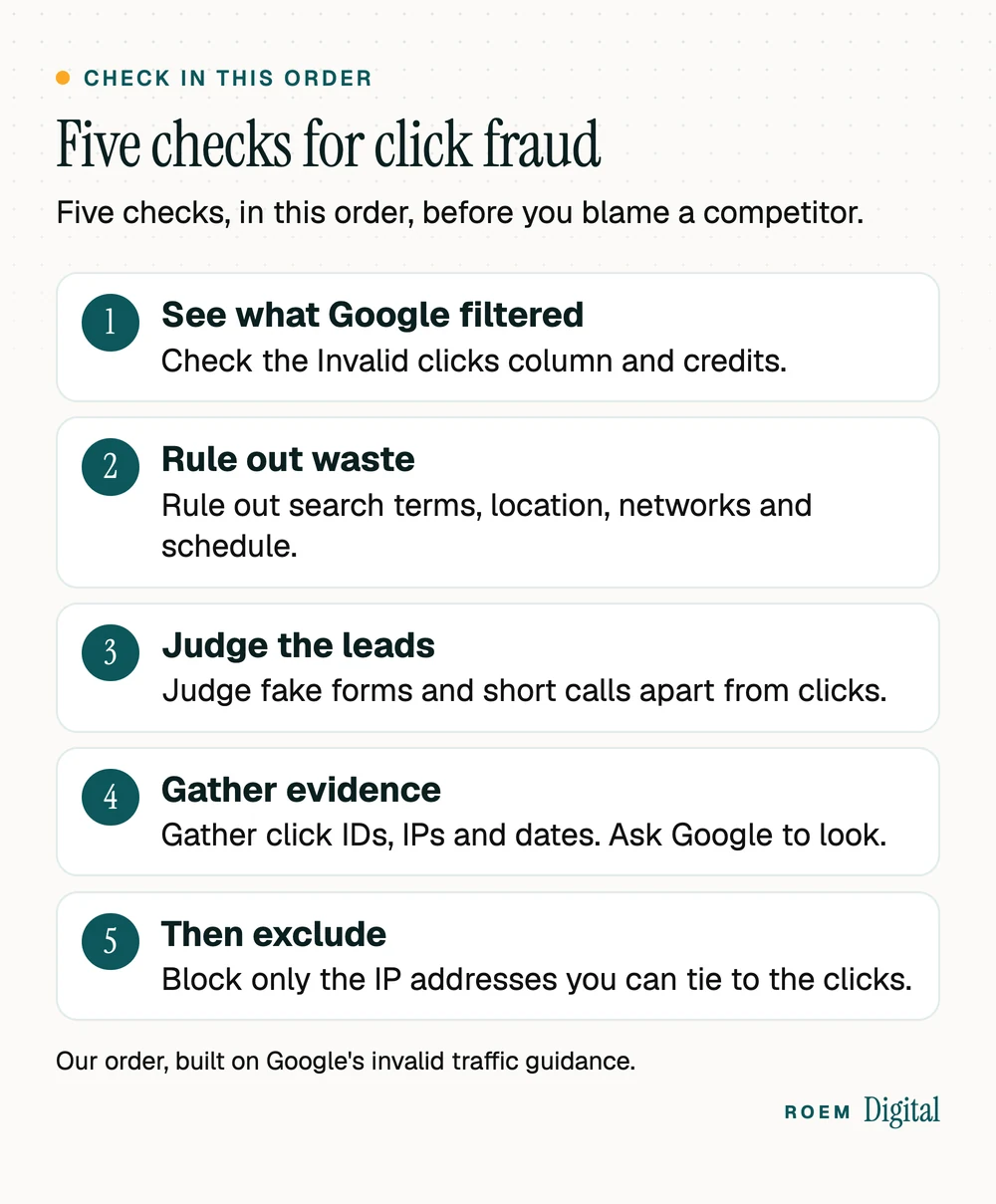
- Add the Invalid clicks column and check credits. Know what Google already caught before you estimate what it missed.
- Rule out search terms, location options, networks and ad schedule. They're easier to fix than fraud and often explain the same symptoms, and a starter list of negative keywords covers the obvious search term waste.
- Judge fake forms and short calls separately from clicks. They have different fixes.
- If the pattern survives the first three checks, gather the data Google asks for and request an investigation.
- Block only IP addresses you can tie to the clicks, and only after the rest.
Fake leads are a different problem from invalid clicks
Google's filters work on ad interactions. They can't stop a bot or a person from filling in your form once they reach your site. Google says so directly: lead quality is a shared effort, and Google can't track or control what visitors do after the click. Its suggestions for your side:
- Protect the form: reCAPTCHA, server-side validation, and a double opt-in email for forms where it makes sense.
- Bid on lead-specific goals: Google's lead generation best practices say goals such as qualified lead, book appointment or request quote automatically trigger invalid traffic protections built for lead generation campaigns.
- Connect first-party data: the Google tag and enhanced conversions help Google measure real customer actions.
Short calls are the phone version of a fake form. Set a minimum call length so a hang-up doesn't count as a lead. Our guide to Google Ads conversion tracking covers both, and our plain-English guide to tracking calls and form fills in GA4 covers the analytics side.
How to stop click fraud you can document
If the pattern survives those checks, you have two tools: an investigation request and IP exclusions. Google's invalid traffic page lists what to gather before you file, and limits investigations to activity in the past 60 days:
- Your 10-digit Google Ads customer ID and the exact dates you noticed the activity.
- The campaign and ad group names, and any keywords driving the unusual traffic.
- Web server logs: the repeating IP addresses, browser and device details, and the GCLIDs, Google's click IDs, for the suspicious clicks.
- For bad leads, a spreadsheet of each lead's GCLID and what happened when you called or emailed them.
- A short note on why the traffic looks wrong, such as clicks with no rise in conversions, or clicks from outside your targeted area.
Then submit the Click Quality Form linked from that page. Google says specialists review it manually, it typically takes several business days, and you'll get an email with the findings, plus notice of any credits. Google also says it won't confirm whether specific clicks were valid or invalid, so the email won't name a culprit.
For IP exclusions, Google's IP exclusion page allows up to 500 IP addresses per campaign, with an asterisk to cover a block of addresses. Account-level exclusions apply to every campaign, including Performance Max, which doesn't take campaign-level IP exclusions. Use them for addresses you can tie to the clicks, such as your own office network, not for a whole shared network where real customers browse too. If the clicks come from a region you don't serve, Google's same page suggests excluding the location instead, which our Google Ads for small business guide walks through.
Before you buy a click fraud tool, ask these questions
Click fraud tools can help in some accounts, but Google's invalid traffic FAQ makes three points worth knowing first. Third-party tools often flag traffic that Google's defenses already filtered and kept off your bill. Google can't evaluate third-party reports or compare them click by click. And Google says there's no industry standard for a normal invalid traffic rate, so a tool's benchmark isn't Google's.
- Does it separate clicks Google already filtered from clicks you actually paid for?
- How does it block? If it writes IP exclusions, it runs into the same 500-per-campaign limit you have.
- What access does it need? Keep your business as the account owner and give any tool the lowest access level that works. Our guide to who owns your marketing accounts explains the access levels.
- Does its estimate beat your credits? Compare what it says it saves with your Invalid clicks column, your credits and your cost per lead before and after.
Our view: in a local service account, fix search terms, location options and lead quality before paying for a tool. A tool earns its cost only after those are fixed and the pattern still points to deliberate clicks.
When to get help with suspected click fraud
Bring in a second set of eyes if your cost per lead jumps with no change you can find, if bad leads keep coming after you've protected your forms, or if you're about to sign up for a monthly tool. We're a small senior team based in Davenport, Florida, working with businesses across Central Florida and nationwide. Robert runs the ads and the tracking himself, and we look at the evidence before recommending anything.
Read more about our Google Ads and paid media service, or start with a free audit.
Frequently asked questions
Can a competitor click my Google Ads to drain my budget?
It happens, and Google names competitors who manually click to increase your spend as one kind of invalid traffic. Google's automated filters catch most invalid clicks before billing, so you aren't charged for them. Check the Invalid clicks column before assuming a competitor got through, and rule out targeting waste first.
Does Google refund click fraud?
Google doesn't charge for invalid traffic it detects before your billing cycle ends, so no refund is needed for those clicks. If it finds invalid traffic after you were billed, it issues a credit labeled Invalid activity, where appropriate and possible. You can see credits in your billing summary and the Invalid Activity Credit Report.
How do I report click fraud to Google?
Gather your customer ID, the dates, campaigns, keywords, server logs with IP addresses and click IDs, and any bad lead details, then submit the Click Quality Form linked from Google's invalid traffic help page. Google reviews activity from the past 60 days, and the review typically takes several business days.
Should I block IP addresses in Google Ads?
Only addresses you can tie to the clicks, such as your own office network. Google allows up to 500 IP exclusions per campaign, and account-level exclusions cover Performance Max too. Many offices, schools and mobile carriers share one IP address across many people, so blocking broadly can block real customers.
Are click fraud protection tools worth it?
Sometimes, but check first. Google says third-party tools often flag clicks it already filtered and kept off your bill, and it can't evaluate their reports. Fix search terms, location options and lead quality first. If deliberate clicks still show up after that, compare any tool's claims with your actual credits and cost per lead.
What is a normal invalid click rate in Google Ads?
Google says there's no industry standard for a normal invalid traffic rate, because invalid traffic ranges from accidental clicks to sophisticated fraud. A rising Invalid clicks number means Google's filters caught more and kept it off your bill. Judge your account by cost per lead, not by an invalid click benchmark.