
Short answer: A learning management system for schools is where teachers post lessons and assignments, students turn in work and families see what's due. A small private school should choose one by grade band: young children need a family view more than their own login, and every vendor should answer the FTC's COPPA questions in writing.
What a learning management system for schools does
A learning management system (LMS) is the online home for classwork. Teachers post lessons, materials and assignments, students turn work in, teachers give feedback and grades, and families see what's due and how their child is doing.
In a K to 12 school, the LMS usually handles these jobs:
- Lessons and materials: readings, videos, worksheets and links, organized by class and week.
- Assignments and turn-ins: due dates, uploads, photos of paper work and quizzes.
- Feedback and assignment grades: comments and scores on each piece of work.
- A calendar of what's due, visible to students and families.
- Class messages and announcements between teachers, students and families.
An LMS is not the school's official record. Enrollment, attendance, contacts, schedules and report cards belong in a student information system (SIS). Our student information system buyer's guide explains the difference and when one system can do both, so this guide stays on the classroom side.
Most LMS buying guides are written for school districts with an IT department and thousands of students. A small private school has different problems: one person often runs the front office, teachers have no tech support down the hall, and many of the students are too young to manage passwords. The rest of this guide is about those problems.
Who signs in at each age: an LMS for K-12 is really five products
The most useful question when choosing a learning management system for schools isn't which features it has. It's who signs in at each age. A kindergartner and a high school junior need very different things from the same system. Here's how that breaks down by grade band. It's our own guide, not a standard, so adjust it to your school.
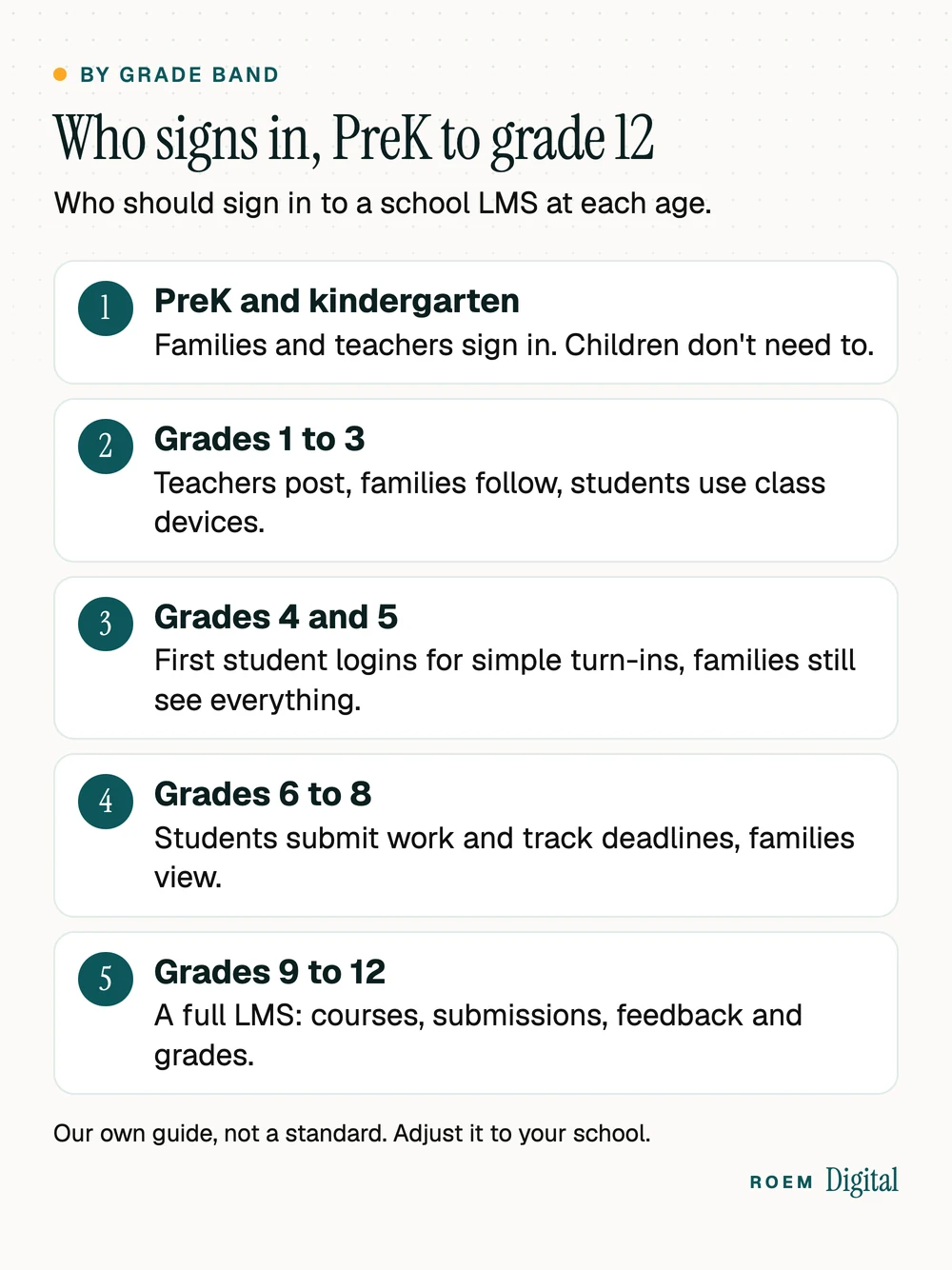
| Grade band | Who signs in | What matters most |
|---|---|---|
| PreK and kindergarten | Teachers and families | Photos and notes about the day, simple messages, no student passwords |
| Grades 1 to 3 | Teachers and families, with students on class devices | Teacher-posted activities, a clear weekly view for families |
| Grades 4 and 5 | Teachers, families, students for simple turn-ins | Easy uploads, simple sign-in, family visibility of every assignment |
| Grades 6 to 8 | Students, teachers, families | Deadlines students manage themselves, feedback, families viewing rather than doing |
| Grades 9 to 12 | Students and teachers, families viewing | Full courses, submissions, rubrics and grade history |
For a K to 5 school, this changes the shopping list. The family view on a phone matters more than any student feature, and a system built around high school courses may be more than you need. For a school that runs through grade 8 or 12, look for one system that can behave differently by grade, so families with children in two grade bands don't juggle two apps. The same thinking runs through our guide to school website design: build for the parent on a phone first.
LMS for private schools: what a small school needs that a district doesn't
Start with a question vendors rarely ask: does your school need a full LMS yet? If most classwork happens on paper and in person, what families may want most is a reliable weekly picture of their child's class, a way to message the teacher and a calendar of what's coming. A simple family update tool, or the classroom features inside your SIS, may cover that until your older grades start submitting work online. Buy for the school you'll be in two years from now, not for every feature on the demo.
Feature lists from LMS vendors run long and look alike. For a small private school, these practical points usually decide whether teachers and families actually use it:
- One sign-in per family, covering every child, on any phone, without an app store hunt.
- Teachers can post in minutes, without training days or an IT person on call.
- The languages your families read. If many families read Spanish, messages and the family view should work in Spanish too. Our guide to building a bilingual website covers the same idea for your public site.
- It follows your school year, including the way your school actually grades, whether that's letter grades, standards or narrative feedback.
- It connects to your SIS, or is part of the same system, so rosters aren't typed twice.
- Full export of classwork and grades, in a usable format, whenever you ask.
- Clear answers about student data, in writing, before anyone signs.
The experience after enrollment is part of a school's marketing. In our view, families who can see their child's week and reach a teacher easily are more likely to re-enroll and recommend you. Our guide to enrollment marketing for private schools covers how that word of mouth feeds next year's applications, and our private school marketing page explains how we work with schools.
Student privacy: what COPPA asks of a school LMS vendor
Most children in a K to 5 school are under 13, which brings in the Children's Online Privacy Protection Act (COPPA). This is general information, not legal advice. The FTC's COPPA frequently asked questions explain the parts that matter most when a school chooses an online service:
- COPPA's rules apply to the companies that run websites and apps (the FTC calls them operators), and they protect children under 13.
- A school can consent on a parent's behalf, but only in the educational context: when the operator collects students' information for the use and benefit of the school, and for no other commercial purpose.
- If the operator uses students' information for its own commercial purposes, such as behavioral advertising, the school can't consent for the parent.
- The FTC recommends that the school or district, not individual teachers, decide which sites and services are appropriate.
- As a best practice, the FTC suggests schools tell parents which online services they've approved.
Questions to ask every LMS vendor, in writing
The FTC's FAQ lists questions a school should ask an operator before signing up. In plain terms:
- What personal information do you collect from students?
- How do you use it?
- Do you use or share it for anything other than the service we asked for, such as advertising or building profiles?
- Can the school review and delete what you've collected from our students?
- How do you protect it?
- How long do you keep it, and when do you delete it?
The rule itself changed in 2025. The FTC's amended COPPA Rule was published April 22, 2025 and took effect June 23, 2025, and most businesses had until April 22, 2026 to comply. Among other changes, it requires operators to keep a written data retention policy. The FTC chose not to finalize its proposed changes on ed tech and the role of schools at that time, saying it wanted to avoid conflicts with potential changes to the Department of Education's FERPA regulations. FERPA is a separate law. The Department of Education says it applies to schools that receive funds from programs the Department administers, and that private and parochial elementary and secondary schools generally don't, so most small private schools aren't covered. Our student information system guide explains the exceptions.
The Department of Education's 2014 guidance on protecting student privacy while using online educational services describes the same category of tools: online services students use to access class readings, view their learning progression or complete homework. It's a useful companion for writing your own vendor checklist.
When to talk to an attorney about your school LMS
A good vendor will answer the questions above clearly. Bring in an attorney who works with schools before you sign when:
- The vendor's terms say the school is responsible for COPPA compliance. The FTC's FAQ says operators should not state that, because complying is the operator's responsibility.
- The vendor wants to use student information for anything beyond running the service.
- Your school takes part in federal programs, or you're unsure whether FERPA applies.
- You're moving years of student work and grades between systems, or ending a contract and need your data back.
Keep a simple file for each approved tool: the answers to the six questions, the contract and the date you reviewed it. Our guide to who owns your website and marketing accounts uses the same habit for a school's other logins.
Rolling out a school LMS without losing teachers or families
With any learning management system for schools, the software is the easy part of the rollout. Habits are harder, and a short, steady plan beats a big launch:
- Pick one way to post. Agree on where assignments, materials and messages go, so families don't check three places.
- Pilot with one grade band, ideally the one with the most engaged families, before the whole school.
- Train teachers before families, with a one-page guide they can keep at their desk.
- Give families a two-minute start: how to sign in, where to see this week, and who to ask for help, in every language your families read.
- Check use after the first month: are teachers posting weekly, are families opening it, and which questions keep coming to the front office?
Announce the new system the way you'd announce anything important to families, and keep the public story simple. Our guide to school social media ideas covers what families expect to see from the school outside the classroom app.
ROEMedu: the SIS and LMS we built for a small private school
ROEMedu is our school SIS and LMS, live at Still We Rise Excellence Academy, a Christ-centered Montessori school in Kissimmee, Florida. We also built the school's public website, so we work on both sides: the site families find before they enroll, and the system they use after. If you're planning a new school site at the same time, what a website project with us looks like is written up in our Resources.

If you run a small private school and want to know whether ROEMedu or custom software could fit, ask us. Our custom software service page explains what we build and how we work.
“ROEM is a first class all systems partner. Their expertise extends from organizational infrastructure, communications, and digital marketing, to web design, graphic design, IT support, and so much more. Still We Rise Excellence Academy is better because of ROEM!”
Frequently asked questions
What is a learning management system in schools?
A learning management system is the online home for classwork. Teachers post lessons and assignments, students turn in work and get feedback, and families see what's due. It differs from a student information system, which keeps the official record of enrollment, attendance, contacts and report cards. Some products combine both.
Do elementary students need their own LMS login?
Often not in the early grades. In preschool, kindergarten and the first grades, the LMS mainly serves teachers and families, and children can use class devices without their own passwords. Student logins tend to make sense around the upper elementary years, when children start turning in work themselves.
Does COPPA apply to school learning apps?
COPPA applies to the companies that run websites and apps collecting personal information from children under 13. The FTC says a school can consent for parents only when the company collects students' information for the school's use and benefit and for no other commercial purpose. This is general information, not legal advice.
What should a private school look for in an LMS?
Look for one sign-in per family on any phone, quick posting for teachers, the languages your families read, support for your grading style, a connection to your student information system, full data export, and written answers about how student data is collected, used, protected, kept and deleted.
What questions should a school ask an LMS vendor about student data?
Ask what personal information the vendor collects from students, how it's used, whether it's shared or used for advertising or profiles, whether the school can review and delete it, how it's protected, and how long it's kept. The FTC's COPPA FAQ lists these questions for schools. Get the answers in writing.
Can an LMS work in English and Spanish?
Many can, but check the family side, not just the menus. Messages, assignment instructions and the weekly view should reach families in the language they read. If many of your families read Spanish, test the system with a few of them before you choose, and ask how teachers post in both languages.