
Short answer: The custom software vs off the shelf choice comes down to fit: buy off-the-shelf tools for work every business does the same way, like email, accounting and payroll. Extend a tool when it almost fits. Build custom software only for the work that sets you apart, when you'll own the code, the data and the accounts.
Custom software vs off the shelf: the short answer
Custom software vs off the shelf comes down to fit. Off-the-shelf software is one product sold to many businesses, usually by subscription. Custom software is built for one business's way of working. Most small businesses should run mostly on off-the-shelf tools and build only the piece that makes them different.
That's the whole decision in one line: rent what every business does the same way, and build only what sets you apart. Email, calendars, accounting, payroll and file storage work the same way in a dental office and a roofing company, and mature products do them well. The SBA's guidance on managing your business even notes that Software-as-a-Service providers for email and workplace productivity can help secure data. Nobody wins customers with a homemade payroll system.
The part that sets you apart is different. It's the work customers notice: how they book, how they get a quote, how they follow a job, how a school's families see their child's week. When off-the-shelf tools force that part into someone else's shape, custom software for small business starts to pay for itself.
Before you compare products or quotes, answer four questions about the job in front of you:
- Do customers see this work, or only your team?
- Do you do it differently from competitors, in a way customers would miss if it changed?
- Will it still matter in five years, or is it a passing need?
- Who will look after it once it's running, and is that cost in the budget?
Two or more yes answers to the first three, plus a real answer to the fourth, is when building deserves a look. This guide is about the software your business runs on. If you're weighing a custom website against a website builder, our guide to custom-built websites vs website builders covers that choice.
Rent, extend or build: the three options
Most custom software vs off the shelf debates skip the middle option, which is often the right one. There are three options, not two. Start with the simplest and go further only when the job needs it.
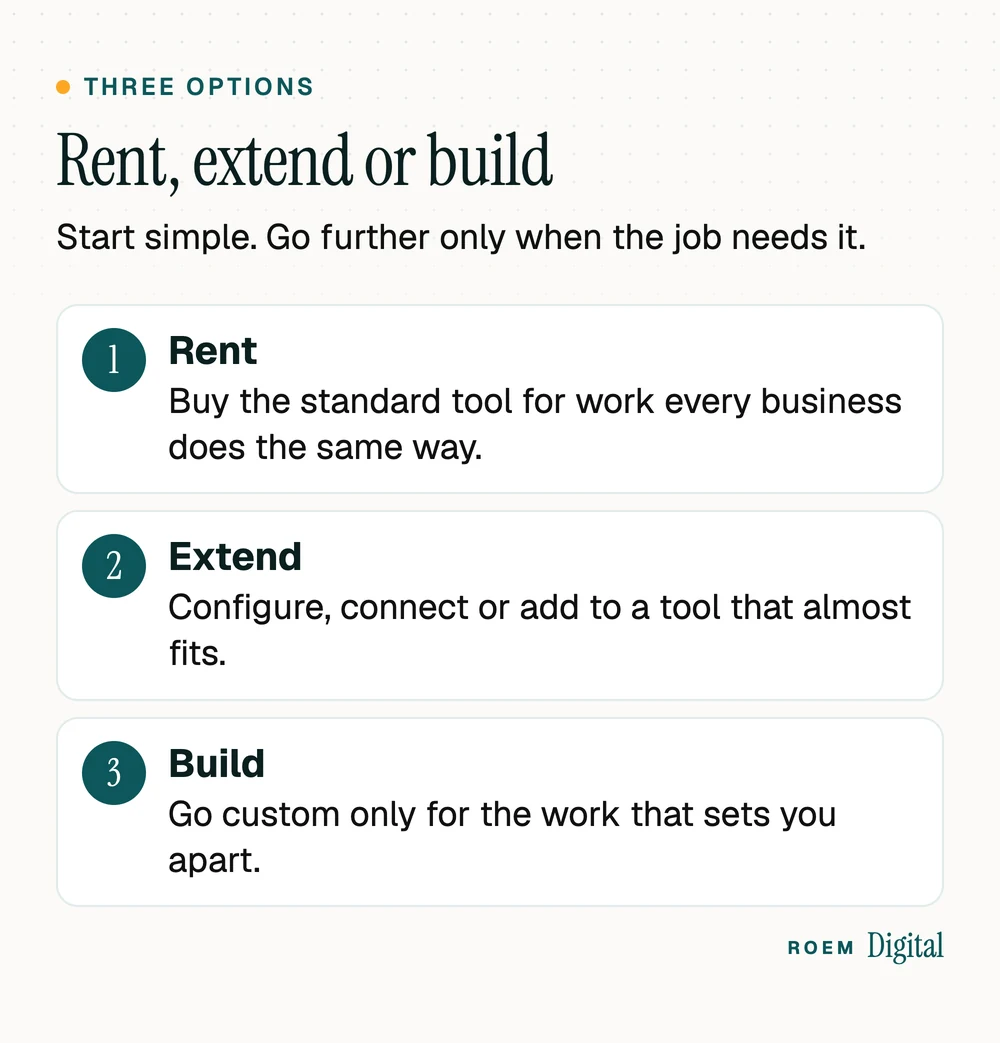
- Rent: a standard product, used as it comes. Fast to start, someone else handles updates and security patches, and you can switch if it disappoints.
- Extend: a standard product configured, connected to your other tools or given a small custom piece, such as a form that feeds it or a report that combines two systems. This middle option solves more problems than most owners expect.
- Build: software made for your process. Worth it when the work is central to how you win customers and no product does it without workarounds.
| Job | Usually | Why |
|---|---|---|
| Email, calendars, file storage | Rent | Every business does these the same way. |
| Accounting, payroll, taxes | Rent | Rules change often, and specialists keep up with them. |
| Appointment booking for a standard service menu | Rent or extend | Good products exist. Extend when you need custom rules or a second language. |
| Quotes with photos, approvals and job updates | Extend or build | Few products handle the whole flow the way you sell. |
| A client or family portal for your own process | Build | Your customers see it, so it should work the way you work. |
| One report pulling from three tools | Extend | A connector or small custom report beats replacing all three. |
This works in both directions. A custom tool that no longer earns its upkeep can move back down to a standard product, and a rented tool can be extended before anyone talks about rebuilding. A good custom piece usually sits beside standard tools, not in place of them: the accounting stays in the accounting software, and the custom piece handles the part customers see. Our custom software and platforms page lists the kinds of portals and tools we build.
Five signs you've outgrown off-the-shelf software
Off-the-shelf tools rarely fail all at once. They wear out slowly, and the signs show up in your team's habits before they show up in a budget:
- Shadow spreadsheets: someone keeps a sheet beside the tool because the tool can't hold what the job needs.
- Copy and paste between systems: the same customer details are typed into booking, invoicing and a CRM. Our guide to setting up a CRM for small business shows how much of that retyping a good setup removes.
- Paying for a higher plan to get one feature, while most of the plan goes unused.
- Customers get confused by a flow built for a different kind of business: the wrong words, steps you don't need, or no Spanish when half your customers want it.
- Your process bends to the tool: you've stopped offering something customers want because the software can't handle it.
One sign alone usually points to extending a tool. Three or more, on work customers see, is when building deserves a serious look. Booking is a common case: our guide to online booking systems for small businesses covers what a good off-the-shelf tool should do before you consider anything custom.
Build vs buy software: compare the whole bill
Off-the-shelf looks cheaper on day one and often is. Custom looks expensive on day one and sometimes stays that way. Neither first invoice tells you much, so compare everything you'll pay over the years you expect to use the software:
| Cost | Off the shelf | Custom |
|---|---|---|
| Getting started | Setup, data import, staff training | Discovery, design, the build itself, data import, training |
| Every month | Per-user or per-location fees, which grow with your team | Hosting, monitoring and a maintenance plan |
| Changes | Wait for the vendor, or pay for a higher plan | You decide, and you pay for each change |
| Security and updates | Included, on the vendor's schedule | Your builder's job, and it never ends |
| Workarounds | Staff time spent on shadow spreadsheets and retyping | Usually designed out |
| Leaving | Export limits, contract terms, migration work | Depends on who owns the code and the accounts |
Two lines decide most cases. Count the hours your team loses every week to workarounds, and be honest that custom software is never finished: it needs someone to keep it secure and current for as long as you use it. If that ongoing care isn't in the budget, stick with renting or extending. Our guide to setting a marketing budget for a small business shows one way to plan recurring costs against what they bring in.
Custom isn't automatically safer: security questions for either path
A common claim in custom software development pitches is that custom code is more secure because attackers don't know it. Don't count on that. Security comes from how software is built and maintained, not from how few people use it.
If you're buying, CISA's Secure by Demand guide lists questions customers should ask software makers, and says it's crucial that customers explicitly demand security as part of the buying process. A few that matter for a small business:
- Is multi-factor authentication on by default, and at no extra cost?
- Has the product eliminated default passwords?
- How simple is it to install security patches, and are automatic updates available?
- Can you see security logs in the basic version? For software you use online, CISA's guide says the maker should keep those logs for at least six months at no additional charge.
If you're building, ask your developer how they'll handle secure development. NIST's Secure Software Development Framework (SP 800-218) notes that few development processes explicitly address software security in detail, so secure practices usually need to be added. It also says buyers can use the framework as a common vocabulary with their suppliers. You don't need to read all of it. You need a builder who can explain, in plain English, how they test, patch and protect what they build for you.
Either way, security is a habit after launch, not a feature at launch. Someone has to apply updates, remove former staff, review who has admin rights and test backups. The same routine keeps a website safe, and our website maintenance checklist lays it out month by month.
Custom software development: own the code, the data and the accounts
The biggest risk in custom software isn't the build. It's discovering later that the business doesn't control what it paid for. Before you sign, get clear written answers to these:
- Who owns the code, or what license you hold to use and change it if you switch developers.
- Whose name is on the hosting, domain and app store accounts. They should be the business's, with your builder invited in.
- How you export your data, in what format, and whether you've tested it.
- What documentation you get, so another developer could pick it up.
- Who maintains it after launch, what that covers, and how you end the arrangement.
This is general information, not legal advice, so have an attorney review any software development contract before you sign. The same ownership checks apply to your marketing, and our guide to who owns your website and marketing accounts walks through them account by account.

What we build, and when we'll tell you not to
We build software as well as websites. ROEMer is our online booking platform for local businesses, at bookroemer.com. ROEMedu is our school SIS and LMS, live at Still We Rise Excellence Academy, a Christ-centered Montessori school in Kissimmee. We also build client portals and internal tools for businesses whose work doesn't fit a standard product.
A standard tool, set up properly and connected to your website and tracking, is often the better answer, and we'll tell you honestly whether custom software is worth it for you. Read more about our custom software and platforms service.
Frequently asked questions
Is custom software worth it for a small business?
Sometimes. It's worth it for work customers see and that sets you apart, when off-the-shelf tools force workarounds and you can budget for ongoing maintenance. For standard work like email, accounting and payroll, off-the-shelf software is almost always the better choice because the vendor carries the updates and security.
What is the difference between custom and off-the-shelf software?
Off-the-shelf software is one product sold to many businesses, usually by monthly subscription, and you adapt to how it works. Custom software is built for one business's process, so it fits how you work, but you pay for the build and for keeping it secure and current afterward.
Is custom software more secure than off-the-shelf software?
Not automatically. Security comes from how software is built, tested and patched, not from how many businesses use it. Ask any vendor about multi-factor authentication, default passwords, patching and security logs, and ask any developer how they follow secure development practices such as NIST's Secure Software Development Framework.
Who owns custom software after it's built?
Whoever the contract says. Make sure it states who owns the code or what license you hold, that hosting, domain and app accounts are in your business's name, and how you export your data. Have an attorney review the contract, because a verbal promise won't help if you switch developers.
Can I customize off-the-shelf software instead of building from scratch?
Often, yes. Many tools can be configured, connected to your other systems or extended with a small custom piece, such as a form that feeds them or a combined report. That middle option solves many problems for a fraction of the effort of a full custom build, so try it first.
How do I know I've outgrown my software?
Watch your team's habits. Shadow spreadsheets beside the tool, retyping the same details into several systems, paying for a higher plan to get one feature, confused customers, and dropping services because the software can't handle them are the usual signs. Three or more on customer-facing work justify a closer look.