Short answer: The event marketing ideas that fill a local event work from the inside out: tell your own people first, hand them something easy to share, bring in partners, then reach strangers through Google and ads. Build one event page before you promote anything, and track which channel brings each registration.
Event marketing ideas that fill the room, in the order to use them
The event marketing ideas that work for a local organizer aren't new. What changes the result is the order. Start with people who already trust you, give them an easy way to bring someone, add partners who reach a crowd you don't, and only then pay to reach strangers. Here's how to promote an event that way:
- Build one event page with the what, when, where, price and a register button, before any announcement.
- Tell your own list first: email, members, past attendees and customers, with a save-the-date.
- Hand out an invite kit: the link, one image and a one-line description people can text.
- Recruit co-hosts and sponsors who will announce it to their own audiences.
- List it on community calendars run by your city, library, chamber or local paper.
- Post it on Google: an event post on your Business Profile and event markup on the page.
- Post a short series on social media, not one flyer repeated: the speaker, the setup, the FAQ, the last call.
- Use ads to fill the gaps once you can see which audiences are registering.
- Remind registrants the week before and the day before, with parking and start time.
- Recap it the next day and start next year's list while people still remember the night.
For bigger ticketed events, our event marketing and ticketing page covers ticket pages, ads and retargeting in depth. This guide stays with the local organizer: a church, a school, a nonprofit or a small business hosting a workshop, an open house or a concert.
The inside-out plan: promote an event from trust outward
Many organizers start at the outside: they boost a post or buy an ad the week before and hope strangers show up. We call our alternative the inside-out promotion plan. It's editorial judgment, not a study: each ring is cheaper to reach and quicker to say yes than the one outside it, so you fill seats from the middle and spend money only where the inner rings run out.
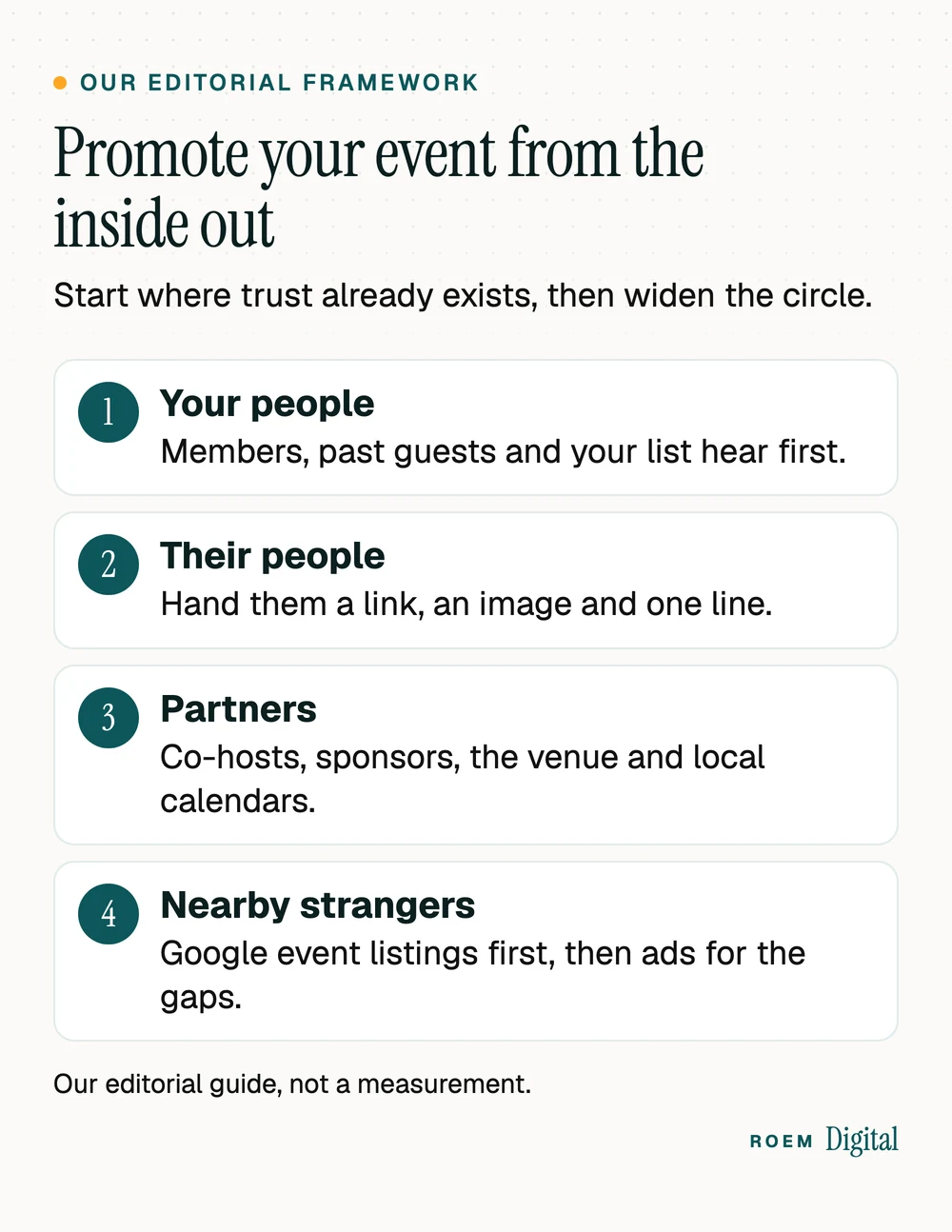
| Ring | Who | What to send them |
|---|---|---|
| 1. Your people | Email list, members, past attendees, customers | A save-the-date with the page link, then registration the moment it opens |
| 2. Their people | Friends and family of ring 1 | An invite kit: link, square image, one sentence they can text |
| 3. Partners | Co-hosts, sponsors, the venue, community calendars | A ready-made blurb, a logo-free image and the page link |
| 4. Nearby strangers | People searching or scrolling near you | Google event listings, a Business Profile post, then targeted ads |
The order matters most when you have a small budget. If rings one to three fill half the room, ads only have to find the other half. Our social media service builds invite kits and post series for organizers who'd rather not design them from scratch.
Ring three in practice: partners and community calendars
Partners are easy to overlook, and they can reach people you can't for very little money. Ask anyone who benefits when the room is full: a co-hosting church or school, a sponsor, the venue, vendors, performers and speakers. Send each one a short partner kit so they don't have to write anything:
- Two or three sentences they can paste into a newsletter or post.
- One image without other organizations' logos, sized for social media.
- Their own tagged link, so you can thank the partners who sent people.
Build one event page before you promote anything
Every flyer, post, email and ad should send people to the same page on your own website. One page means one place to update if the time changes, one link people remember, and one place to count registrations. A good event page answers these in the first screen on a phone:
- What it is and who it's for, in one sentence a stranger would understand.
- Date, start time and end time, plus doors-open time if it's different.
- The address, parking and accessibility details.
- Price, or "free", and a register or ticket button that works with a thumb.
- A short schedule or lineup, and an FAQ for the questions people text you.
- A share image sized for social posts, so the link looks good when it's sent.
We built the site for Youth Revival 2026, a Christian youth conference for Solid Rock Community Church in Kissimmee, with the schedule, lineup, FAQs and online ticketing on its own site (more in our portfolio). If you'll also run ads to the page, our guide to landing pages for Google Ads covers what keeps paid visitors from bouncing.
How to promote an event on Google for free
Google offers two free ways to put an event in front of people searching nearby, and both are easy to miss.
Event markup on your event page
Google's event structured data documentation explains that the event experience on Google helps people discover events through Search and products like Google Maps. Its guidelines are specific, and they rule out more events than people expect:
- Each event must have a unique URL with markup on that page. Google supports pages that focus on a single event, not calendar pages listing many.
- Events must be bookable to the general public. Events that require a membership or an invitation are ineligible.
- Events must take place in a physical location.
- Spectator events where the main participants and audience are minors and that take place at a school aren't eligible.
- If an event is canceled, keep the date and location in the markup and change the status to canceled, rather than deleting the details.
If you post events on a ticketing site or social platform, Google suggests checking whether that publisher already takes part in its event experience. Google also says it doesn't guarantee that structured data features will show up in results. Our guide to local business schema explains how structured data fits the rest of your site.
An event post on your Google Business Profile
According to Google's help page on Business Profile posts, an event post promotes an event at your business with a title, start and end dates and times, and can include a description, photo, video and an action button. If you leave out start or end times, the event shows as lasting 24 hours on its dates. Our guide to Google Business Profile posts covers what else to post there.
Track which event promotion ideas filled the seats
Next year's budget depends on knowing what worked this year. Three simple habits answer that question:
- Tag every link in emails, posts, partner blurbs and QR codes. Our guide to UTM parameters shows how.
- Count registrations and ticket clicks as key events in GA4, as our guide to tracking forms in GA4 explains.
- Ask one question at registration: "How did you hear about this?" with a short list of options.
| What you see | What to try |
|---|---|
| Page visits are steady, registrations are low | Shorten the form, move the register button higher and answer price and parking on the page. |
| Few visits from your own list | Resend to people who didn't open, with a new subject line and one clear date. |
| Partners haven't posted | Send a reminder with the kit attached and ask for a specific day. |
| Inner rings are done and seats remain | Start a small, targeted ad aimed at people near the venue, sent to the same page. |
After the event, keep the page live. Change it into a recap with photos, thank the partners by name, and add a "get notified about next year" signup. That list becomes ring one for the next event.
How ROEM helps organizers promote events
We're a small senior team based in Davenport, Florida, working with organizers across Central Florida and nationwide by video. We build event pages and full event sites, add event markup, set up registration tracking before ad spend starts and plan the social and email series around your date. You own the website, the ad accounts and the analytics.
See what we build for organizers on our events and ticketing page, or read how our paid media service handles ads once the inner rings are working.
Frequently asked questions
What are some good event marketing ideas?
Start with one event page, then tell your own list, give attendees an invite kit with a link and image to share, recruit co-hosts and sponsors, list the event on community calendars, add a Google Business Profile event post and event markup, post a short social series, and use ads last to fill gaps.
How do you promote an event for free?
Email your list, ask attendees and partners to share a ready-made link and image, post on community calendars, publish an event post on your Google Business Profile and add event structured data to a dedicated event page. Printed flyers with a tagged QR code at partner locations also cost little and can be tracked.
How far in advance should you promote an event?
It depends on the size, price and audience. Tell your own people as soon as the date, place and page are set, give partners enough lead time to include it in their newsletters, and save reminders for the final week. Bigger or pricier events need a longer runway than a free community night.
How do I get my event on Google?
Give the event its own page and add Event structured data following Google's guidelines, which require a unique URL, a physical location and an event open to the general public. If the event happens at your business, you can also add an event post to your Google Business Profile with dates and times.
Are school events eligible for Google's event listings?
Not all of them. Google's event guidelines say spectator events where the main participants and audience are minors and that take place at a school aren't eligible, and neither are events that require a membership or invitation. Public events that don't fit that description, including events at other venues, can still qualify if they meet the rest of the guidelines.
How do I know which event promotion worked?
Tag every link with UTM parameters, count registrations as key events in GA4, and ask registrants how they heard about the event. Comparing those three sources shows which emails, posts, partners and ads brought people, so next year's budget goes to the channels that actually filled seats.
Social media and email that keep an event top of mind
One flyer posted five times teaches people to scroll past it. A short series gives them a new reason to look each time. Six posts can cover a local event:
Email does the heavy lifting with people who've already registered: a confirmation, a reminder a week out with parking and timing, and a short note the day before. If you plan to remind people by text, read our guide to appointment reminder texts first, because texting rules differ from email. For what to post the rest of the year, see our guide to social media for local service businesses.
Printed flyers and posters still earn their place in ring three: coffee shops, libraries and partner front desks. Put a QR code on each one that points to the event page, tagged so you know the flyer brought the visit.