
Short answer: Nextdoor for business is worth a free, verified Business Page for most local service businesses, because neighbors ask each other who to hire there and, since August 2026, promotion has to come from a Business Page. Pay for Opportunity Alerts or Nextdoor ads only once you can track which calls and messages came from Nextdoor.
Is Nextdoor for business worth it? Start free, pay later
For most local service businesses, yes, at the free level. Claim and verify your Business Page, collect recommendations from real customers and answer messages quickly. Treat the paid tools, Opportunity Alerts and Nextdoor ads, as tests you run once you can track the leads they bring.
Nextdoor's about page describes it as a neighborhood network for 110 million verified neighbors across 350,000 neighborhoods. In a September 2, 2026 announcement, the company said neighbor recommendations for local businesses already make up nearly 30% of all content on the platform. Those are Nextdoor's own figures, but they explain the appeal for a plumber, painter or pet groomer: people there are asking each other who to call.
It fits best when your jobs cluster in neighborhoods and new customers arrive by word of mouth. It matters less when customers find you by searching in a hurry, where Google does more of the work. If you already post on Facebook and Instagram, our guide on what a local service business should post covers content that works on Nextdoor too.
What changed on Nextdoor for businesses in 2026
Two announcements in 2026 changed how a business should use Nextdoor. On August 19, 2026, Nextdoor updated its self-promotion policy: promoting a business, service or paid opportunity must now be done from a free Business Page, not a personal neighbor account. That covers posts and comments in the main feed and unsolicited direct messages. Nextdoor says a flagged post isn't deleted, but fewer neighbors will see it.
The same post says the more Faves a business earns, the more likely it is to show up in Search, and that claiming a Business Page and posting from it is free. Casual offers such as babysitting or dog walking can still be posted from a personal account up to once a month, and Groups set their own rules.
Then on September 2, 2026, Nextdoor announced a set of business changes:
- Local Faves (US, Canada, UK): a discovery hub showing nearby businesses by category, ranked by neighbor trust.
- Redesigned free Business Pages: cover photos, AI summaries, a "what neighbors say" tab and a simpler call or message bar.
- Improved AI search (US): businesses mentioned in neighbor posts are tagged and linked to their pages.
- Feed access for local businesses, coming soon (US): businesses will be able to comment and engage in the neighborhood feed.
The practical takeaway: if you or your staff have been promoting the business from personal accounts, stop and post from the Business Page instead. Keeping each platform's rules straight is part of what we handle in social media management.
How to set up a Nextdoor business page the right way
Nextdoor's Business Page sign-up and its business blog cover the steps. These are the ones that matter most for a service business:
- Use a business account you control. Nextdoor lets you connect a Business Page to your personal account and switch between them, but it says not to connect them if you plan to share the business login with employees. Our guide to who owns your marketing accounts explains why ownership matters.
- Search before you create. Some Business Pages are built from third-party public data or neighbor recommendations, so search by name and location first and claim yours if it exists.
- Verify the page. Nextdoor's business FAQ says a page with a phone number on file may be verified by call or text, and has listed documents such as a business license, a tax registration certificate, an EIN confirmation letter or a business bank statement with the account number redacted. Check the current options in your account settings.
- Match your details everywhere. Use the same name, phone and website as your Google Business Profile and your other directory listings.
- Check the page's visibility setting. Nextdoor's FAQ describes a Public option that lets people who find you through a web search see the page, plus narrower options for nearby neighbors or Nextdoor members.
- Add real photos of you, your team and your work, which Nextdoor itself suggests for a strong first impression.
Once the page is verified, you can post from it. Nextdoor's sign-up page describes the steps: open the Content tab of your Business Page, choose Create Post, add a title and description, preview it, then pick your audience by widening or narrowing the radius around your business or selecting specific neighborhoods. Good posts for a service business are the same ones that work on Google: a finished job in the area (never a customer's address), a seasonal reminder, or a plain answer to a question you hear on the phone. Choose the neighborhoods where you actually want work, not the widest radius.
The Nextdoor ladder: claim, earn, answer, pay
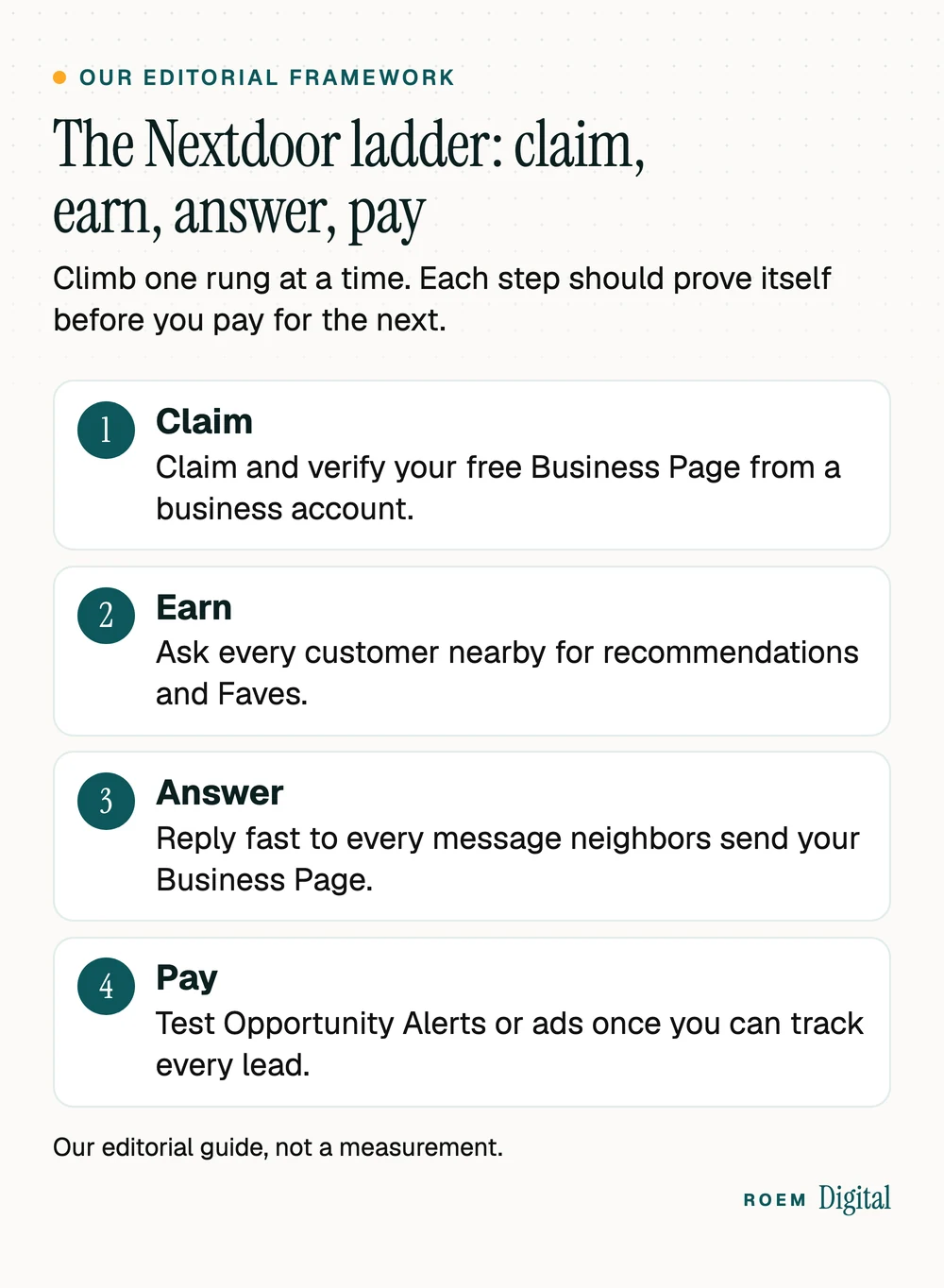
Most owners either ignore Nextdoor or jump straight to ads. We suggest a ladder instead, our editorial framework, where each rung proves itself before you pay for the next:
- Claim. A verified Business Page on a business account, with matching details and real photos.
- Earn. Ask every customer who lives near your jobs to recommend you or Fave you on Nextdoor, the same way you'd ask for a Google review. Nextdoor calls a Fave its signal that a neighbor vouches for a business. Never offer anything in exchange.
- Answer. Reply quickly to every message sent to your page. Opportunity Alerts, a paid product, notifies you when neighbors post looking for your kind of service so you can reply or comment, and Nextdoor says wider feed access for businesses is coming soon in the US.
- Pay. Test Opportunity Alerts or ads only once every call and message can be traced back to Nextdoor.
The order matters because the paid tools send neighbors to your page. A page with no recommendations and three-year-old photos wastes the click. The same logic applies to reviews on Google: our guide to getting more Google reviews covers how to ask every customer without breaking the rules.
Nextdoor ads and Opportunity Alerts: what you're paying for
Nextdoor has two paid tools for small businesses, and they work very differently. This is how Nextdoor's own pages describe them:
| Option | What it does | How it bills |
|---|---|---|
| Free Business Page | Your profile, recommendations, Faves, business posts and messages | Free to claim and to post from |
| Opportunity Alerts | Text or email alerts when neighbors within 20 miles of an address you choose post looking for your service, in up to 3 categories | A monthly subscription from your sign-up date that you can cancel anytime |
| Nextdoor ads | Ads created from your Business Page, aimed by location, demographic or interest, for website visits, messages or calls | A daily budget charged 30 days up front, then every 30 days until you cancel |
Opportunity Alerts are limited to select service categories, such as lawn care, house cleaning, painting, plumbing and pest control, and the address you pick doesn't have to be your physical location. For advertising on Nextdoor, the ads page advertises small business advertising for less than $5/day. Read the billing line closely, though: you pay your daily budget times 30 at the start, and canceling stops the ad at the end of the current 30-day period.

The figure that matters isn't the daily budget. It's what a booked job costs you. Before you pick Nextdoor over other paid channels, read our comparison of Meta ads and Google Ads for local businesses. Our paid media service sets up call, form and booking tracking before any ad spend starts.
Nextdoor, Google Business Profile or Facebook: where each one fits
Nextdoor doesn't replace your Google listing. Each platform catches people at a different moment:
| Platform | What people are doing there | Your first job there |
|---|---|---|
| Google Business Profile | Searching for a business, often ready to call | Accurate details, steady reviews and useful posts |
| Nextdoor | Asking neighbors who they trust | A verified page and recommendations from real customers |
| Facebook and Instagram | Checking you out, or scrolling past your ads | Proof of real work, plus well-targeted ads |
For most service businesses, Google comes first because people search there with intent. Get the profile accurate, then keep it active with Google Business Profile posts. Nextdoor is the word-of-mouth layer on top. It also keeps referrals moving if your Google listing ever has a problem, as our guide to a suspended Google Business Profile explains.
Track Nextdoor leads before you spend more
Nextdoor for business only pays off if you can see what it brings in. If you can't see where a lead came from, you can't tell whether Nextdoor worked. Set up tracking before the first paid test:
- Tag the website link on your Business Page and in every ad with UTM parameters, so Google Analytics shows Nextdoor visits separately. Our guide to UTM parameters shows how.
- Give Nextdoor its own phone number if calls are your main lead source, using call tracking. Ask whoever set up your phones whether a tracking number can forward to your main line.
- Ask every new customer how they heard about you, and write it down in the same place every time.
- Judge by booked jobs, not clicks. A month of ads that brings two good jobs can beat one that brings fifty page views.
How ROEM decides whether Nextdoor belongs in your plan
In our social media management work, we set the platform mix during strategy rather than spreading thin across every app, so whether Nextdoor earns a place depends on where your customers actually spend time. We're a small senior team based in Davenport, Florida, working with businesses across Central Florida and nationwide. Calls, forms and bookings are tracked before ad spend starts, and you own every account.
Frequently asked questions
Is a Nextdoor business page free?
Yes. Nextdoor says claiming a Business Page is free and posting from it is free, and verification is quick. The paid tools are separate: Opportunity Alerts is an optional monthly subscription for some home service categories, and Nextdoor ads run on a daily budget billed 30 days at a time.
Can I promote my business from my personal Nextdoor account?
Not anymore, for regular promotion. Nextdoor's August 2026 policy says promoting a business, service or paid opportunity must be done from a free Business Page. Casual, occasional offers like babysitting or dog walking can still go up from a personal account, up to once a month.
How much do Nextdoor ads cost?
You set a daily budget, and Nextdoor charges 30 days up front, then the same amount every 30 days until you cancel. Its ads page advertises small business advertising for less than five dollars a day. What matters is your cost per booked job, which you only know with tracking.
What are Nextdoor Opportunity Alerts?
Opportunity Alerts is a paid monthly subscription that sends a text or email when a neighbor within 20 miles of an address you choose posts looking for your type of service. You pick up to three categories, and it is open to select home service categories such as plumbing and painting.
What are Faves on Nextdoor?
Faves are Nextdoor's signal that a verified neighbor vouches for a business. Nextdoor says the more Faves you earn, the more likely you are to show up in its search, and its Local Faves hub launched in September 2026 ranks nearby businesses by neighbor trust.
Should I use Nextdoor or Google Business Profile?
Both, in that order for most service businesses. Google Business Profile catches people searching with intent, so get it accurate and active first. Nextdoor adds neighbor recommendations on top, and a free verified page there costs nothing but time to keep current.