
Short answer: How to choose a domain name, in short: start with your business name, keep it easy to say and spell, use .com when a good version is available, and check trademarks before you buy. Then register it in an account your business owns, with auto-renew on, because who holds that login matters more than the name.
How to choose a domain name: the short answer
Pick a domain that matches your business name, is easy to say and spell, ends in .com when you can get a good version, and doesn't collide with anyone's trademark. Then register it in an account your business owns.
Most guides stop at the name. The name is the easy part. The harder questions come later: who holds the login when your web designer moves on, whether your email keeps working, and what happens to your Google rankings if you ever switch. This guide covers the name first, then those three.
Your domain is the address your website, email, Google Business Profile and printed materials all point to, so it's worth getting right before anything goes on a truck or a sign. When we build a site through our website and branding service, the domain stays in your name.
Four tests every domain name idea should pass
Here's how to choose a domain name from a shortlist: write down three to five candidates, then run each one through what we call the four-test domain name check. It's our editorial framework, not an industry standard, and it takes a few minutes per name.
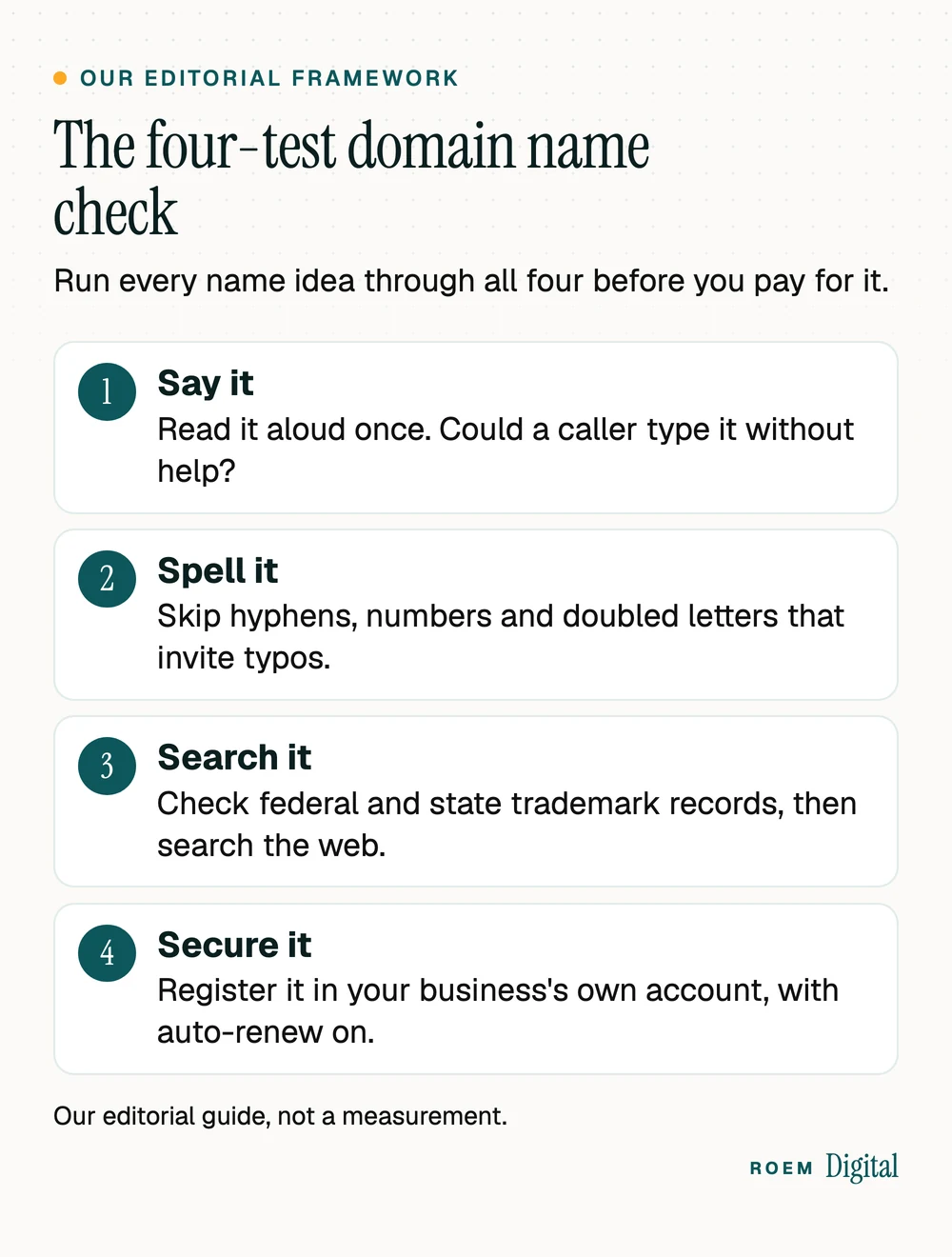
- Say it. Read the name aloud the way you would on a phone call. If you'd have to add "that's with a z" or "no dash," customers will mistype it. Words with two common spellings, like four and for, fail this test.
- Spell it. Keep it short, skip hyphens and numbers, and watch for doubled letters where two words meet. A name that's easy to read on a yard sign is easy to type later.
- Search it. Check trademark records and search the web for businesses already using the name in your field. The trademark section below shows the order.
- Secure it. Buy it in a registrar account your business controls, with auto-renew and two-step verification on. Our guide to who owns your website and ad accounts explains why that login matters so much.
A name that passes all four is ready to buy. A name that fails one can usually be rescued with a small change, which is what the next section is about.
Domain name ideas when the .com you want is taken
Your exact business name is often gone. Before you settle for a hyphen or an odd spelling, try these patterns, roughly in this order:
- Add your main service: your name plus roofing, dental or cleaning. It reads naturally and tells people what you do.
- Add one short action word in front: get, try, call or book. Keep it to one word.
- Use the name customers already call you. If people shorten your name, the short version may be available.
- Add your city or region, carefully. A place name signals that you're local, but it can box you in if you expand to other towns.
- Pick a different ending. The next section covers the tradeoffs.
Patterns to skip: deliberate misspellings, strings of service keywords, and anything that only makes sense next to your current logo. If you're renaming the business itself, settle the business name before the domain, and use our rebranding checklist for the order of steps.
Don't choose a name for its keywords either. Google's SEO starter guide tells site owners to pick the name that's best for their business, and says keywords in the domain name alone "have hardly any effect beyond appearing in breadcrumbs." A name customers remember does more for you than one packed with services.
.com vs other extensions: what Google says and what customers type
The ending after the dot is the top-level domain. For search, it matters less than most owners expect. The same Google guide says the ending only matters if you're targeting a specific country's users, and even then it's usually a low-impact signal. Otherwise, it says, Google Search doesn't care whether you use .com, .org or something else.
So choose the ending for people. If you use anything other than .com, say the ending every time you say the address, and buy the .com version too if it's available, so a customer who guesses still finds you.
| Extension | Fits | Watch for |
|---|---|---|
| .com | Almost any business, when a good version of your name is available | Strong names are often taken, so you may need a pattern from the list above |
| .org | Churches, schools, nonprofits and community groups | ICANN's registrant FAQ describes .org as unrestricted, so it doesn't prove nonprofit status |
| .net | A fallback when the .com is taken | Customers may still type .com, so own both if you can |
| .us and other country endings | A business that only serves customers in that country | Some country endings limit who can register, so read the registry's rules. Google reads a country ending as a hint about where you sell, and a low-impact one |
| Newer endings such as .shop or .studio | A brand built around that word, when the .com is gone | Read the registry's eligibility rules and the renewal price before you buy |
Whatever ending you choose, use the exact same address on your Google Business Profile, your directory listings and everything you print. Our Google Business Profile checklist covers the rest of the profile.
Check trademarks first, and when to talk to a trademark attorney
Whether a name is available to register and whether it's safe to use are different questions. ICANN's list of registrant responsibilities puts it plainly: you assume sole responsibility for the registration and use of your domain name.
The USPTO's trademark basics page explains that you become a trademark owner as soon as you use a mark with your goods or services, but those rights only apply in the area where you do business. Federal registration creates nationwide rights. Its page on why to search for similar trademarks says a comprehensive clearance search typically covers the federal database, state trademark databases and the internet. For a domain, work in that order:
- Search the USPTO trademark database for your name and close variations.
- Search your state's trademark records.
- Search the web and Google Maps for businesses using the name in your field or nearby.
- Check the social media handles you'll want, so the name can match everywhere.
Talk to a trademark attorney before you buy if the name sits close to one you found, if you plan to register it as a trademark yourself, or if you're about to spend real money on signs, vehicle wraps and printing. A conversation up front is far easier than renaming after a dispute. This is general marketing information, not legal advice.
Once the name is clear, our guide to brand guidelines covers how to keep it looking and sounding the same everywhere it appears.
Buying a domain for a business: set up the registrar account right
A registrar is the company that sells and renews domains. ICANN's guide to registering a domain says generic domains can be registered with one of more than two thousand ICANN-accredited registrars or their resellers, and its registrant FAQ recommends dealing directly with an accredited registrar. The FAQ also confirms you don't have to host your website with the company that sold you the domain.
- Open the account with a business email address you control, ideally a shared one such as admin@ on your own domain once it's set up, not one employee's personal inbox.
- List the business as the registrant, with accurate contact details. ICANN's contact information page warns that a registration may be suspended or even cancelled if you give wrong details on purpose or don't update them promptly.
- Turn on auto-renew and keep the card current. ICANN's renewal guide says a lapsed domain can be lost for a short time or for good, and that ICANN has no authority to transfer an expired name back to you.
- Register for more than one year if you can, so a single expired card is less likely to take your website and email offline.
- Turn on two-step verification for the registrar login, and keep the login in a password manager the business controls.
- Don't let a vendor register it on their own account. ICANN's transfer page says you must be the registrant of record or the administrative contact to start a transfer. If that's your former web designer, getting the domain back depends on them.
Not sure where your current domain sits? The free ICANN Lookup tool shows a domain's current registrar, and our account ownership guide walks through the rest of the check.
Put email on your domain, then authenticate it
An address at your own domain stays with the business when staff change. Your domain's MX record tells other servers where your mail should be delivered, as ICANN's FAQ explains, and it sits in the same DNS settings as your website records. That's why a careless website move can break email.
Then authenticate it. Google's email sender guidelines require everyone sending to Gmail accounts to set up SPF or DKIM for their sending domain, recommend SPF, DKIM and DMARC together, and warn that unauthenticated messages might be marked as spam or rejected. Your email provider gives you the records to add. If quotes and invoices land in customers' spam folders, check this first.
Changing your domain later without losing calls or rankings
Sometimes a new domain is the right call: after a rebrand, a merger, or when the name you always wanted finally comes up. The risk isn't the new name. It's everything still pointing at the old one.
- Redirect every old page to its match on the new domain with a permanent (301) redirect, not just the homepage.
- Tell Google. Search Console's Change of Address tool is built for moves from one domain to another, and Google asks you to keep the redirects for at least 180 days, longer if Google Search still sends them traffic.
- Keep paying for the old domain. The same page recommends keeping it for at least a year so nobody can buy your abandoned domain and use it for malicious purposes.
- Update your Google Business Profile website link with the full new address, including https://, as Google's Business Profile help asks.
- Keep the old email address working and forwarding while customers and vendors update their contacts.
- List what you've printed. Business cards, yard signs, vehicle wraps and QR codes all carry the old address, and the redirects are what keep them working.

The Change of Address page also notes that if you combine a domain move with a redesign of your content and URL structure, you'll probably see some traffic loss while Google relearns the pages. If you're doing both, our website redesign checklist covers the page-by-page work, and our guide to moving off Wix or Squarespace covers a platform change.
How we handle domains when we build your site
We're a small senior team based in Davenport, Florida, building custom websites for businesses across Central Florida and nationwide. On every build, the domain, the website and the accounts stay in your name. When a rebuild changes page addresses, every old URL gets a permanent redirect to its new home.
If you're still working out how to choose a domain name for a new business, we're happy to talk it through as part of our website and branding work. If your site goes live soon, our website launch checklist picks up where this guide ends, from the sitemap to the first test form.
Frequently asked questions
Should I use .com or another extension for my business?
Use .com when a good version of your name is available, because customers won't have to remember an unusual ending. Google says the ending doesn't matter for rankings unless you're targeting a specific country. If you choose another ending, say it every time you share the address, and buy the .com too if you can.
Do keywords in a domain name help SEO?
Barely. Google's SEO starter guide says keywords in a domain name alone have hardly any effect on rankings beyond appearing in breadcrumbs, and it tells owners to pick the name that's best for their business. A short, memorable brand name usually serves you better than a domain packed with service words.
Should my web designer register my domain for me?
They can help, but the registration should sit in an account your business owns, with the business listed as the registrant. ICANN says only the registrant of record or the administrative contact can start a transfer, so a domain held in a designer's account depends on that designer if you ever part ways.
How long should I register a domain name for?
ICANN says registrars can offer registrations in one-year increments, with no more than ten years remaining at a time. Whatever term you choose, turn on auto-renew and keep the payment card current. A lapsed domain can take your website and email offline, and ICANN can't transfer an expired name back to you.
Can I change my domain name without losing Google rankings?
You can limit the damage. Redirect every old page to its match on the new domain, use Search Console's Change of Address tool, and keep the redirects for at least 180 days. Google also recommends paying for the old domain for at least a year. Expect some movement, especially if you redesign at the same time.
Is buying a domain the same as owning a trademark?
No. A domain registration gives you an address for the period you pay for. Trademark rights come from using a name with your goods or services, and federal registration with the USPTO adds nationwide rights. Search trademark records before you buy, and talk to a trademark attorney if anything looks close.