
Short answer: ADA website compliance means people with disabilities can use your website as fully as anyone else. The Justice Department says the ADA covers what businesses open to the public offer online, and its Title II rule requires WCAG 2.1 AA for state and local governments from April 26, 2027 or April 26, 2028.
What ADA website compliance means, and who it covers
ADA website compliance means people with disabilities can find information, fill out forms and buy or book on your site as fully as anyone else. Congress passed the Americans with Disabilities Act in 1990, and the Justice Department says it intended the law to keep pace with changing technology. How it applies online depends on who you are.
The Justice Department's guidance on web accessibility says it has consistently taken the position that the ADA applies to the goods and services businesses open to the public offer on the web, and that it has held that the ADA applies to web content since 1996. The barriers it lists are concrete: poor color contrast, color used alone to give information, images without text alternatives, videos without captions, forms that screen readers can't explain and pages that only work with a mouse. Here's how the law splits by title. This is general information, not legal advice.
| Who | What applies | Key date |
|---|---|---|
| State and local governments, including public schools, community colleges and public universities (Title II) | The Justice Department's 2024 rule: WCAG 2.1 Level AA for web content and mobile apps, with limited exceptions | April 26, 2027 (population 50,000 or more) or April 26, 2028 (under 50,000, and special district governments) |
| Businesses and nonprofits open to the public, such as stores, private schools, doctors' offices and gyms (Title III) | No detailed web regulation. The Justice Department points to WCAG and the Section 508 Standards as helpful guidance | No set date. The Department's position is that the ADA already applies |
| Religious organizations | Exempt from Title III, per ada.gov, though state or local laws may still apply | Not applicable |
Private schools appear on ada.gov's list of Title III examples, so the Title II dates don't govern a private school's website. If you run one, our page on marketing for private schools covers the rest of the website side.
The 2026 change: Title II deadlines moved to 2027 and 2028
For public entities, ADA website compliance now has hard dates. The Title II web rule was published on April 24, 2024. On April 20, 2026, the Federal Register published an interim final rule that pushed the compliance dates back, according to ada.gov's fact sheet on the web rule. Governments with a total population of 50,000 or more now have until April 26, 2027, and those under 50,000, plus special district governments, have until April 26, 2028. Pages and articles written before April 2026 may still show the older dates.
Three details in the fact sheet matter if you build or market for a public entity:
- The standard follows the content, not the vendor. The fact sheet's example: a county page listing park hours must meet WCAG 2.1 AA even if a local web design company made the page and updates it for the county. The same goes for a parking app run by a private company for a city.
- School districts use a parent population. A city school district uses the city's population and a county school district uses the county's to find its date.
- The exceptions are narrow. Archived content qualifies only if it meets every condition the rule lists, such as being kept in a special archive area and left unchanged since it was archived.
After the compliance date, the fact sheet says governments must continue to make sure their web content and mobile apps meet WCAG 2.1 AA. It's an ongoing duty, which is why accessibility belongs in the plan for every website build or redesign, not a one-time cleanup.
Why no widget or badge can make a site "ADA compliant"
An ADA compliant website isn't something you can buy as a plugin. For businesses under Title III, the Justice Department says it has no regulation setting out detailed web standards, and that businesses have flexibility in how they make their sites accessible. Flexibility cuts both ways: there's no certificate that settles the question.
The Department's guidance speaks to tools directly. Automated accessibility checkers and overlays "can be helpful tools," it says, but "they need to be used carefully," and a "clean" report "does not necessarily mean everything is accessible." It says pairing a manual check with automated checkers gives a better sense of a site's accessibility. WebAIM, a nonprofit service center at Utah State University, says the same about its own scans: absence of detected errors "does not indicate that a page is accessible or conformant."

Our own site has a display panel for larger text, higher contrast and reduced motion, and our accessibility statement says plainly that those options are not a substitute for an accessible site. That's the honest framing for any widget: a convenience on top of the work, never a replacement for it.
A website accessibility checklist: scan, sweep, walk, listen
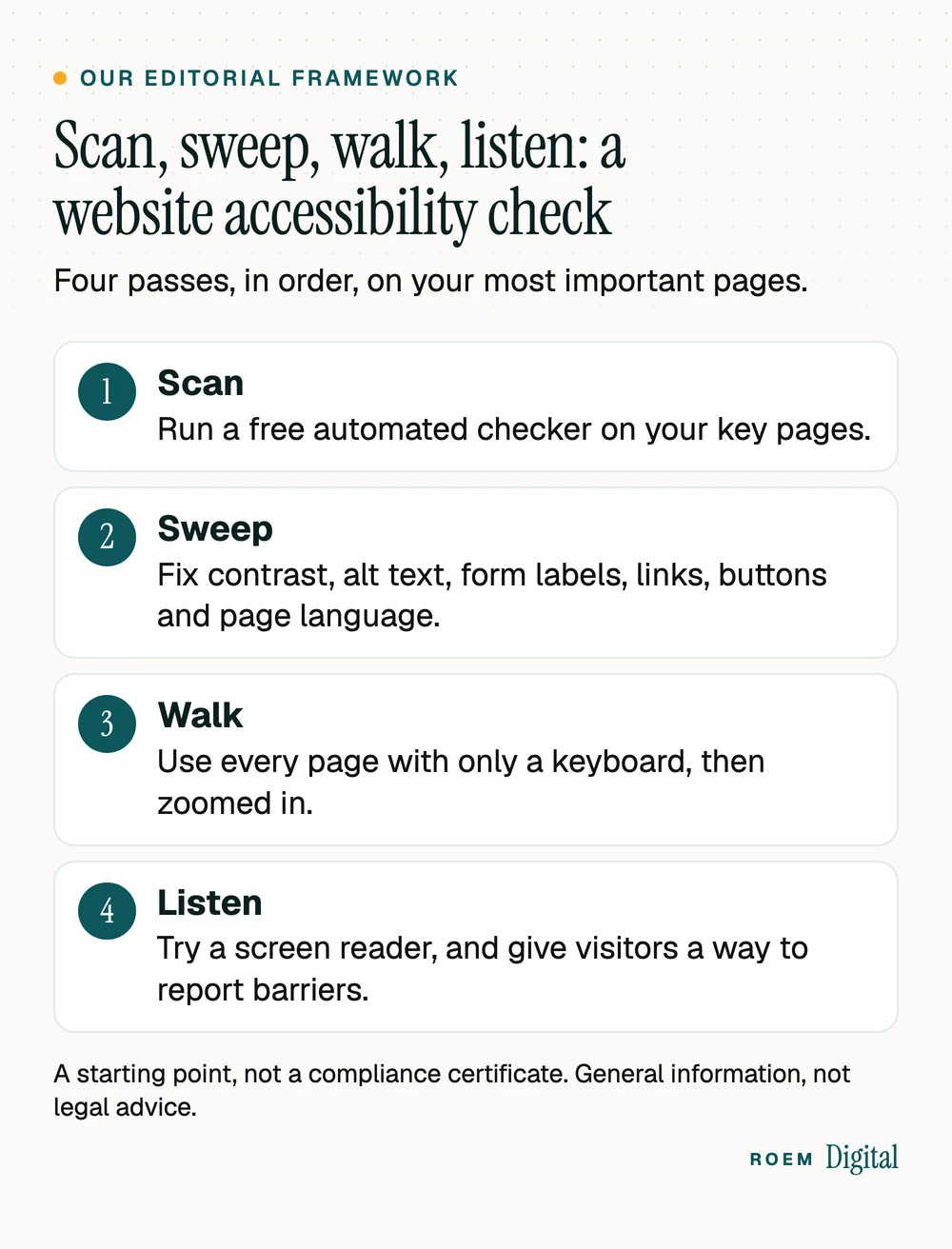
WebAIM's 2026 analysis of the top million home pages found detectable WCAG 2 failures on 95.9% of them in February 2026, and 96% of all detected errors fell into six types. That makes a practical order of work for WCAG compliance. We call it scan, sweep, walk, listen, our editorial framework for a first pass on your most important pages:
- Scan. Run a free automated checker on your home page, your top service pages, your contact or booking page and any form.
- Sweep. Fix the six error types below, in order. They're the bulk of what scanners find, and some help search too: Google's image guidelines say it uses alt text, along with computer vision and the page's content, to understand what an image shows. Our SEO audit checklist covers the search side of the same pages.
- Walk. Put the mouse away and use each page with only the keyboard: Tab through every link, button and field, and make sure you can see where you are. Then set the browser window about 1280 pixels wide and zoom to 400%. WebAIM's WCAG 2 checklist says content should still work without horizontal scrolling at a 320-pixel width.
- Listen. Try a free screen reader on one key page, and give visitors a way to report barriers. The Justice Department's guidance notes that a reporting channel lets site owners fix issues.
| Error and share of home pages | How to fix it |
|---|---|
| Low contrast text: 83.9% | Normal text needs a contrast ratio of at least 4.5:1, and large text at least 3:1, per WebAIM's checklist. |
| Missing alternative text for images: 53.1% | Describe what each meaningful image shows. Give decorative images empty alt text. |
| Missing form input labels: 51% | Give every field a visible label tied to it in the code, not only placeholder text. |
| Empty links: 46.3% | Icon links and linked images need text a screen reader can announce. |
| Empty buttons: 30.6% | Icon buttons (menus, close buttons, search) need an accessible name. |
| Missing document language: 13.5% | Set the page language in the code, and mark Spanish pages as Spanish. |
Keep it accessible after launch
Launch isn't the finish line for ADA website compliance. A new page, a promotional banner or an embedded widget can undo the work in an afternoon, so build the checks into routine updates:
- Video: synchronized captions that are accurate and identify speakers, as the Justice Department's guidance describes.
- Color: never color alone to carry meaning. The guidance's example is adding the word "required" next to red text on form fields.
- PDFs and menus as images: publish the same information as real text on the page.
- Third-party tools: test booking, chat and payment widgets with a keyboard before you add them. On a public entity's site, the fact sheet applies the standard to content provided through someone else.
- New pages: use real headings in order, descriptive link text and labeled form fields every time.
If you're planning a rebuild, it's the easiest moment to build accessibility in rather than patch it later. Our website redesign checklist and our guide to the 12 must-haves for a service business website include it alongside calls, forms and tracking.
Questions to ask your web designer about accessibility
If someone else builds or runs your site, ADA website compliance is part of what you're buying. Ask these before the project starts, and get the answers in writing:
- Which WCAG version and level are you building to, and does that include the mobile layout?
- How do you test: automated scans only, or keyboard and screen reader checks too?
- Are the theme, plugins and third-party widgets tested, or only the pages you design?
- Who fixes an accessibility problem found after launch, and how quickly?
- Will the site have an accessibility statement and a way for visitors to report a barrier?
- Will we get a written record of what was tested and what still needs work?
Be wary of any answer that rests on a single plugin or a promise of guaranteed compliance, for the reasons the Justice Department gives above. Our guide to what to expect from a website project covers the rest of the questions worth asking, and custom-built vs website builder explains how much control each route gives you over the code that screen readers rely on.
Demand letters and lawsuits: when to talk to an ADA attorney
This article is general information, not legal advice. Talk to an attorney who handles ADA matters if you:
- Receive a demand letter, complaint or lawsuit about your website. Get advice before you reply or install anything.
- Run a public entity or a public school and aren't sure which compliance date or exception applies to you.
- Build or run web content or an app for a government under contract.
- Lead a religious organization and want to know how the Title III exemption and any state or local laws apply to you.
Keep a record of what you test, what you fix and when, so your attorney has something concrete to work with. The ADA also authorizes courts to award attorneys' fees to the winning party in an ADA lawsuit, as ada.gov's introduction to the ADA notes, which is one more reason to get advice early.
On the build side, our website and branding service makes custom sites, hand-built, not templated, and a rebuild is the easiest time to get these basics right. We don't promise "ADA compliance" as a badge or a guarantee.
Frequently asked questions
Do small business websites have to be ADA compliant?
The Justice Department's position is that the ADA applies to the goods and services businesses open to the public offer online. There is no detailed federal web regulation for businesses, though, and the Department points to WCAG as helpful guidance. Ask an ADA attorney how this applies to your business and your site.
What is the ADA Title II website compliance deadline?
After an interim final rule published April 20, 2026, state and local governments with a population of 50,000 or more must meet WCAG 2.1 Level AA by April 26, 2027. Those under 50,000, and special district governments, have until April 26, 2028. School districts use their city or county population.
Does an accessibility overlay make a website ADA compliant?
Not by itself. The Justice Department's guidance says automated checkers and overlays can be helpful but need to be used carefully, and a clean report does not necessarily mean everything is accessible. It says pairing a manual check with automated checkers gives a better sense of accessibility. In our view, that check should include keyboard and screen reader tests.
Which version of WCAG should my website follow?
The Title II rule for state and local governments uses WCAG 2.1 Level AA. For businesses, the Justice Department names WCAG as helpful guidance without picking a version. WebAIM's checklist is based on WCAG 2.2. Agree on a target version with your developer before the project starts.
Do private schools have to follow the ADA Title II web rule?
No. Ada.gov lists private schools among the businesses and nonprofits covered by Title III, not Title II. Public schools, community colleges and public universities fall under Title II and its 2027 and 2028 dates. Ada.gov also says religious organizations are exempt from Title III, so a religious school should ask an attorney how it's classified.
How do I check if my website is accessible?
Start with a free automated checker on your key pages, then fix the common errors it finds: contrast, alt text, form labels, empty links and buttons, and page language. Next, use each page with only a keyboard, zoom to 400% in a window about 1280 pixels wide, and try a screen reader. Automated tools alone miss real barriers.